Objective
You have a working docker project and the source code is managed in a Git repository. The goal of this tutorial is to push a docker image to AWS private container registry. This process will include:- Cloning the application from a Git repository
- Building the docker image
- Pushing the docker image to AWS private container registry
Checklist
Checklist | Description |
|---|---|
Docker Registry Address | AWS private container registry address |
Docker Registry User | AWS IAM user ID to push images against AWS private container registry |
Docker Registry Token/Password | Access Key for the above AWS IAM user ID |
Docker Registry User permission | AWS IAM user ID must have relevant access to push images to AWS private container registry |
Configure Cloud-Specific Credential
To configure credential details according to the cloud provider, please refer to this document: Docker Registry Setup For Cloud ProvidersConfigure Container Account
Configure your AWS Container Account under Topology. FlexDeploy will connect to the AWS private container registry and push the image.- Navigate to the Integrations menu
- Navigate to the Containers tab
- Create a new Containers account by pressing the Create button. Create a new Docker Registry account of provider type DockerRegistry
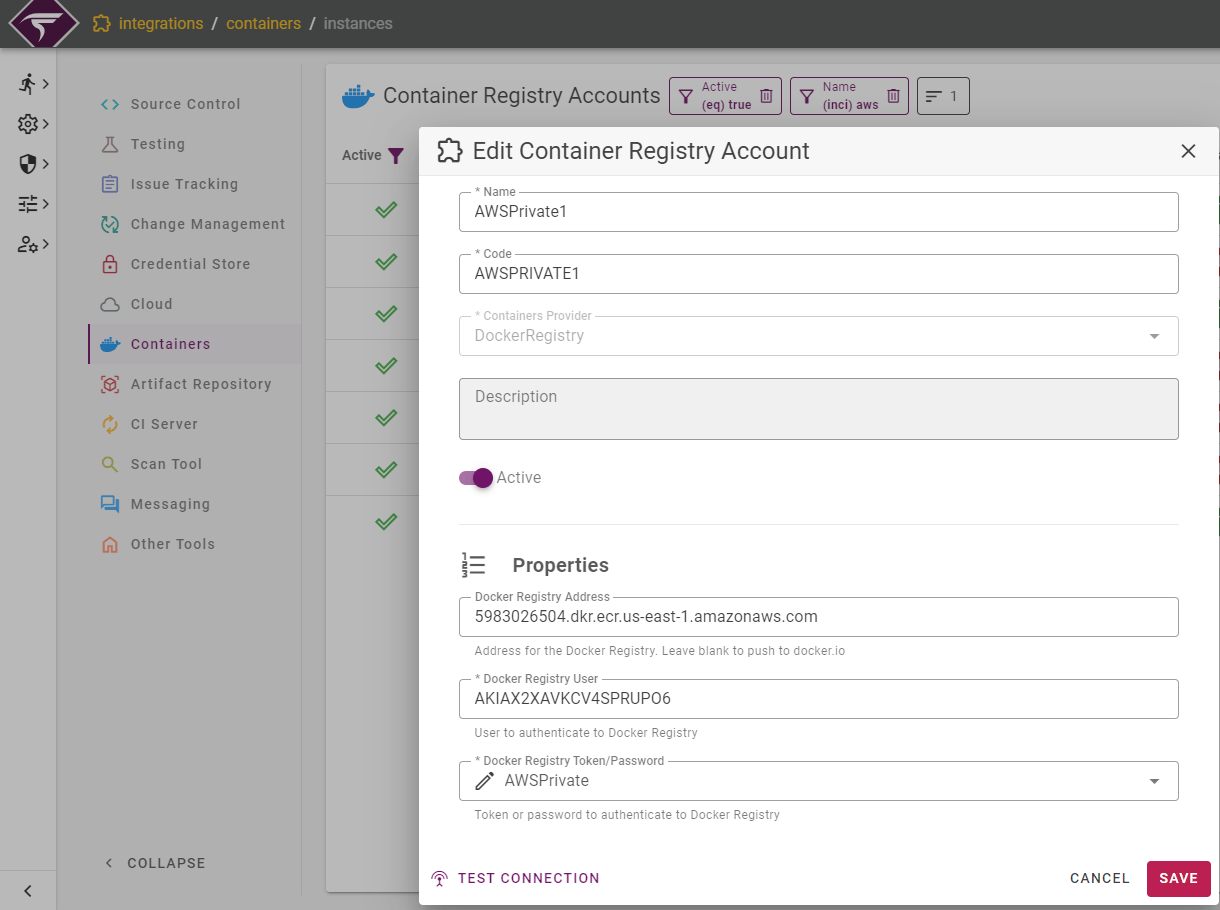
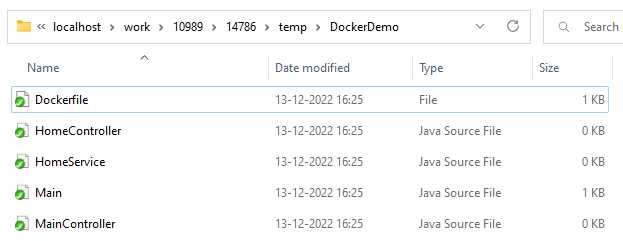
Git Repository Structure
The Git repository should be a Docker-based application. A Dockerfile should be present in the application to build the image. A sample Git repository structure is given below: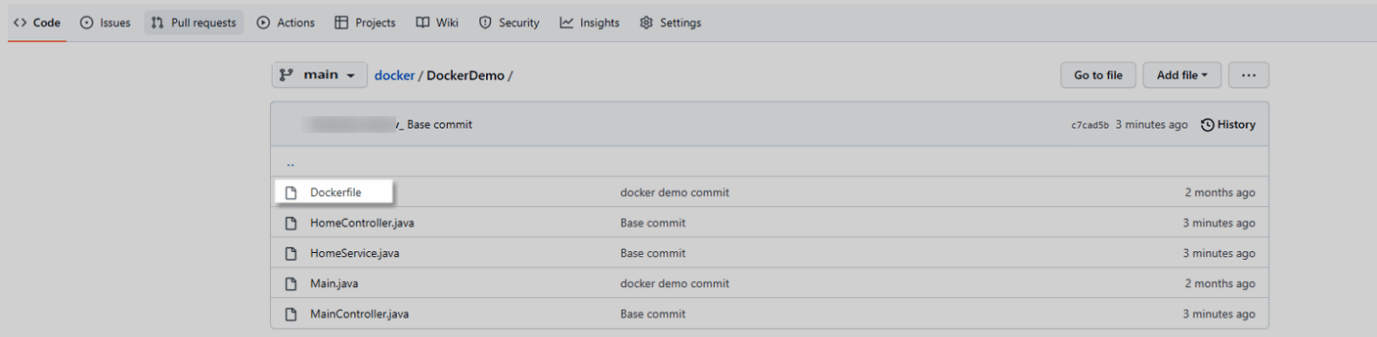
Build Workflow
Navigate to the Workflows menu and create a workflow using the :Create_Button: button as highlighted below.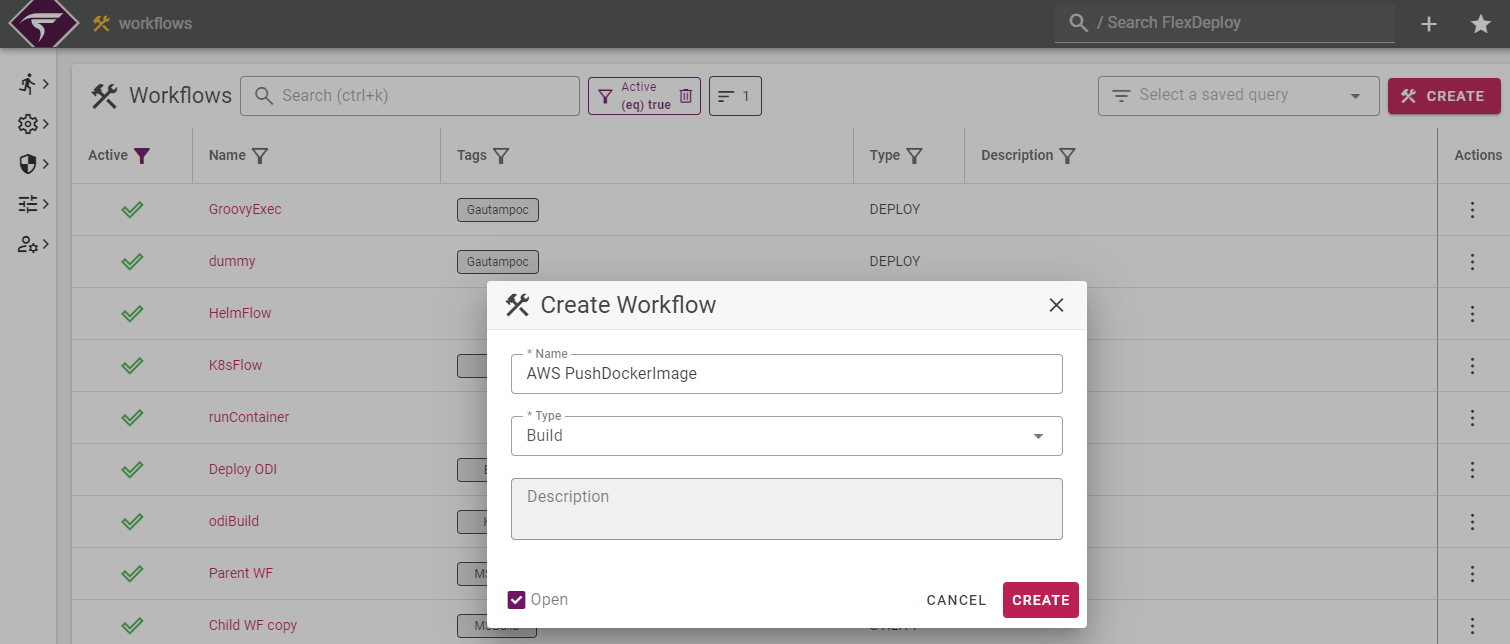
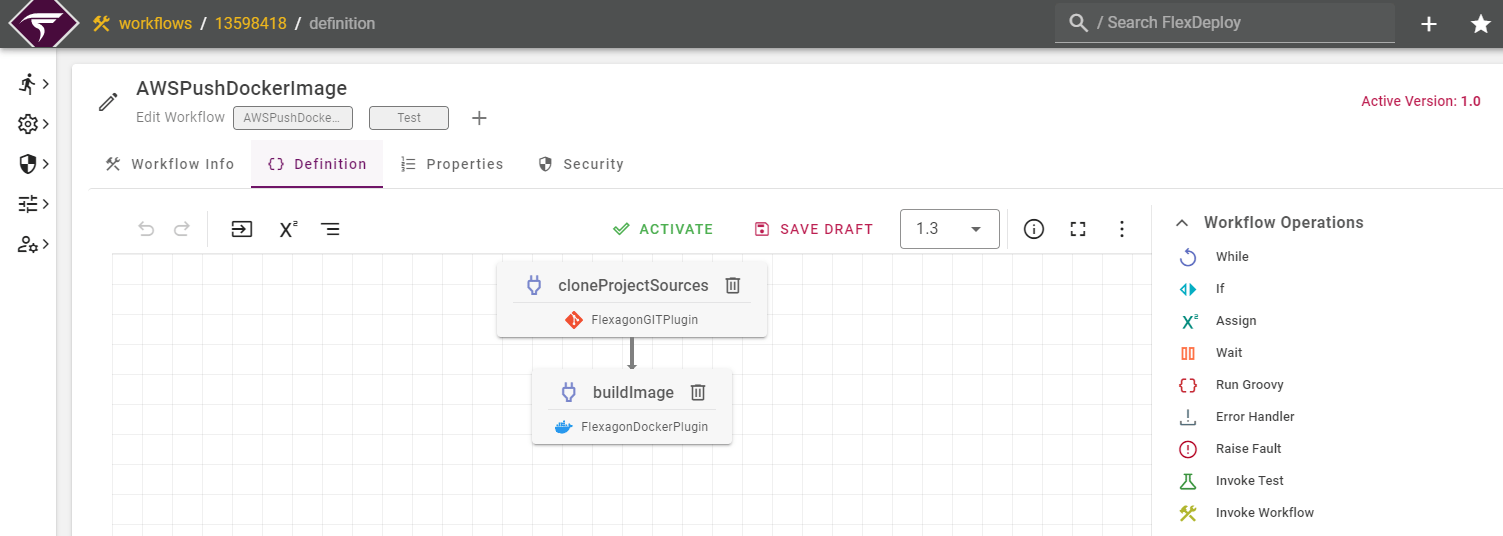
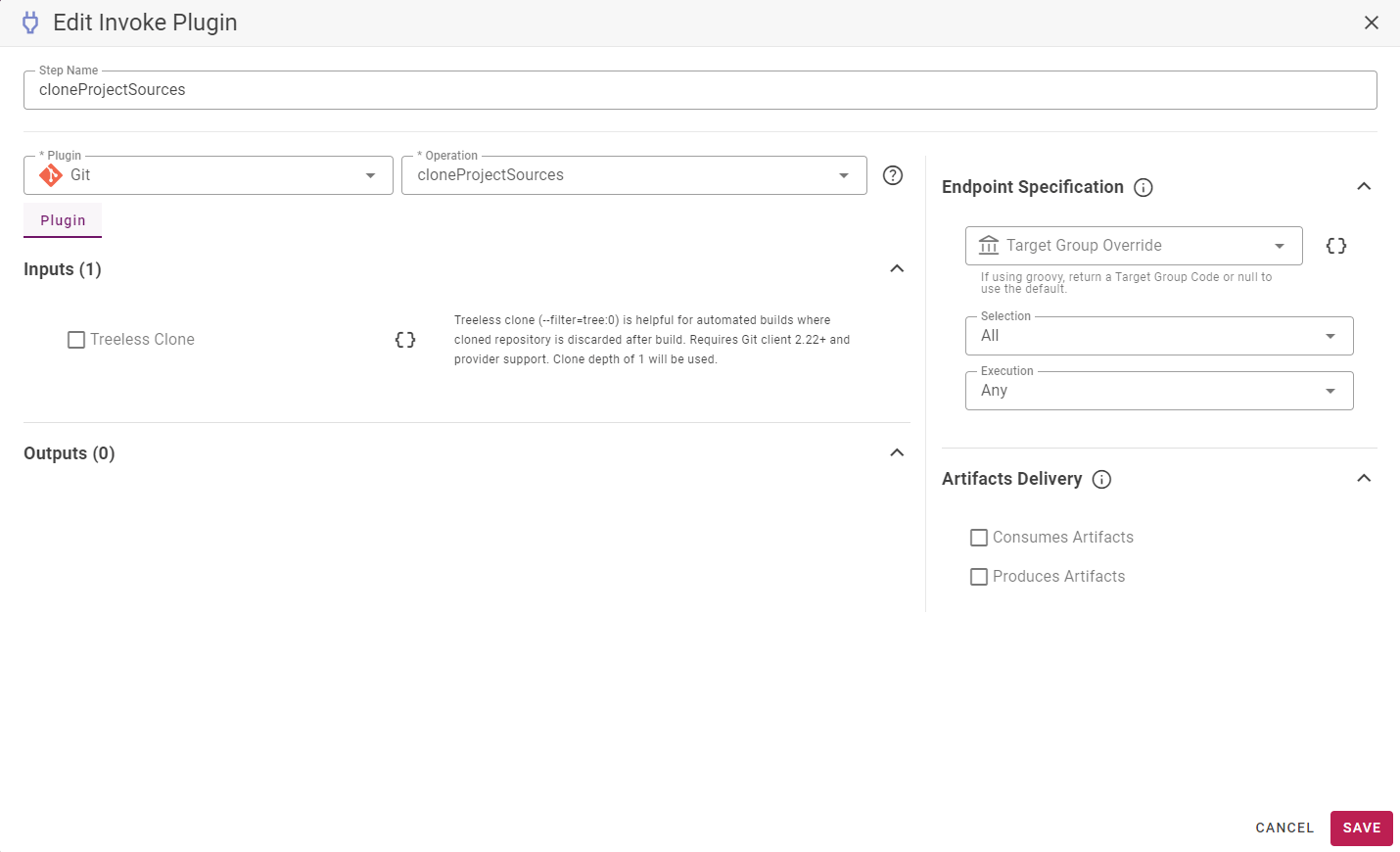
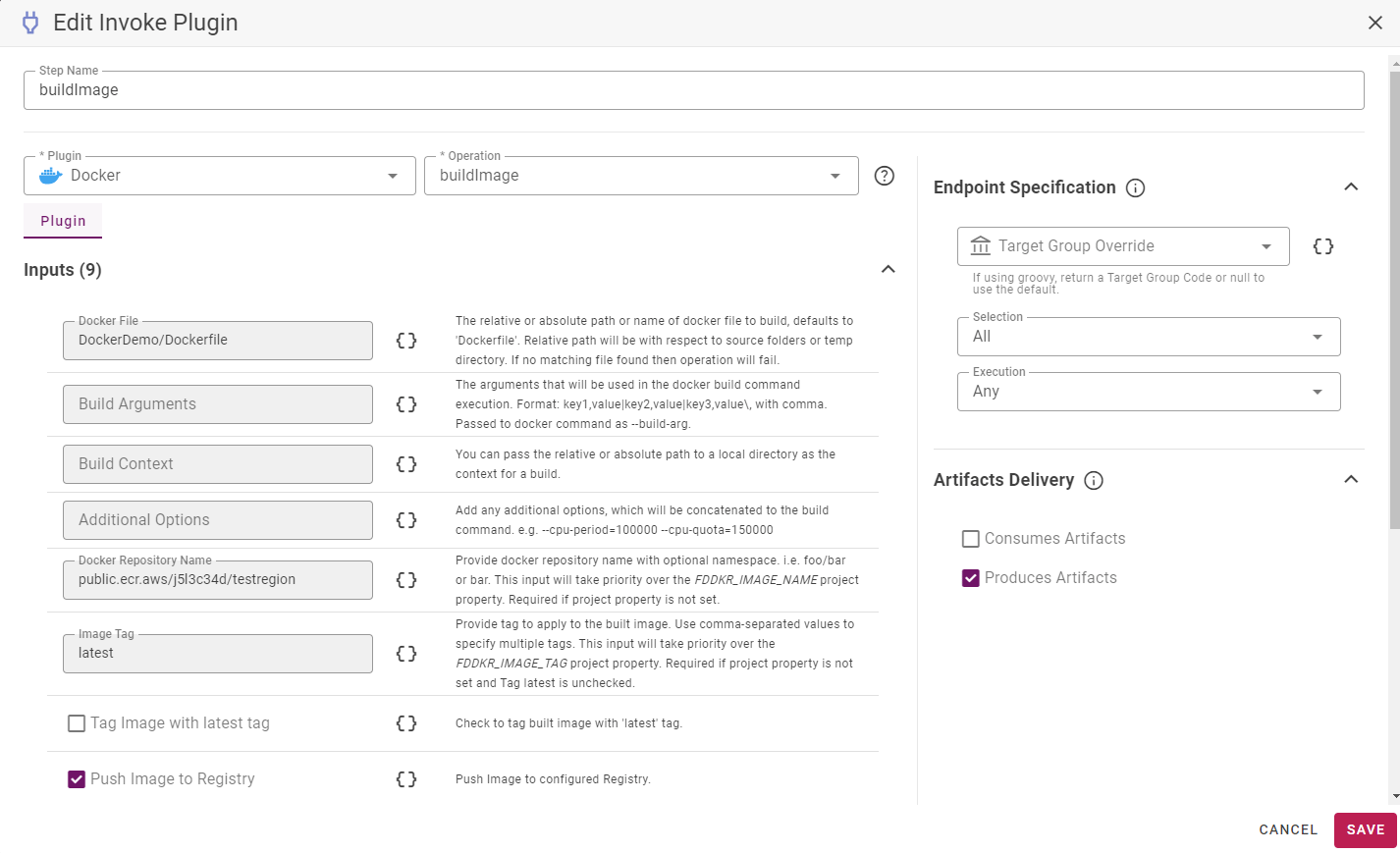
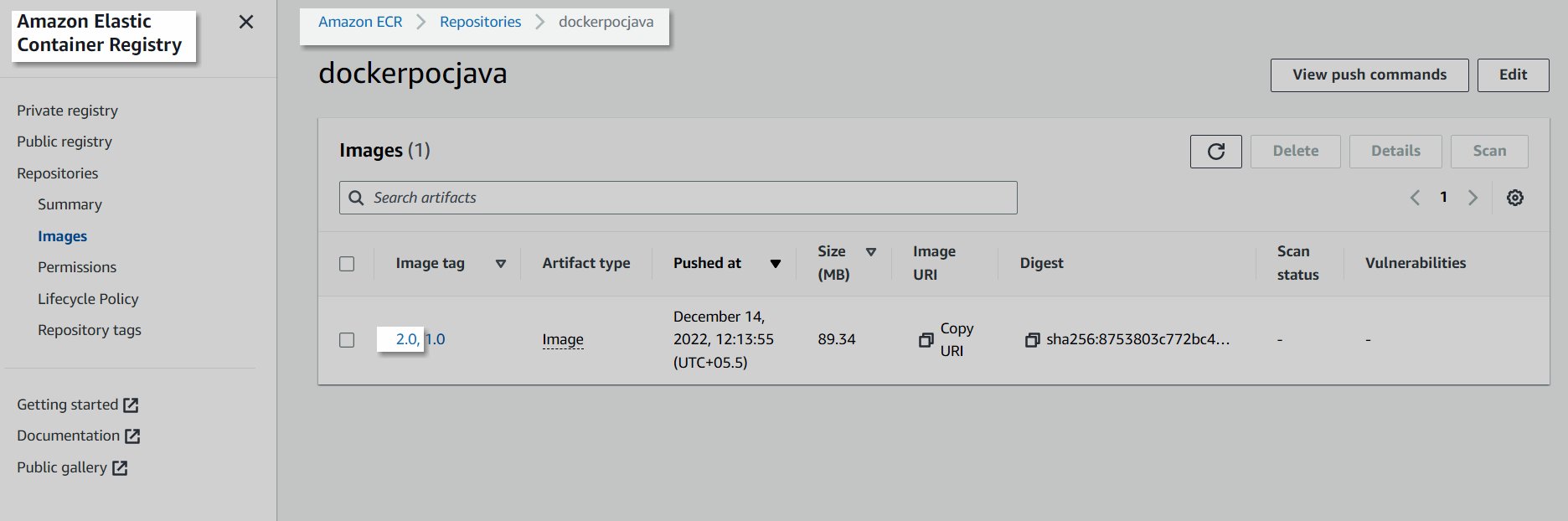
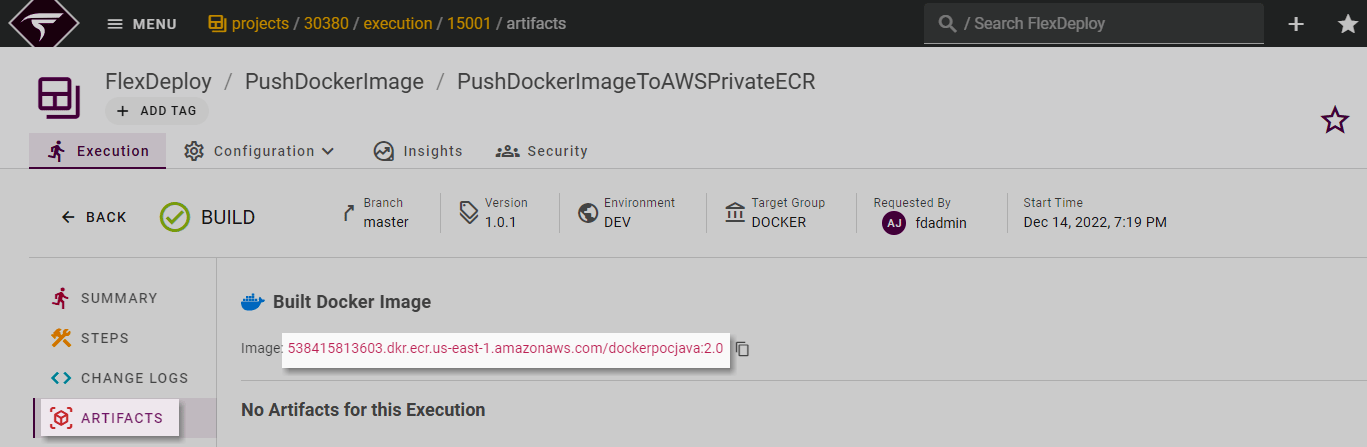
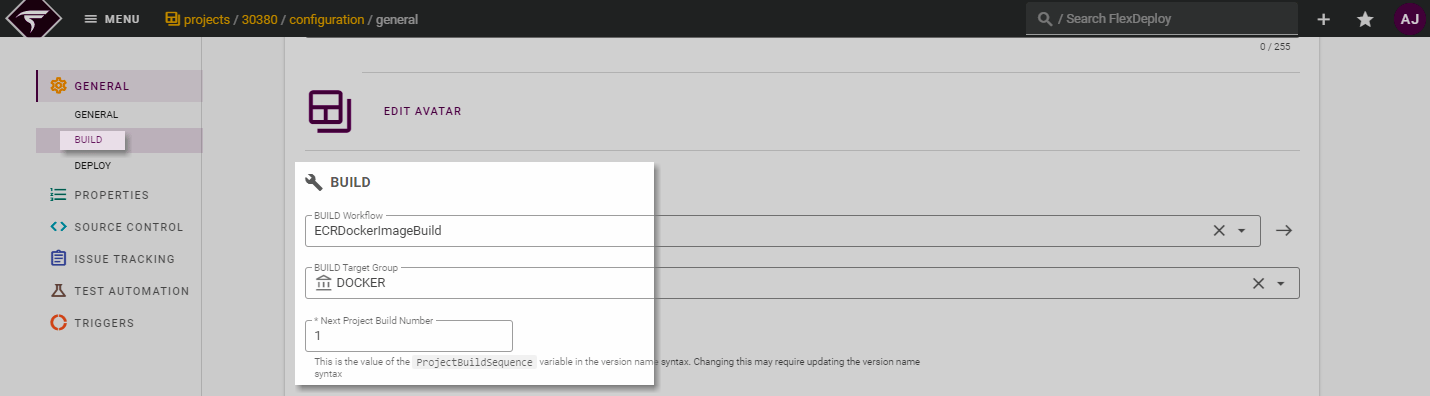
Project Configuration
Navigate to Projects and create a Project with a logical name (PushDockerImageToAWSPrivateECR in this case)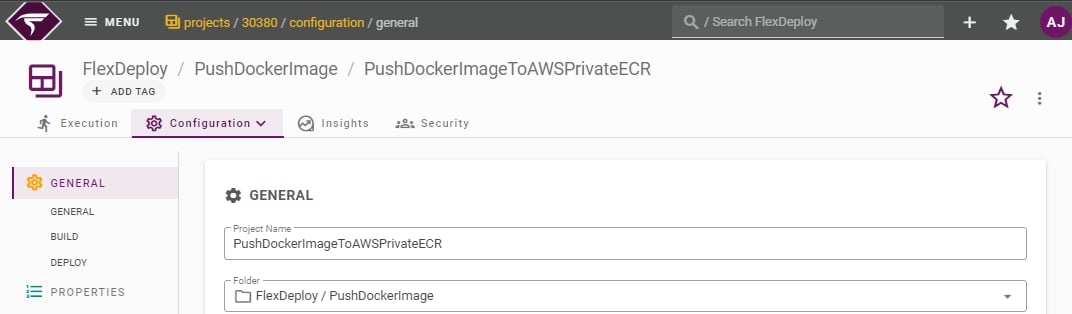
Source Control
Configure the SCM repository on the Source Control tab as shown below.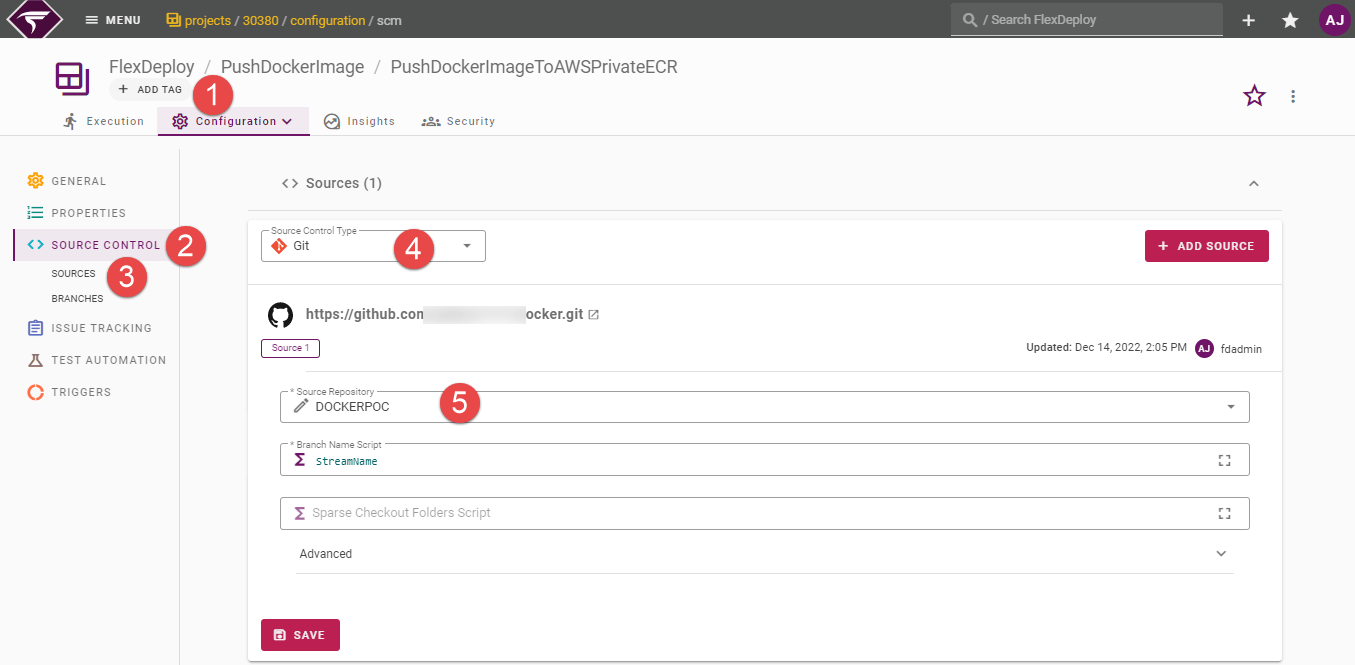
- Select the Sources section for configuring your source repository
- Select the appropriate Source Control Type
- Configure source repository details. For more detailed steps of source control configuration, please refer to Configure Source Control in FlexDeploy
Project Properties
To configure Project-specific properties, navigate to Configuration → Properties as shown below.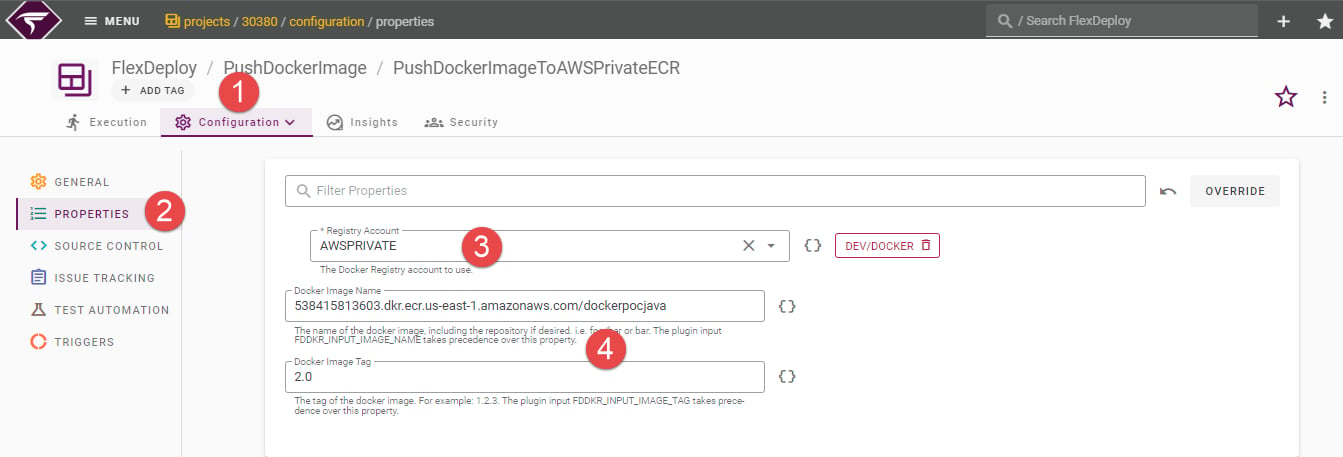
- Select the target Registry Account.
- Docker Image Name and Docker Image Tag are essential to build the docker image.
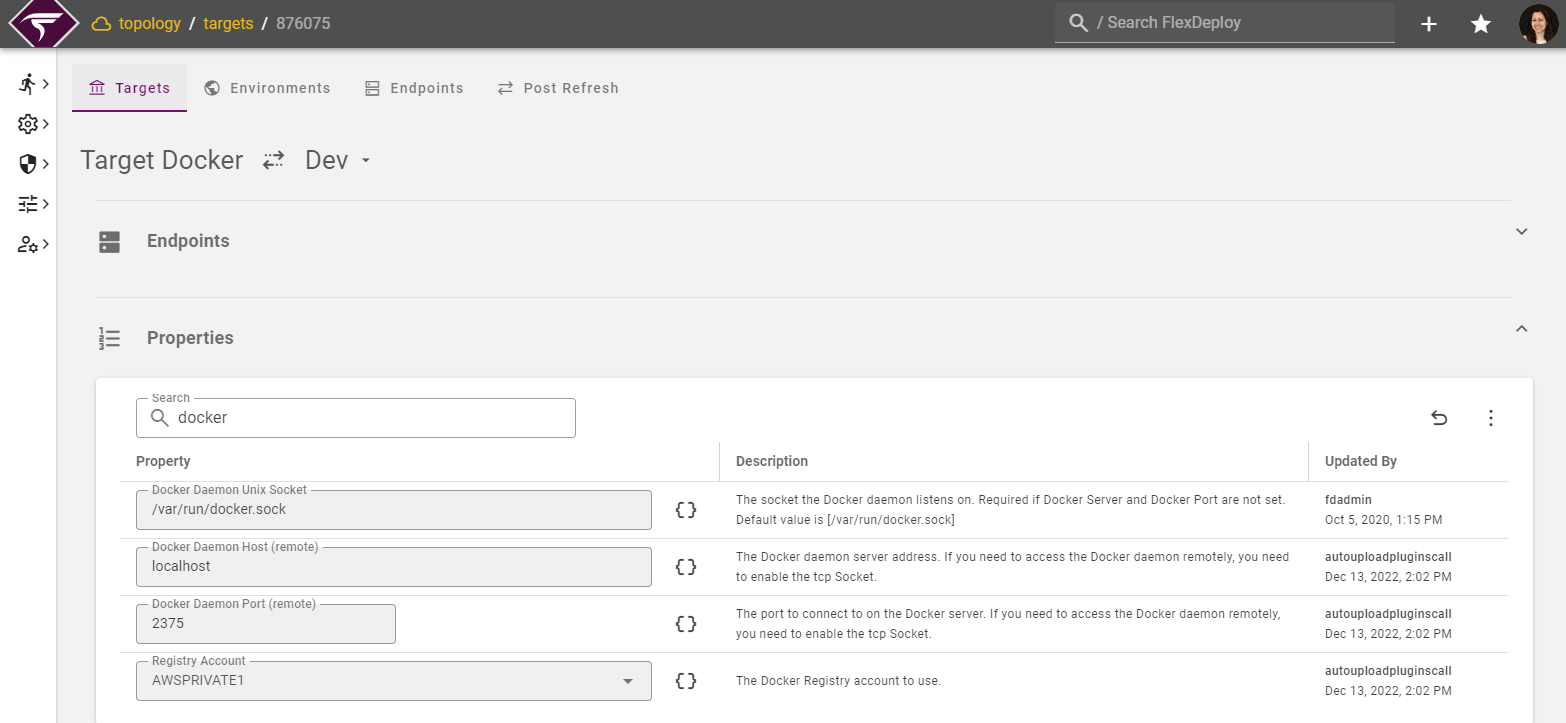
Target Properties
Topology
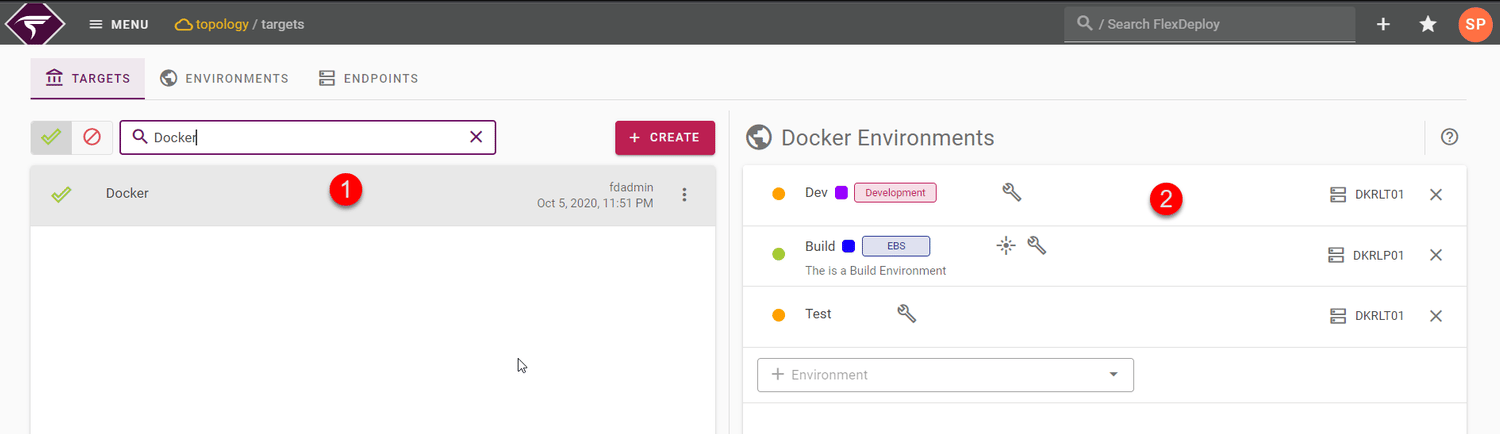
Navigate to Topology. Choose a Target Group on the left, or create a new one. You will see a list of Environments on the right with colored circles representing each Target.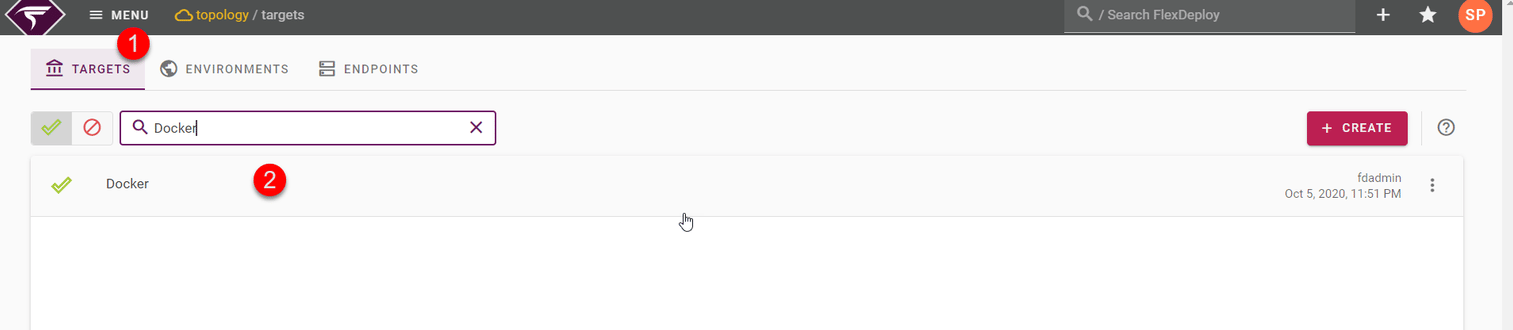
- RED - The Endpoint is not configured
- YELLOW - some of the required properties are not set,
- GREEN - all required properties are set and the Endpoint is configured
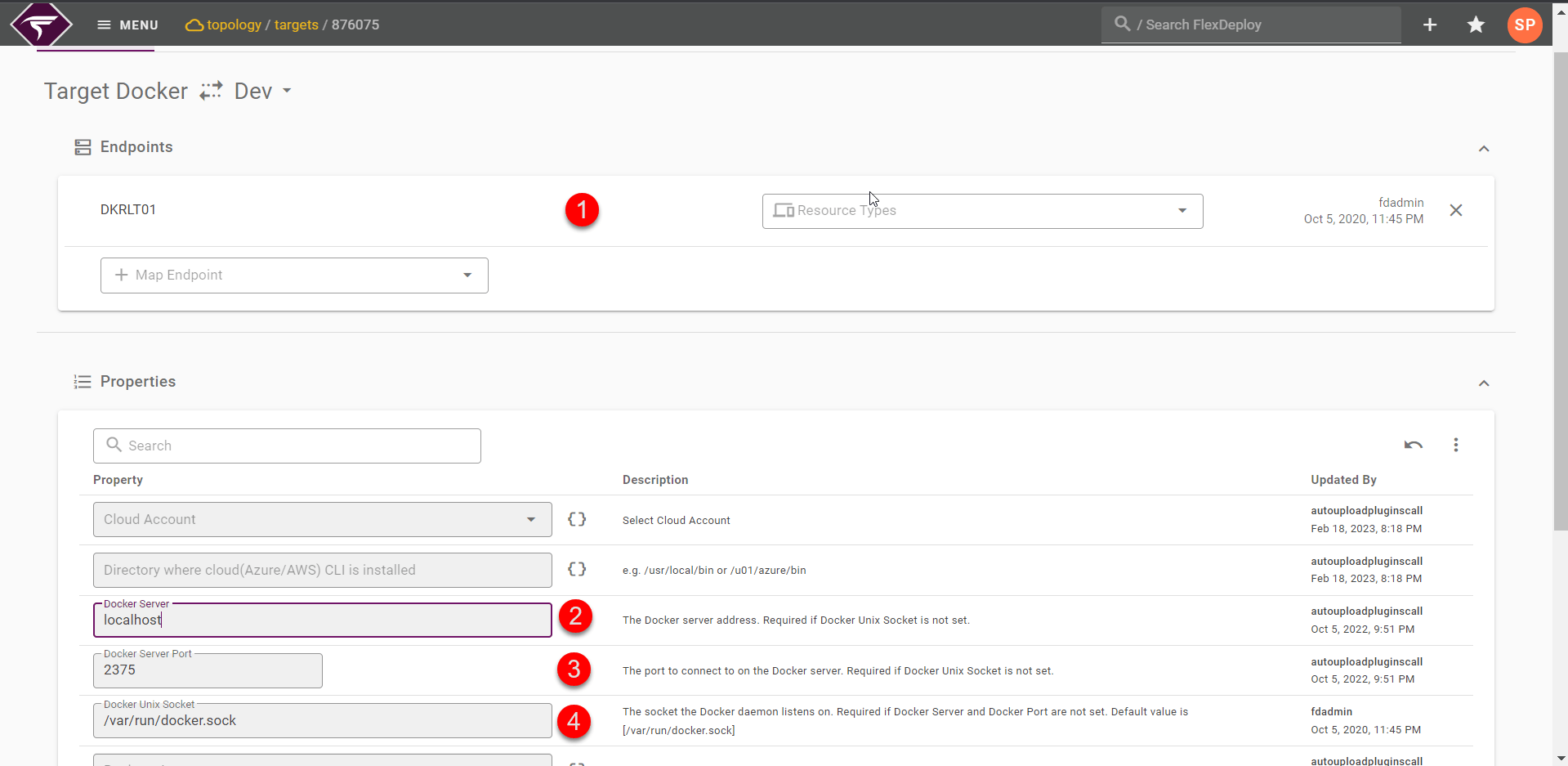
Properties | Mandatory Field | Description |
Docker Server | Optional | Docker server address. Required if Docker Unix Socket is not set. |
Docker Server Port | Optional | The port to connect to on the Docker server. |
Docker Unix Socket | Optional | The socket the Docker daemon listens on The default value is [/var/run/docker.sock] |
Registry Account | Optional | Docker Registry account with relevant details |
GIT Path | Optional | Path to the Git executable. Required only if git is not on PATH. |