A workflow is an orchestration of steps that define a build, deployment, test, or utility process.
A workflow is an orchestration of steps that define a build, deployment, test, or utility process. Workflows are built using Plugin Operations like SOA Build, WebLogic Deploy, or Unix Shell as well as other constructs like If, Assign, While, etc. Out-of-the-box plugins for specific technologies will be used to complete most of the complicated tasks in workflows, but when necessary, users can use scripting plugins like Shell, Groovy, Ant, Maven, etc. to perform custom tasks. Workflows are configured on each project which allows the project to perform Build and Deploy operations and in the case of Utility projects allows for the execution of desired commands. The Pre-deploy workflow can be used to perform any review for certain deployments like Terraform, Database, etc. before running actual Deploy operations to perform validation before deployment.Workflow List
Clicking the Workflows menu item or navigating to/flexdeploy/next/#/workflows will open a list of all the Workflows that the current user has READ access to. By default, an Active=true filter will be applied but this can be removed as desired.
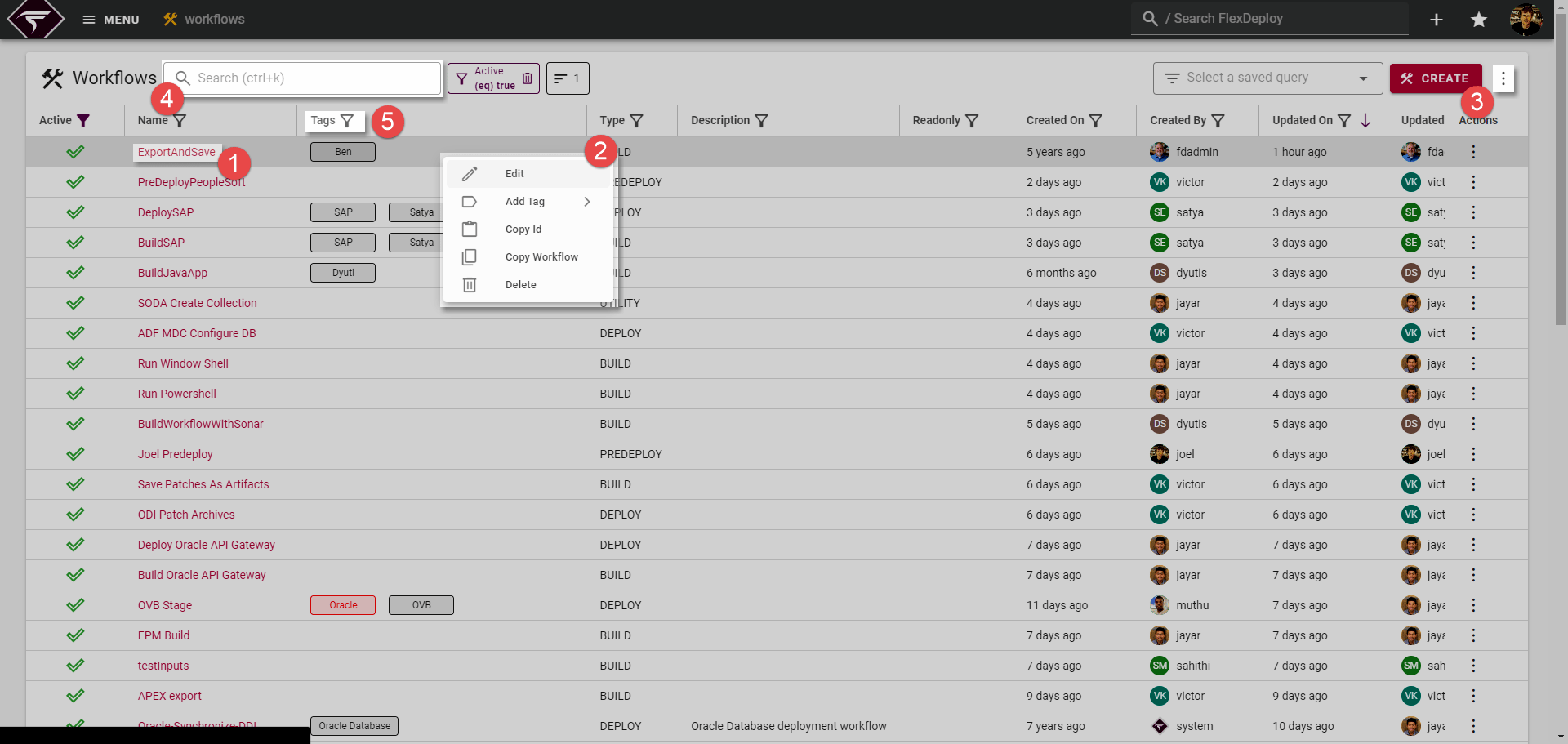
 , alternatively the actions menu
 can be opened with a right click or by clicking the actions menu at the end of the row.
Table Actions and Options can be accessed from the menu at position
 . Here you can control certain display settings of the table as well as Bulk Update Permissions for a subset of Workflows.
Finally, you can apply generic filtering with
 or specific column filtering with
 .
Creating Workflows
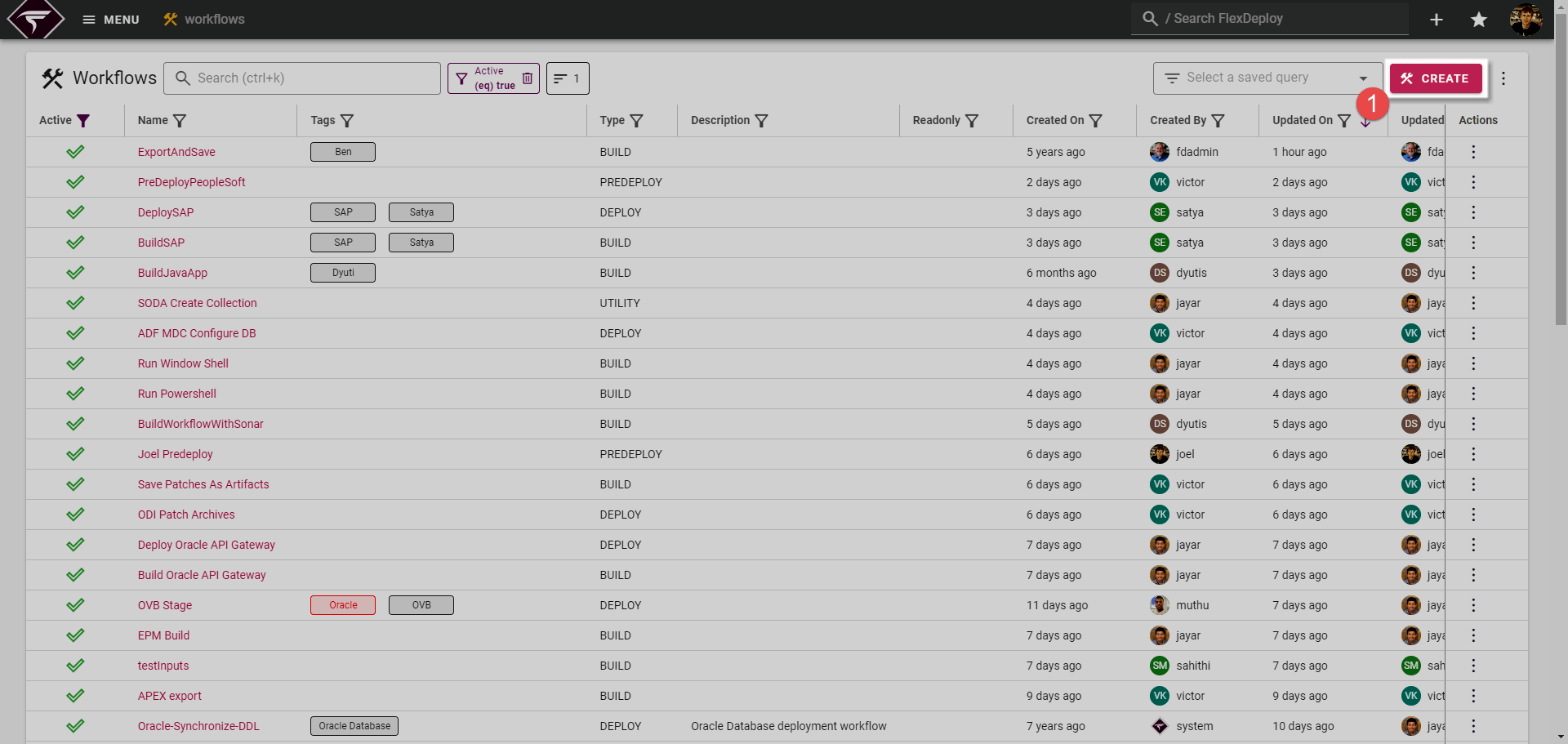
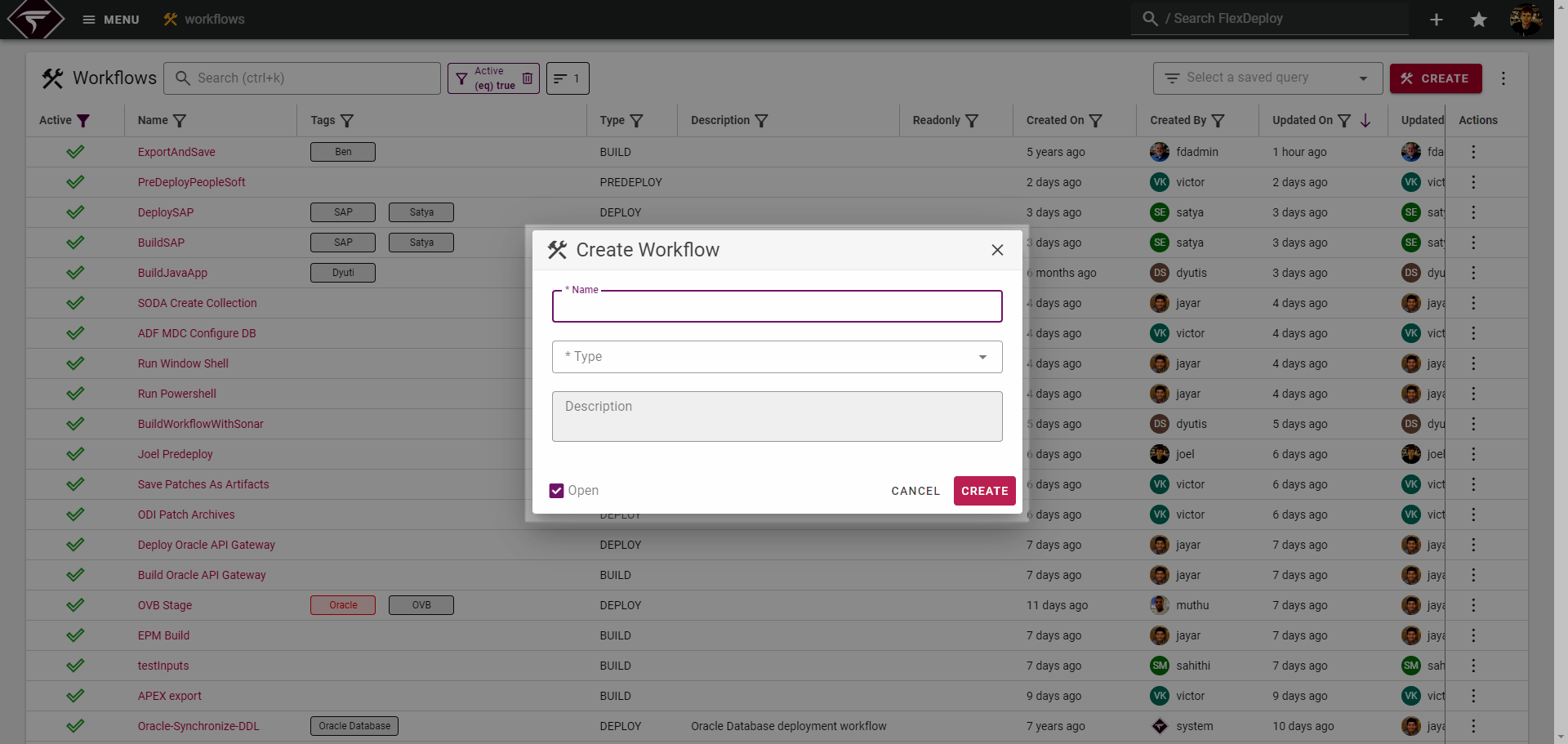
To create a new Workflow, click the Create button on the Workflow List page.
Permission RequirementsCreating new Workflows requires the Global Permission Workflow Create
Copying Workflows
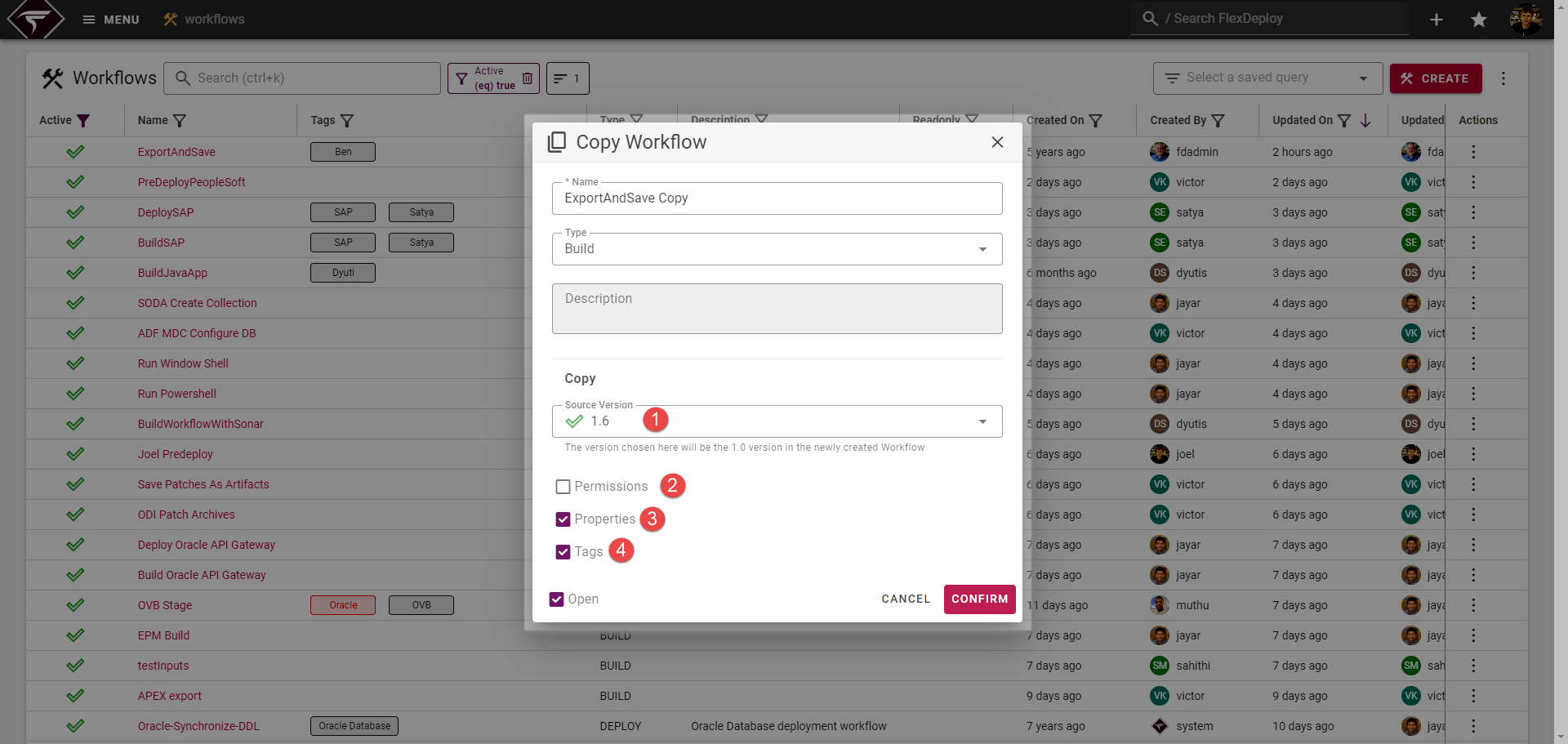
To copy a Workflow, click the Copy Workflow action from the Workflow actions menu (denoted in the list view section). Doing so will open a dialog for copying the chosen Workflow.
Permission RequirementsCopying a Workflow requires the Global Permission Workflow Create
Field | Description |
|---|---|
Source Version | When copying a Workflow, only 1 Workflow Version will be copied. By default the active version will be selected by any version can be chosen. This field can also be cleared out via the :cancel: icon, in which case the Workflow will start with an empty version. |
Permissions | Only applicable if the Workflow overrides security. Copies any Workflow specific permission groups to the new Workflow. |
Properties | Copy any Properties defined on the Workflow Properties tab. |
Tags | Copy any Tags assigned to the Workflow. |
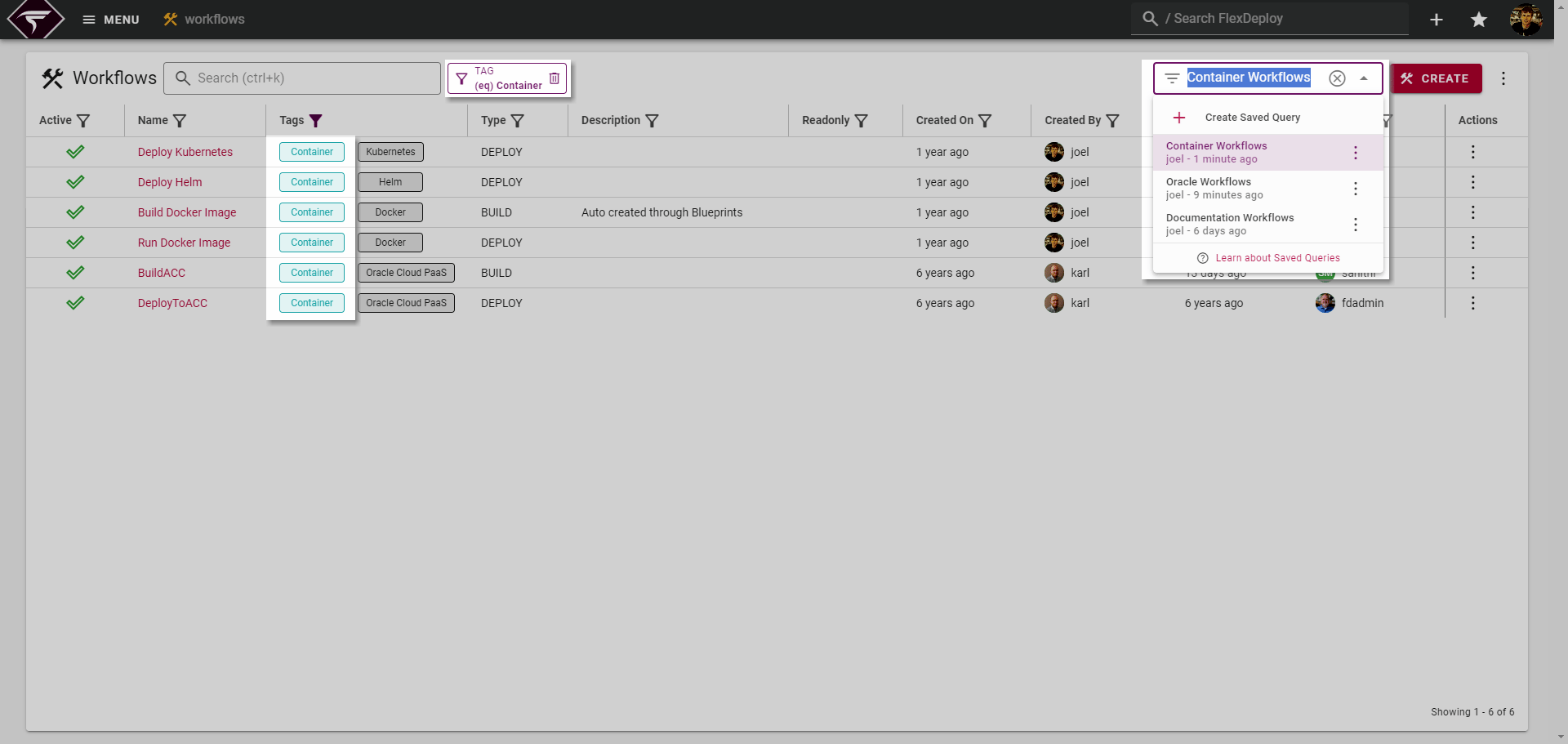
Creating Custom Views
As more and more Workflows are added to FlexDeploy it can become increasingly valuable to have a solid organizational paradigm. There are several ways to go about creating some organization with your Workflows but the following example leverages both Saved Queries and Workflow Tags. The general thought process is to apply appropriate tags to each Workflow and then create a Saved Query for each Tag with the Tag column filter applied.