FlexDeploy has a customizable In-App notification system. FlexDeploy has long supported email notifications for events such as deployments, approvals, and alerts. With version 10.0, you’ll have both email and in-app notifications, giving you more flexibility and visibility. Stay informed without leaving FlexDeploy: Notifications appear directly in the application interface. Reduce email clutter: Important updates are available where you work. Immediate visibility: See alerts and actions in real time without switching to your inbox.

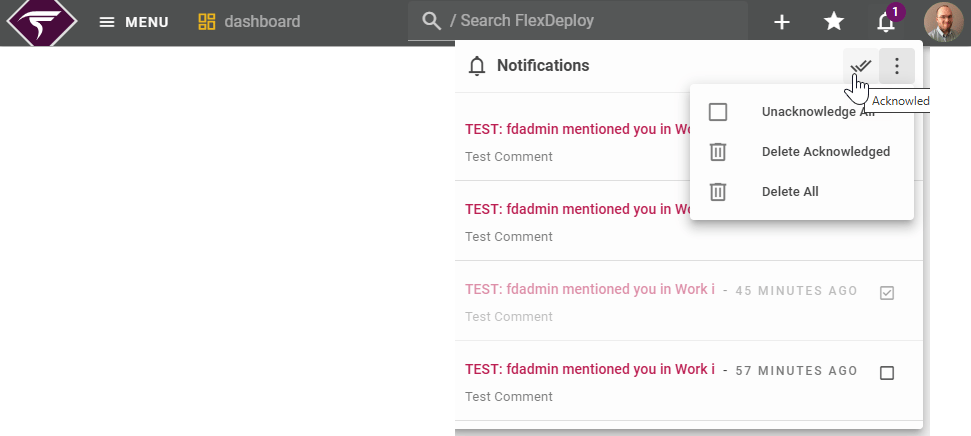
Appearance to Users

The number appears on the bell when you have an unread notification. image-20251201-211911.png Notifications are automatically purged whether or not they are read after enough time. Users are able to acknowledge notifications one at a time, or all at once and Delete all or those that are acknowledged.
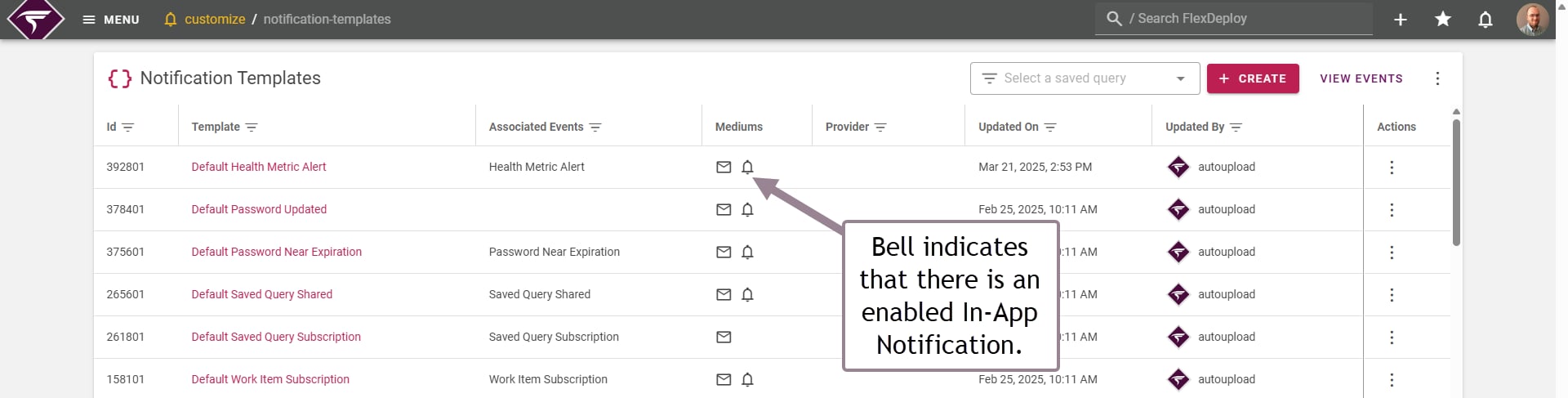
Notification Templates

image-20251201-212004.png See Create or Edit Notification Templates for more information.

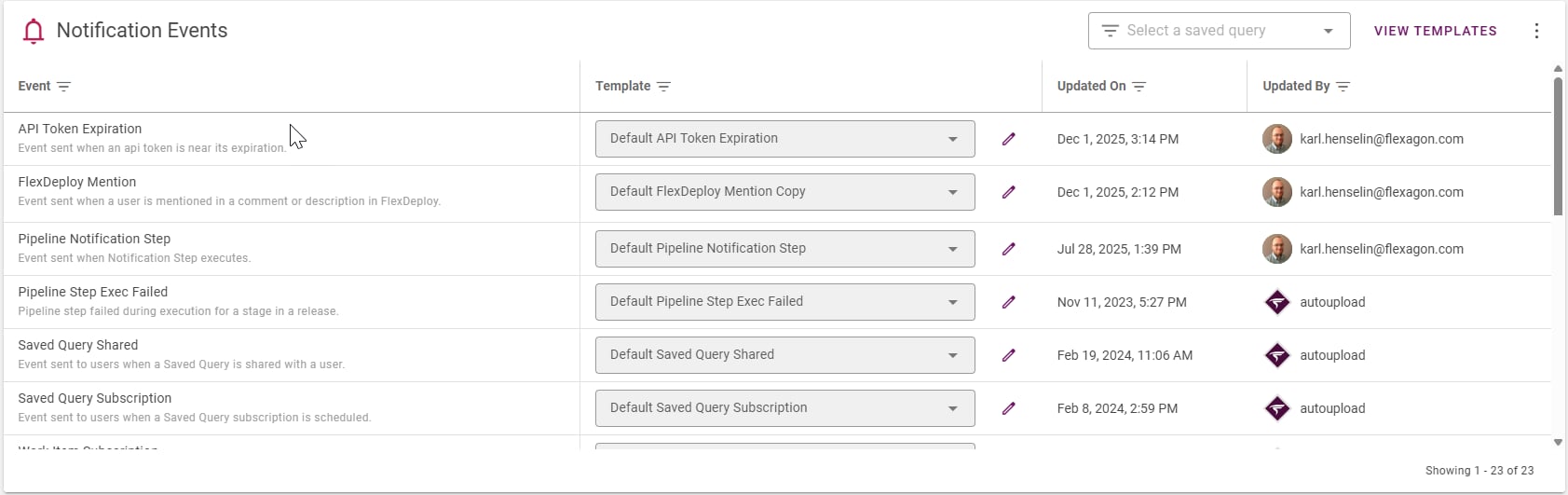
Notification Events

This screen allows verifying at a glance that all events are properly assigned. image-20251201-212019.png If there is a row with no template assigned, consider connecting it to the default template with the similar name.