
Saved Queries allow users to save search criteria and additional formatting options to keep your data just the way you like it.
What are Saved Queries?
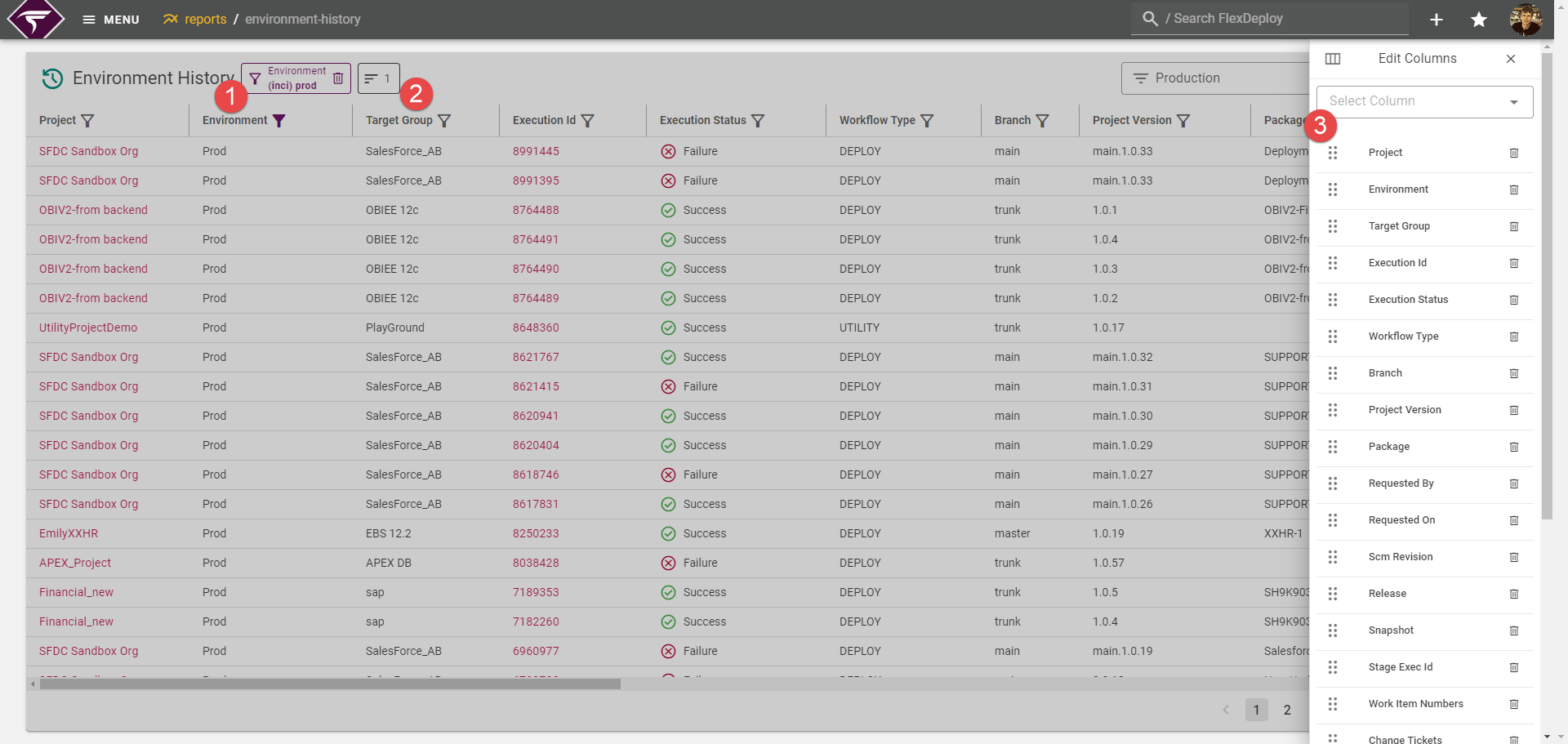
Saved Queries are capable of saving the following information so you can quickly return to, or even set default, views for tables.- Search Filters
- Sort Directions
- Visible/Hidden columns
- Column Order
- Column Sizes
- Column Renames
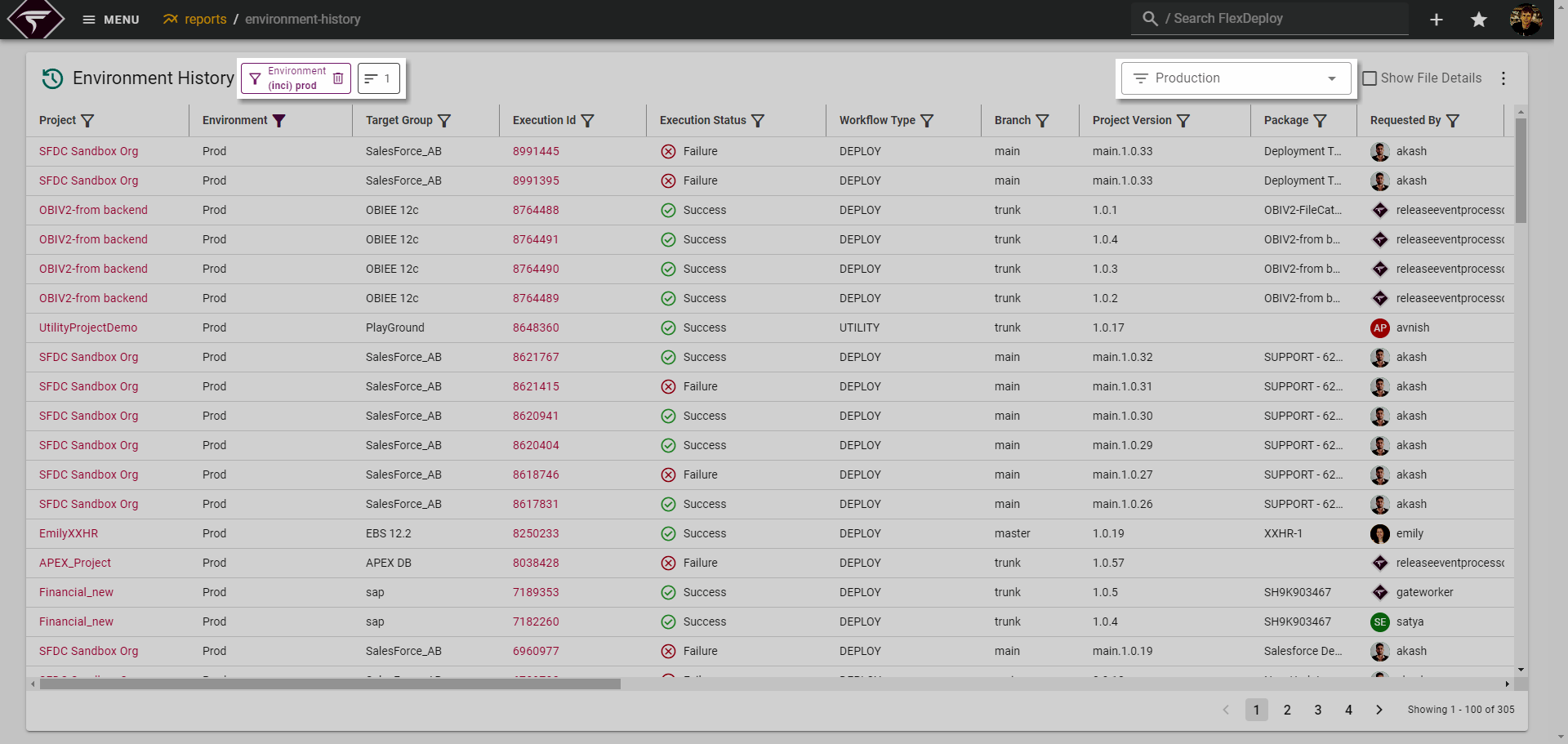
By default, the last Saved Query we were viewing on a page will be restored when coming back. Meaning this Production query will be applied to this page indefinitely.
Creating a Saved Query
In order to create a Saved Query, perform the following: Apply any filters, sorts, or column altering you would like to be saved.
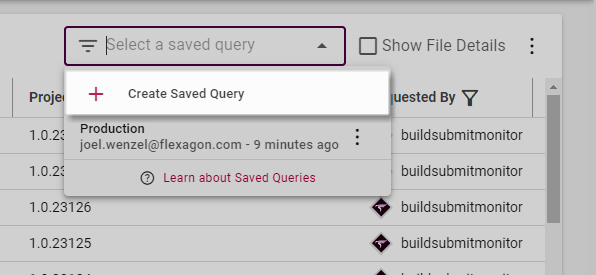
 Click on the Select a saved query dropdown and click the Create Saved Query button.
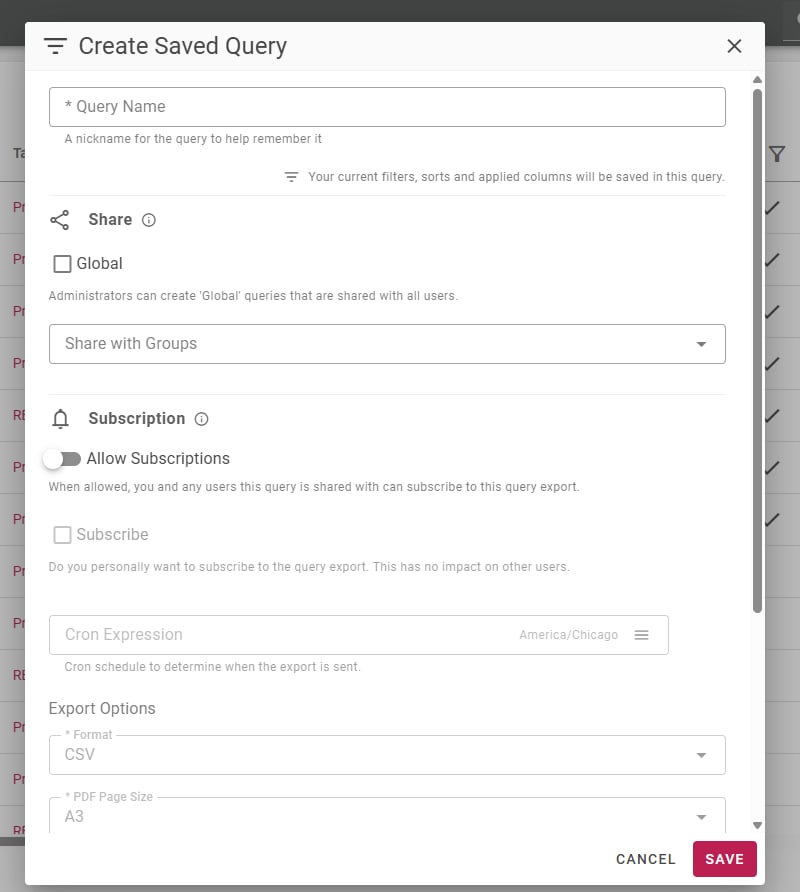
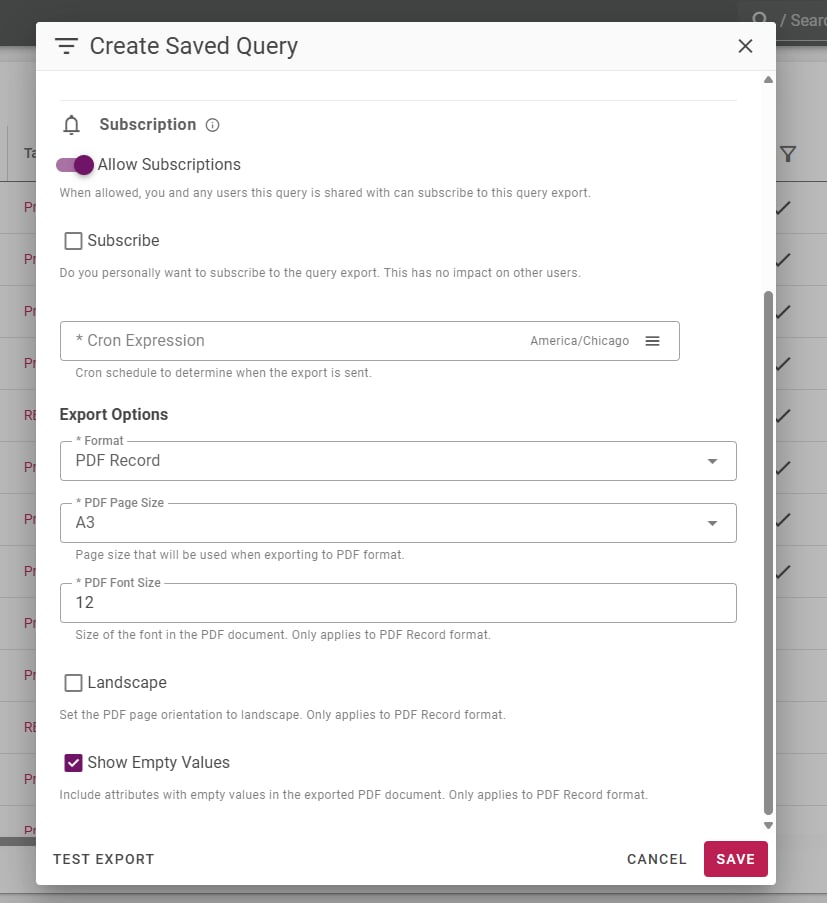
 This will open a popup where you can provide a name for your Query, share it, and/or create an automated export.
Sharing a Saved Query
A Saved Query can be shared in 2 ways:-
Sharing with specific groups
- Any user a Saved Query is shared with can select it, view it, and optionally subscribe to it (see below).
-
Global Share
- Checking the Global option for sharing will share it with all FlexDeploy users. This will also disable the Group Share since it becomes redundant.
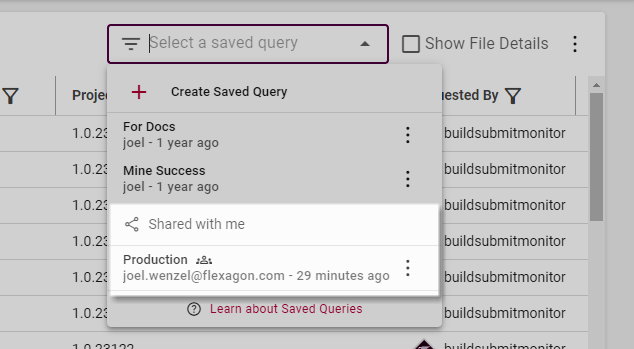
What can users do with a Shared Saved Query?Once a Saved Query is shared, non-admin users will be able to view and subscribe to the query but they will not be able to modify it in any way.Admin users, on the other hand, can edit and modify shared Saved Queries.
Automating Saved Query Exports via Subscriptions
Certain views, such as Reports, allow configuring Saved Query Subscriptions (automated scheduled Exports available in CSV or PDF format). There are a few configuration options for subscriptions that are outlined below:-
Allow Subscriptions
- Before you or users the Saved Query is shared with can subscribe, subscriptions must first be enabled by the owner or an Admin the Saved Query is shared with.
-
Format
- The format of the export. Available options are CSV, PDF Table, and PDF Record. Note PDF has a 15 column limit.
-
Cron Expression
- The cron schedule will define how frequently the export is sent out to all subscribers.
Relative Datetimes in SubscriptionsUnder most circumstances it is beneficial to add a Relative Date Time filter to your Saved Query that aligns with your Cron interval. (e.g. All new entries in the past week: -1w) This ensures the export will only contain new rows since the last time the export was sent.This can be done by using the Relative filter option on any datetime column.
Modifying a Saved Query
In order to modify a Saved Query, it must first be selected.
With the Query selected, modify the filters, sorts, and columns as you normally would.
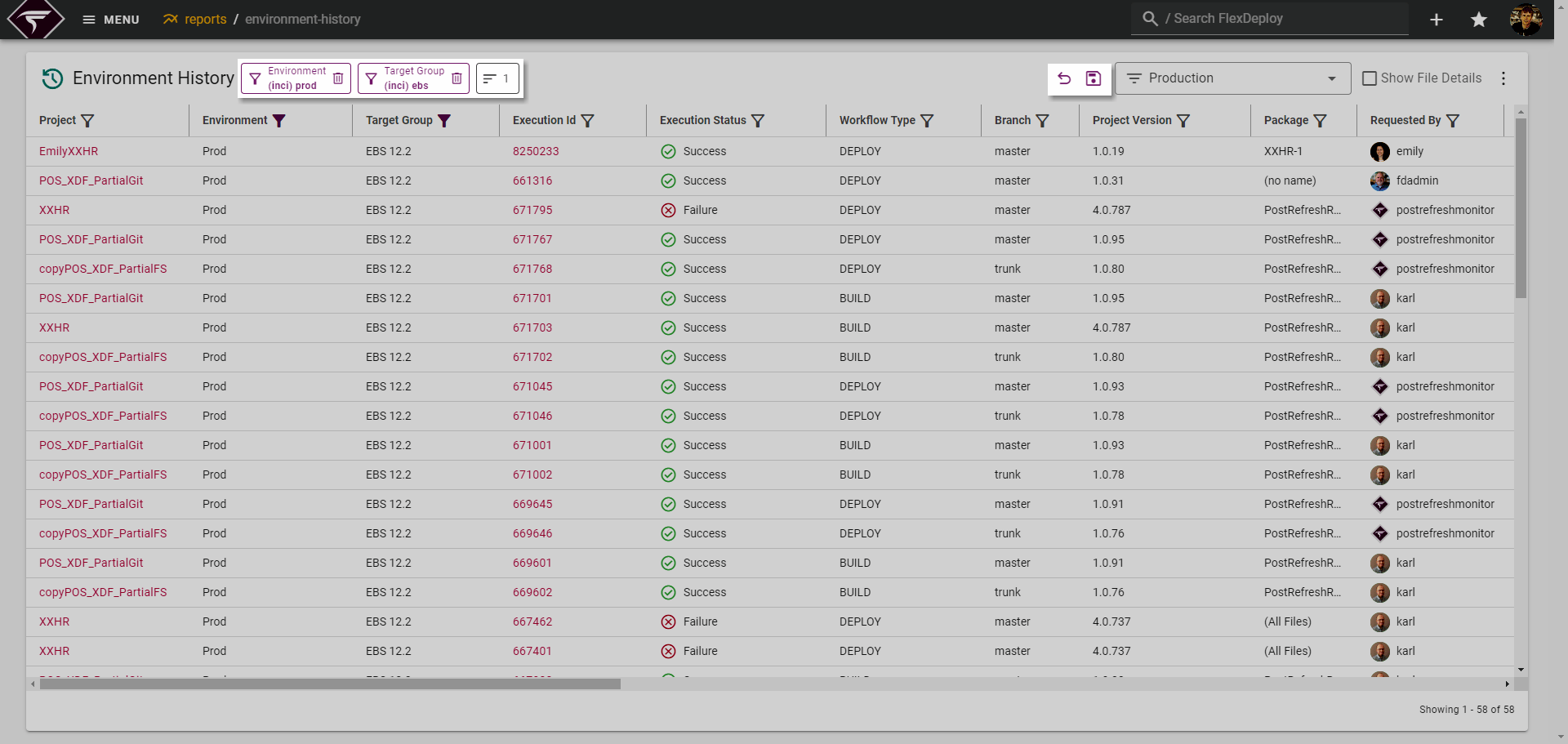 Click on the Save Icon to save your changes.
Alternatively, you can also undo all changes by clicking the Undo Icon to the left. This will reset the Saved Query to its original state.