Workflows can define their own security model to allow fine-grained control over your Workflow library
Global Permissions
Workflows have 3 Global Permissions available:- Read - If a user has Read permission on Workflow they will be able to view all aspects of the Workflow in the UI, including the Workflow definition, properties, and security model.
- Create - Create permission allows the user to create new Workflows in FlexDeploy.
- Update/Delete - All aspects of the Workflow can be updated. This includes but is not limited to, the Workflow definition, properties, security, and tags. Users will also be able to delete Workflows provided they are not in use.
Automatic Update PermissionAssigning Create permission will automatically apply Update/Delete permission
Override Workflow Permissions
When a new Workflow is created, it will use the Global Permissions for Workflows by default. Each Workflow can define its permissions by navigating to the Security tab of the Workflow details and checking
 Override Global Read and Update Permissions.
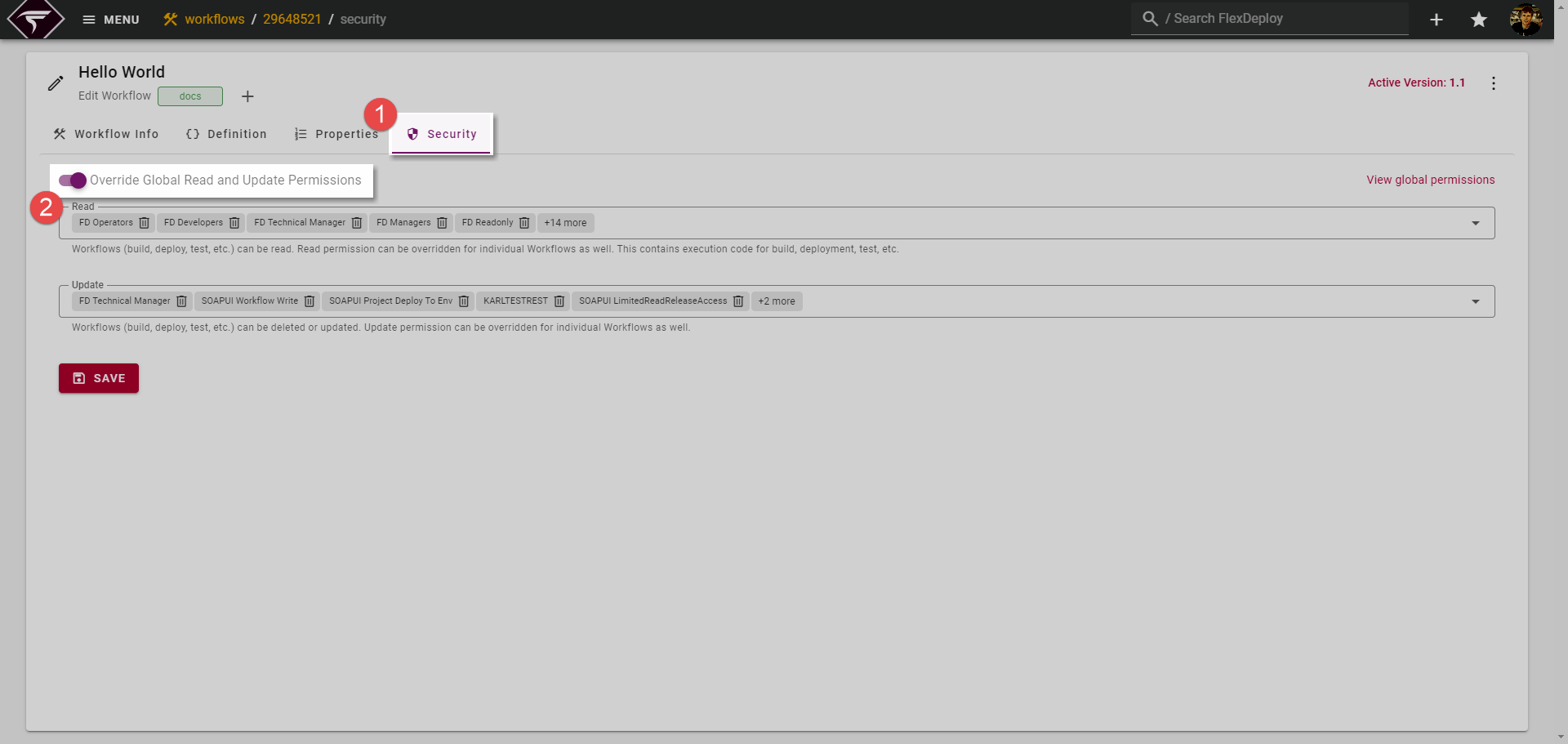
Overriding PermissionsWhen overriding permissions, note that you are fully overriding the Global Permissions for Read and Update. Should you override permissions and remove all Read groups then no groups (other than admins) will be able to view the Workflow regardless of Global Permissions.
Bulk Updating Permissions
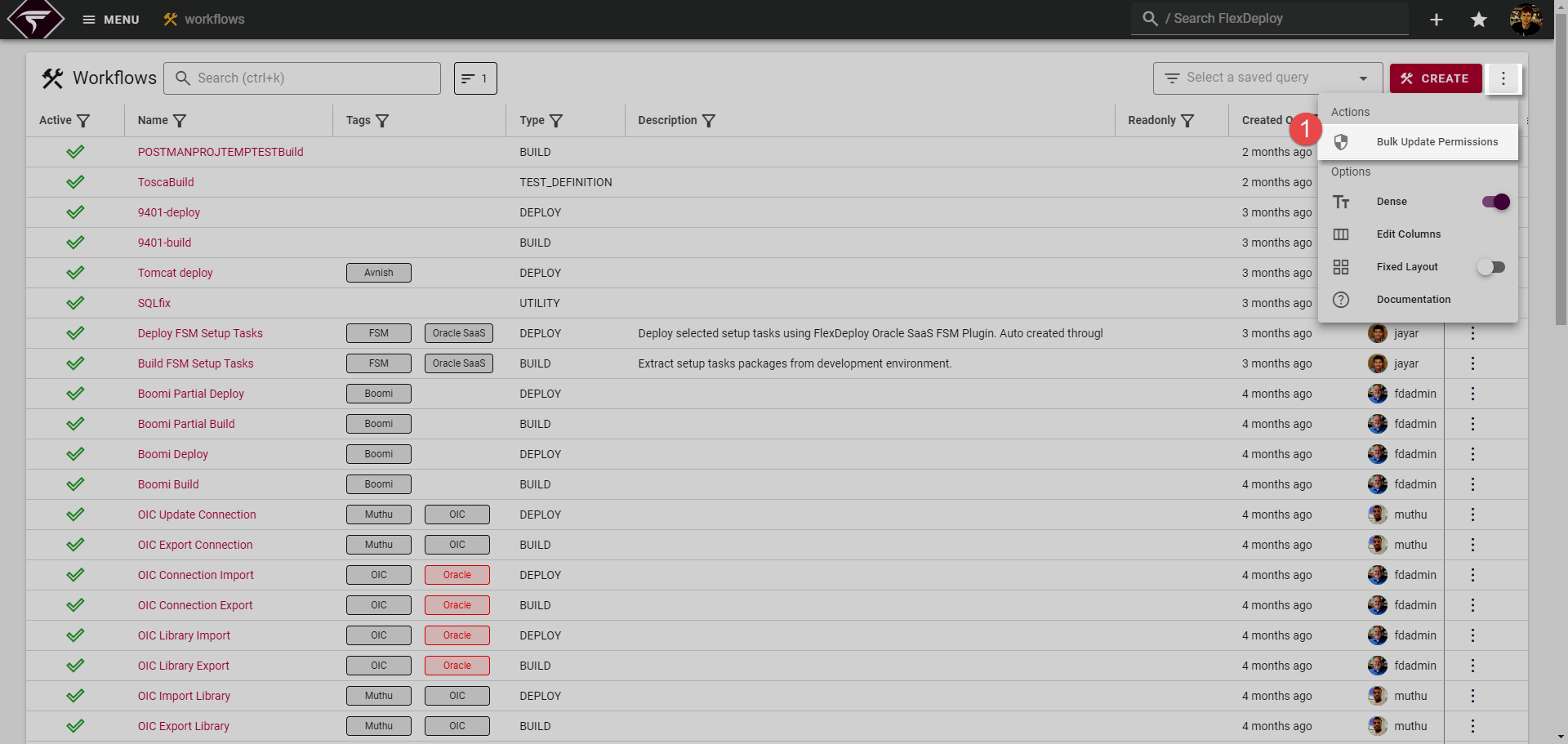
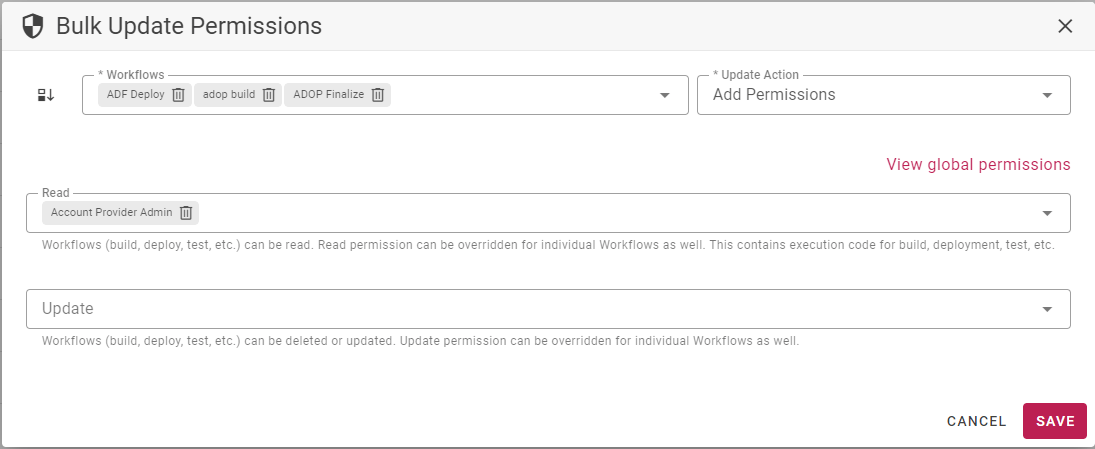
Should you wish to update the security of multiple Workflows at once, you can do so via the Bulk Update Permissions menu item on the Workflow List page.