
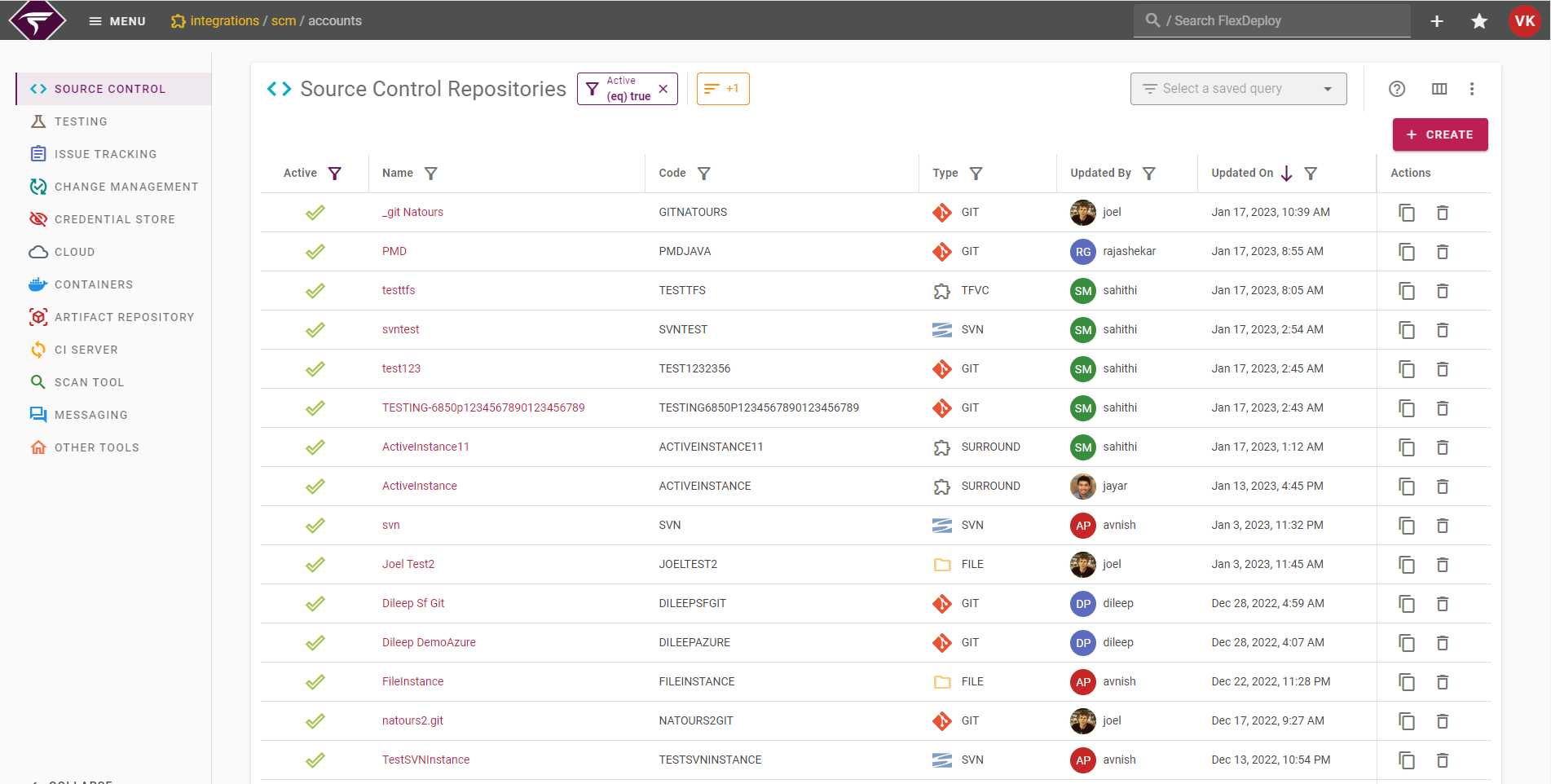
- Source Control Repositories - represent a source code management system such as Subversion, Git, TFS, CVS, etc. Holds properties necessary to authenticate. The paths to specific projects in the SCM are contained in the project instead so that the Instance can be used across many projects.
- Testing Instances - represent a software test tool. Holds properties necessary to run tests, and allows the properties to be used wherever the test is run.
- Issue Tracking System Instances - represent an Issue Tracking System. Currently JIRA, Redmine, Azure Boards, GitLab, and GitHub are supported out-of-box, and custom systems can be created. The settings on this Instance allow FlexDeploy to authenticate and manage tickets in the issue tracking system.
- Change Management System Instances - represent a Change Management System. ServiceNow, Freshservice, BMC Helix Remedyforce, and Jira ITSM are supported out-of-box, and custom systems can be created. The configuration of this instance allows FlexDeploy to maintain change tickets in the change management system.
- Credential Stores - represent an instance of specific type of credential store provider. You can have many such credential stores in FlexDeploy of same or different type. There is one credential store created by default, which is named Local.
- Cloud - represents cloud accounts for various providers. A number of providers are supported out of the box. Custom cloud providers can also be created. Cloud Accounts allow FlexDeploy to access various clouds, platforms, and tools during workflow executions.
- Containers - Accounts for container services like Docker and Kubernetes
- Artifact Repository - Accounts for Nexus, Artifactory, or other Artifact Repositories
- CI Server - Accounts for Jenkins or other CI tools
- Scan Tool - Accounts for Acunetix, Checkmarx, SonarQube, or other Scan tools
- Messaging - Accounts for Microsoft Teams, Slack, or other messaging tools
- Other - Other account providers can be setup here if they don’t fit well in another category.
Viewing Integrations
There are 2 permissions associated with the integrations page. It is recommended that if a group has permission to Integration Providers, the group should also be given permission to Integration Instances.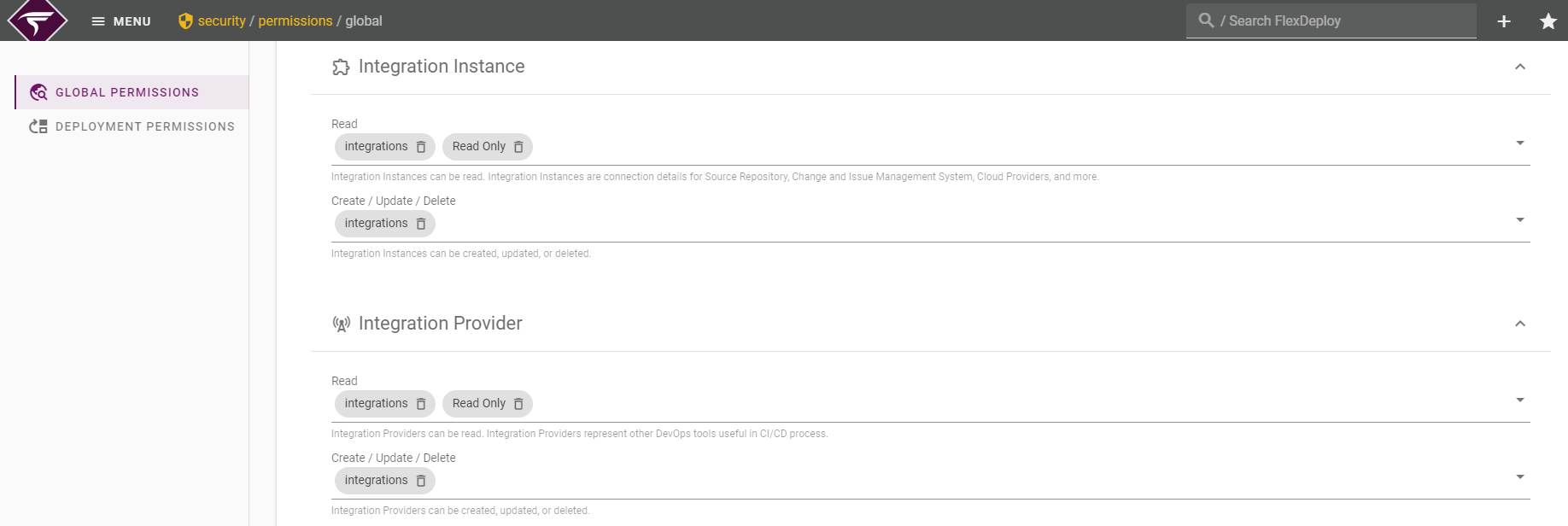
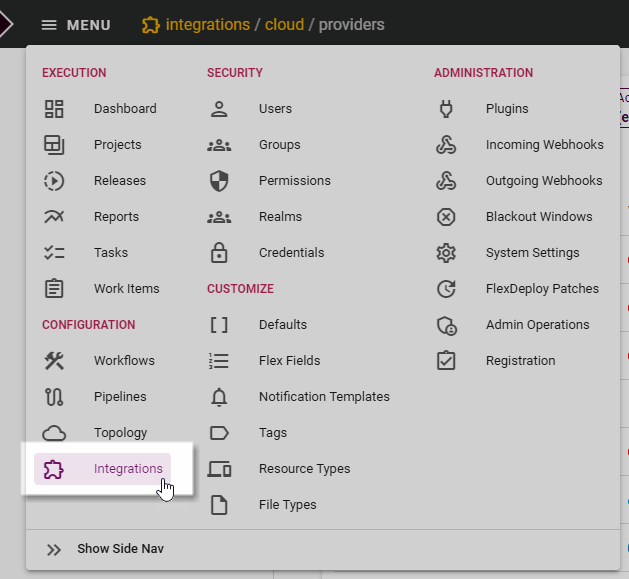
Creating or Editing Integrations
Each Integration type has slightly different configuration requirements. The following links will assist in setting up Integrations.- SCM Integration
- Test Integration
- Issue Tracking Integration
- Change Management Integration
- Credential Store and Provider
- Cloud Account and Provider
- Container Account and Provider
- Artifact Repository Account and Provider
- CI Server Account and Provider
- Scan Tool Account and Provider
- Messaging Account and Provider