
-
Click


-
Click

-
Click

-
Click

-
Click

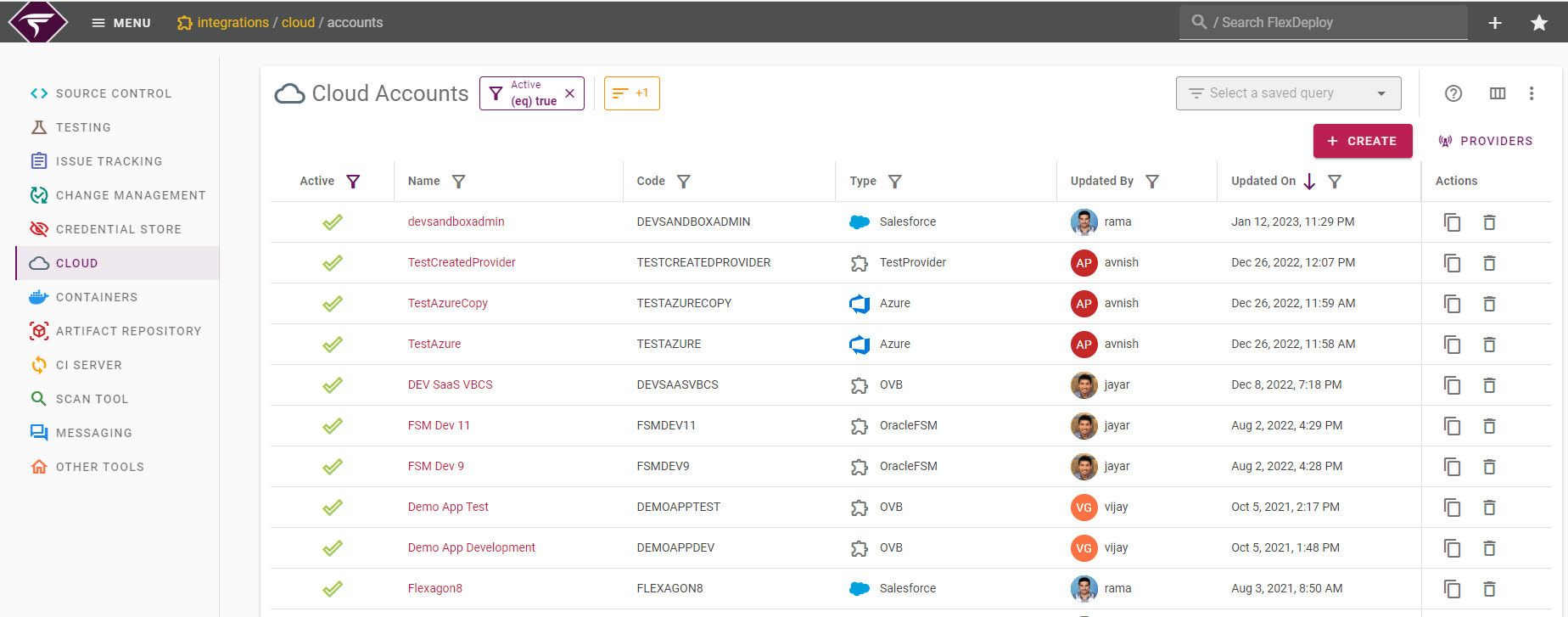

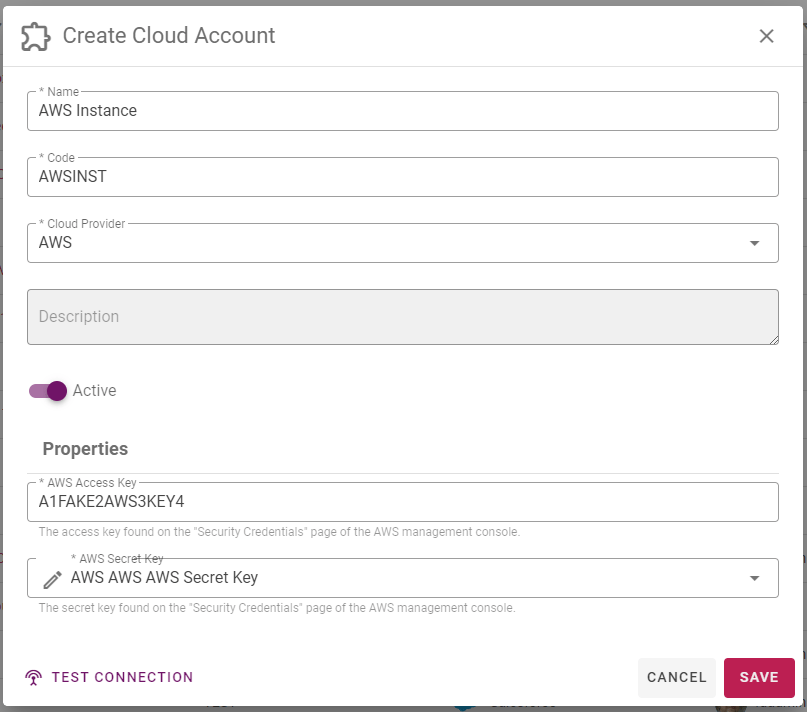
Field Name | Required | Description |
|---|---|---|
Name | Yes | Long display name for the Instance. |
Code | Yes | Short name for the Instance. |
Provider | Yes | Provider for which the account is created. |
Description | No | A description of the Instance. |
Active | Yes | Whether or not the Instance is active in the system. Defaults to “Yes”. (Cannot be inactivated if instance is in use) |
Properties | No | If the selected provider has any properties defined, then you must set up values for those properties based on the property key definition. |
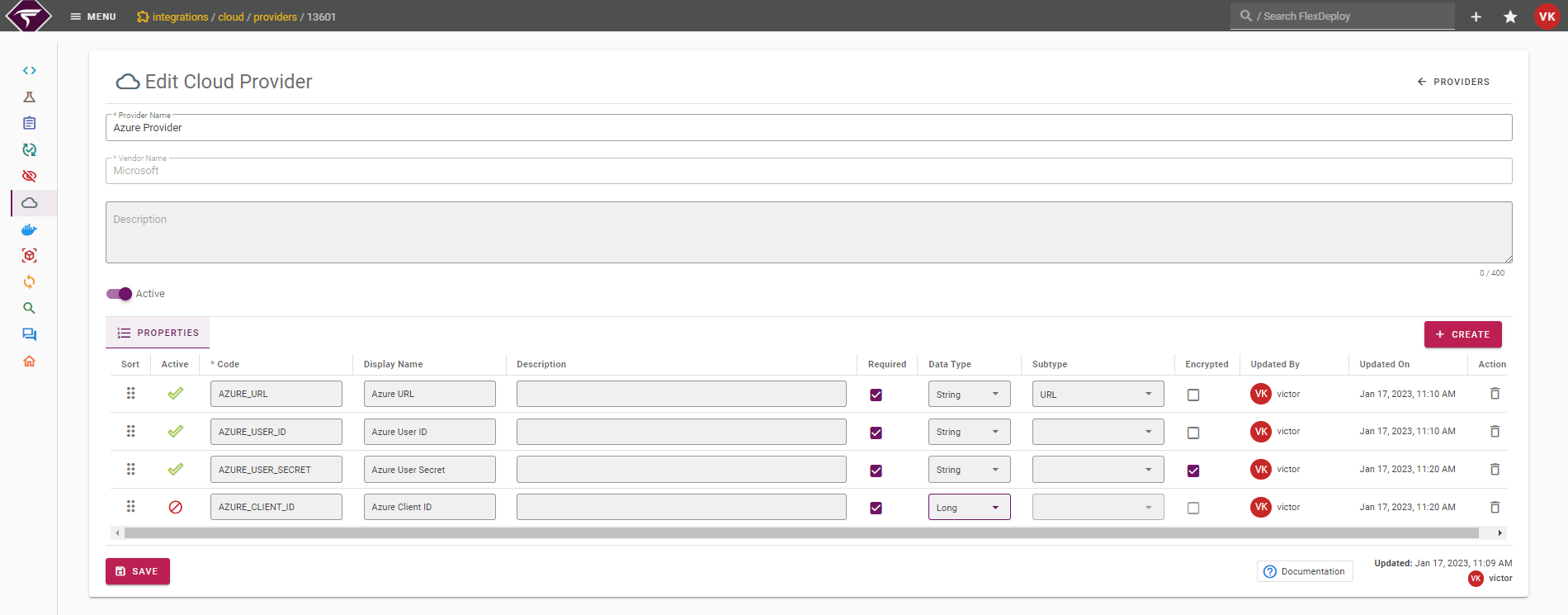

Field Name | Required | Description |
|---|---|---|
Name | Yes | Name for the account provider |
Vendor Name | Yes | Vendor like Amazon, Oracle, Microsoft, Google etc |
Description | No | A description of the provider. |
Active | Yes | Whether or not the Provider is active in the system. Defaults to “Yes”. (Cannot be inactivated if in use by an account) |
Properties | No | Setup one or more property key definitions for the provider which will be used for every account created for this provider. |
Creating New Properties
- New properties cannot be added for the out-of-box default providers. New properties can only be added for the custom providers.
-
Click
- Code is required on all property key definitions
-
When adding and saving new property to the custom account provider property set,
-
If the custom account provider already has one or more accounts existing
- New property will NOT be added to the existing account automatically. It will be added for update when editing the account.
-
If the custom account provider does not have any accounts
- New property will be added to the account when it is created.
-
If the custom account provider already has one or more accounts existing
Editing Existing Property
- The out-of-box default properties for the providers will always be read-only.
- Only custom property key definitions can be updated.
- Properties updated on the account provider property set will be synced up for any existing account only when the respective account is edited.
-
Click
-
Click and Drag

-
Click