
Overriding Security
To override the security permissions, first open a folder or project by double-clicking on it_._ Then click on the Security tab. Click the Override Security button to override the permissions of the parent folder. You must be Administrator to perform Security Override on Folder.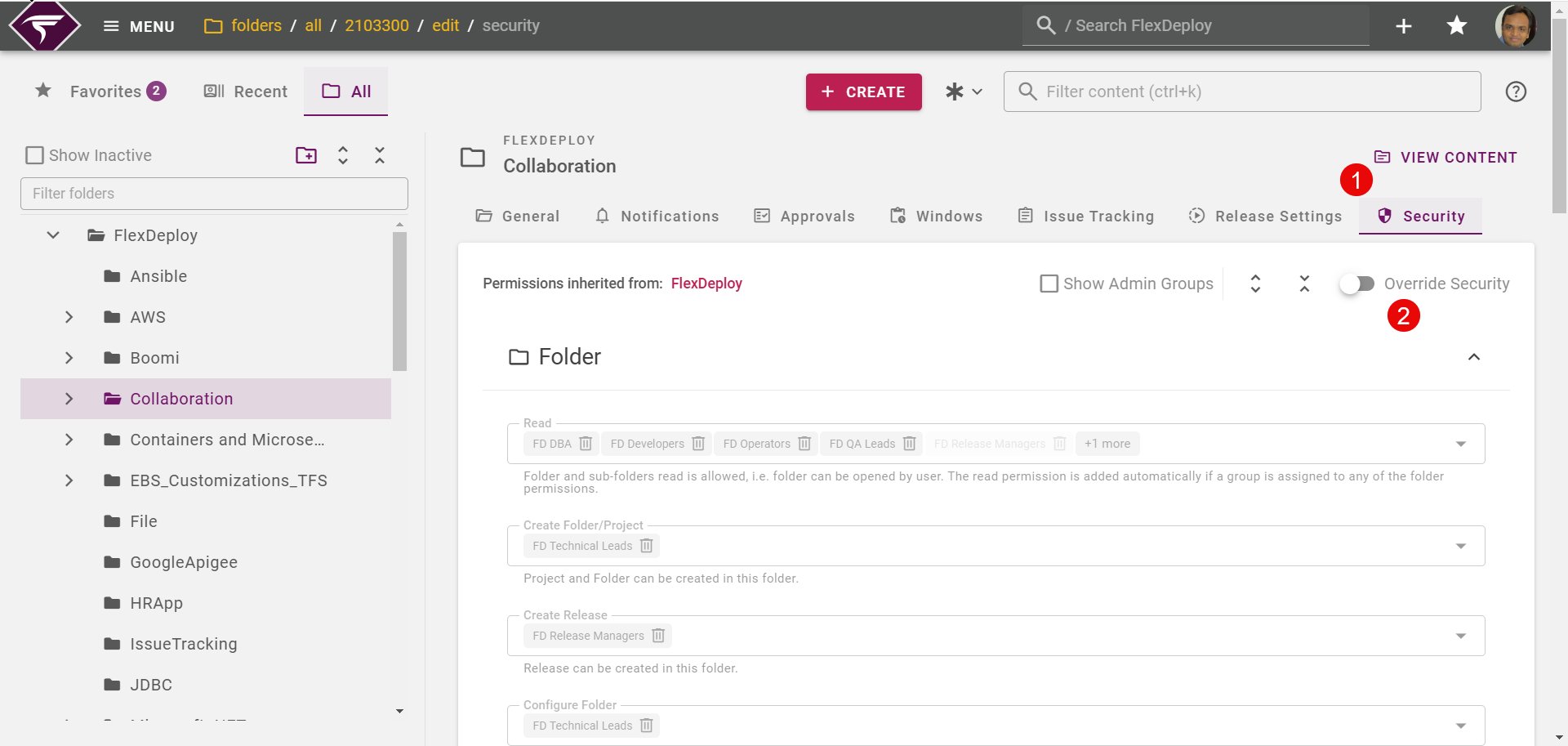
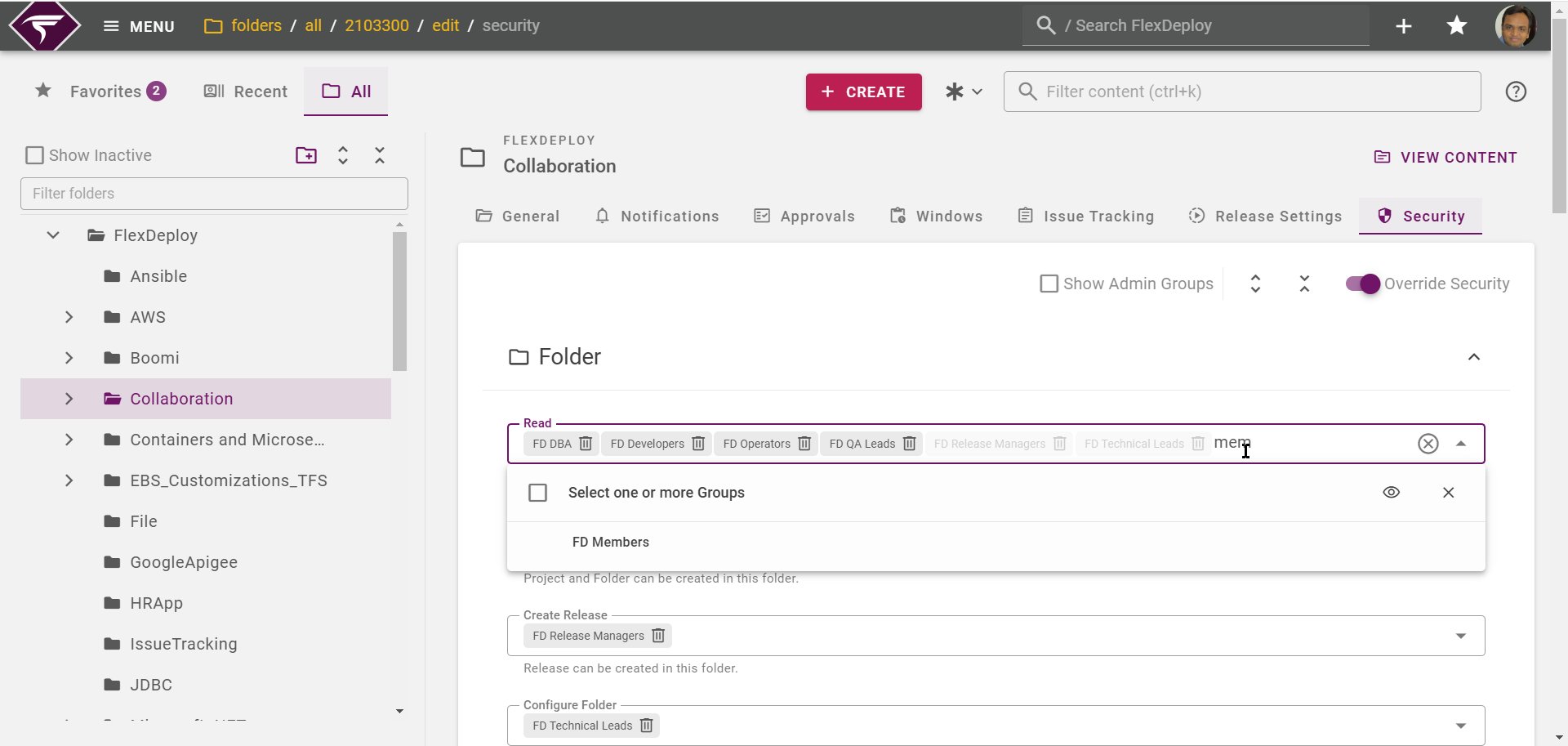
Folder Security
Permission | Description |
|---|---|
Read | Folder and sub-folders read is allowed, i.e. folder can be opened by user. The read permission is added automatically if a group is assigned to any of the folder permissions. |
Create Folder/Project | Project and Folder can be created in this folder. |
Create Release | Releases can be created in this folder. |
Configure Folder | Folder can be configured. |
Project Security
Permission | Description |
|---|---|
Read | Project read is allowed, i.e. project can be opened by user. The read permission is added automatically if a group is assigned to any of the project permissions or the ‘Create Folder/Project’ folder permission. |
View Logs | Project execution and associated logs can be viewed |
Configure Project | Project can be configured (allows updates on Configurations tab of project). |
Configure Files | Project files can be discovered, updated, and evaluated. Only applies to package-based projects |
Inactivate Missing Files | Inactivate missing files is available when discovering project files. Only applies to package-based projects |
Configure Commands | Build and Deployment commands for package-based projects can be managed. This should generally be restricted to admin users. Only applies to package-based projects. |
Execute | Grants permission to execute build/deploy/execute/test workflows. Deployment to specific environments are further controlled by Deployment Permissions. |