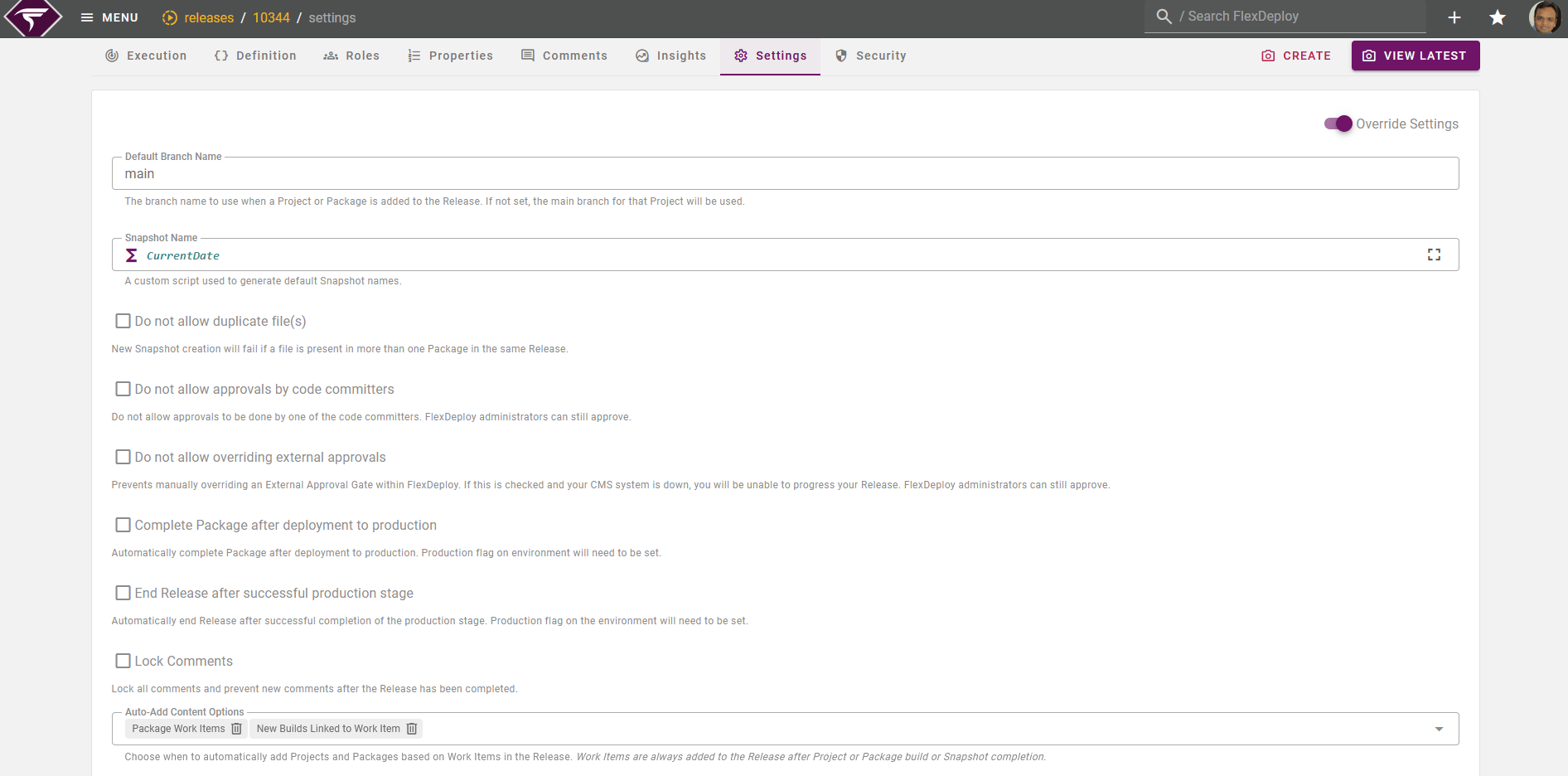
Setting Name | Description | Default Value |
|---|---|---|
Default Pipeline | Default pipeline will be automatically assigned to new Releases under this folder. The pipeline on the Release can still be changed for scenarios where you don’t want to use the default.
| |
Default Branch Name | The branch name to use when a Project or Package is added to the Release. If not set, the main branch for that Project will be used. Script Variables (Since 9.0.0.7)
If you enable Groovy you must return Branch name | |
Default Build Environment Name (Since v9.0.0.7 onward only). | The default build environment name to use when a Project or Package is added to the Release. If not set or the environment doesn’t exist, the environment from the previous successful build will be used. Script Variables(Since 9.0.0.7)
If you enable Groovy you must return Environment id | |
Snapshot Name | A custom script used to generate default Snapshot names. This is groovy script configuration and supports variables like CurrentDate, ReleaseName, SequenceNumber. Prior to FlexDeploy 8.0, snapshot name defaulted to date time in format MM-dd-yyyy HH:mm:ss. Now snapshot name is configurable, most likely use of SequenceNumber is easier to understand for users. Script Variables
| CurrentDate |
Do not allow duplicate file(s) | New snapshot creation will fail if a file is present in more than one Package from the same Project in a Release. See mode details below for how this setting impacts different methods of creating a Snapshot. Script Variables(Since 9.0.0.7)
| false |
Do not allow approvals by code committers | Prevents FlexDeploy users from approving a gate if they had made commits to any of the source code deploying on that stage. This applies for both Approval and External Approval Gates. Checks for matching username or email in commit details. Administrators are still allowed to approve. The email and username on the commit details correlate to the user’s git config at the time of the commit, not their git account. Script Variables(Since 9.0.0.7)
| false |
Do not allow overriding external approvals | Prevents manually overriding an External Approval Gate within FlexDeploy. Note that if this setting is enabled and your CMS system is down, you will be unable to progress your Release. However, Administrators can still override. Script Variables(Since 9.0.0.7)
| false |
Complete Package after deployment to production | All Packages in a Snapshot will be marked as completed once the Snapshot has successfully completed a production stage on the Pipeline. The completed packages will be skipped during future Snapshot creation and pipeline execution. Note that this will cause issues in the event that a production stage is not the last stage in the pipeline or there are multiple production stages. The packages will be completed once the first production stage is successful. Since FlexDeploy 8.0, Completed Packages can be reactivated again. This setting will not work if your FlexDeploy server is configured as an Isolated Network Target Server. Script Variables(Since 9.0.0.7)
| false |
End Release after successful production stage | Release will be marked as Completed once a Snapshot has completed the production stage of a pipeline. Note that the Release will end once the pipeline execution is successful and a production stage was present. All pending Snapshots and running pipeline executions will be aborted. Since FlexDeploy 8.0, Completed Release can be reactivated again. Script Variables(Since 9.0.0.7)
| false |
Lock Comments | Prevents new comments after the Release has been completed. Script Variables(Since 9.0.0.7)
| false |
Auto Add-Content Options | Choose when to automatically add Projects and Packages based on Work Items in the Release. Work Items are always added to the Release after Project or Package build or Snapshot completion.
Previous Builds Linked to Work Item should be used with caution as that will add all content previously built for specific work item to the release. Script Variables(Since 9.0.0.7)
| Package Work Items, New Builds Linked to Work Item |
packageName, projectName, and releaseName with constants, rather than calling methods directly on them.
This approach avoids potential NullPointerExceptions, especially since some variables (like packageName for Standard Projects) may be null
For example,
Do Not Allow Duplicate File(s)
Here are the different scenarios where this setting will impact Snapshot creation:-
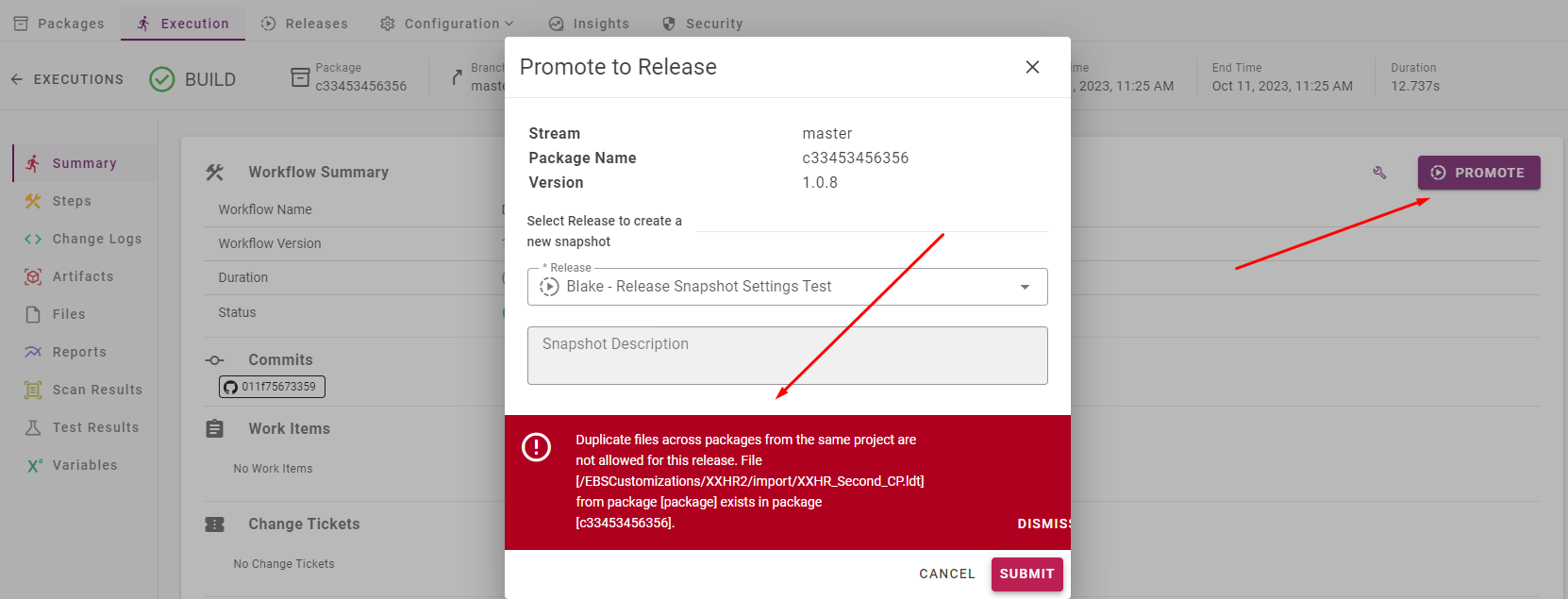
Create a Snapshot Form and Promote to Release
- For Promote to Release, the Current Snapshot on the Release must contain the duplicate file(s) for the error to be thrown.
- Create Snapshot Form will have the same error when trying to submit.
-
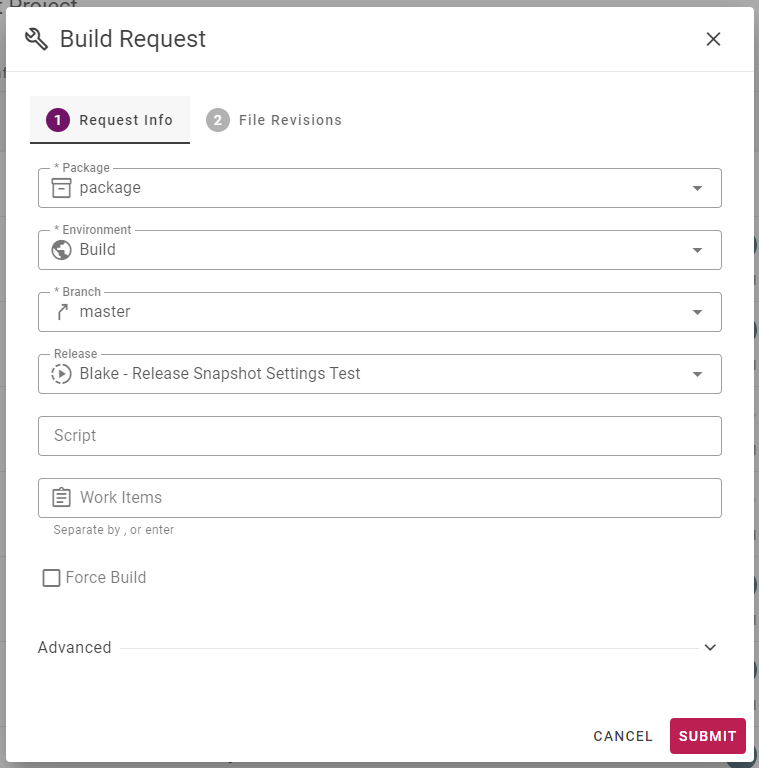
Associate Release with Build Request
- When associating Release with a Build Request, a Snapshot will be created automatically. If duplicate files exist then the Snapshot will get created with a
FAILEDstatus with a corresponding error message that duplicate files are not allowed on Release.
- When associating Release with a Build Request, a Snapshot will be created automatically. If duplicate files exist then the Snapshot will get created with a

-
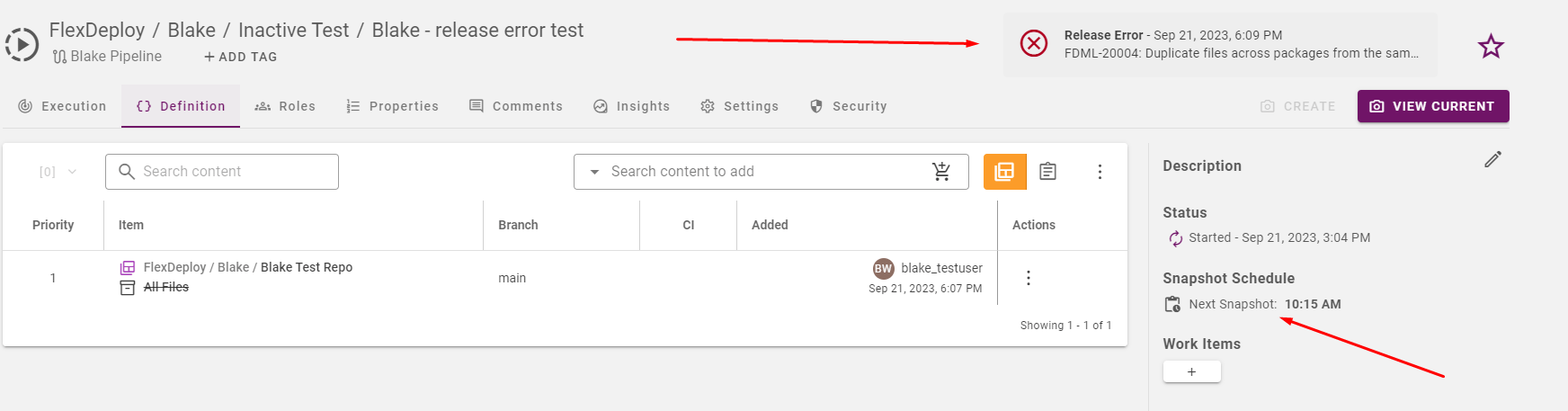
Release CI Schedule
- For Snapshots that are automatically triggered from the schedule CRON Expression on the Release, the Snapshot will not get created and instead an error message will appear at the top of the Release page. The error message will be deleted once a Snapshot is successfully initiated.