
Creating Utility Project
Select Projects from the menu. Click Create Project. Select Blank Project. Provide Project Name and select Folder where project should be created. Select Utility Classification.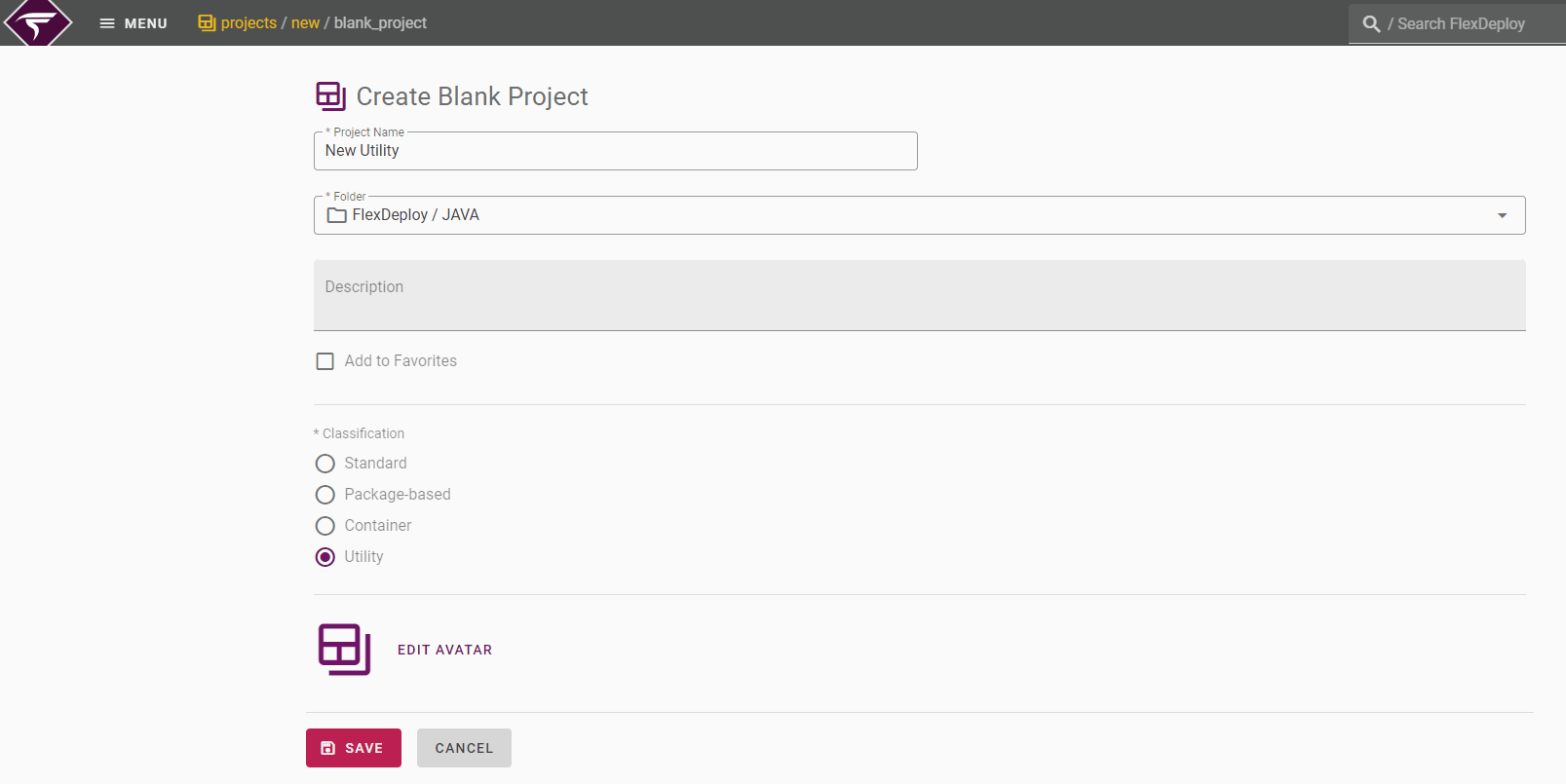
Field | Required | Description |
|---|---|---|
Project Name | Yes | The name of the project. |
Folder | Yes | The folder that will contain the new utility project |
Description | No | A description of the project. |
Avatar | Yes | A picture that appears to the left of the project name |
Configuring a Utility Project
Select Projects from the menu. Open your Utility project and click on the Configuration tab.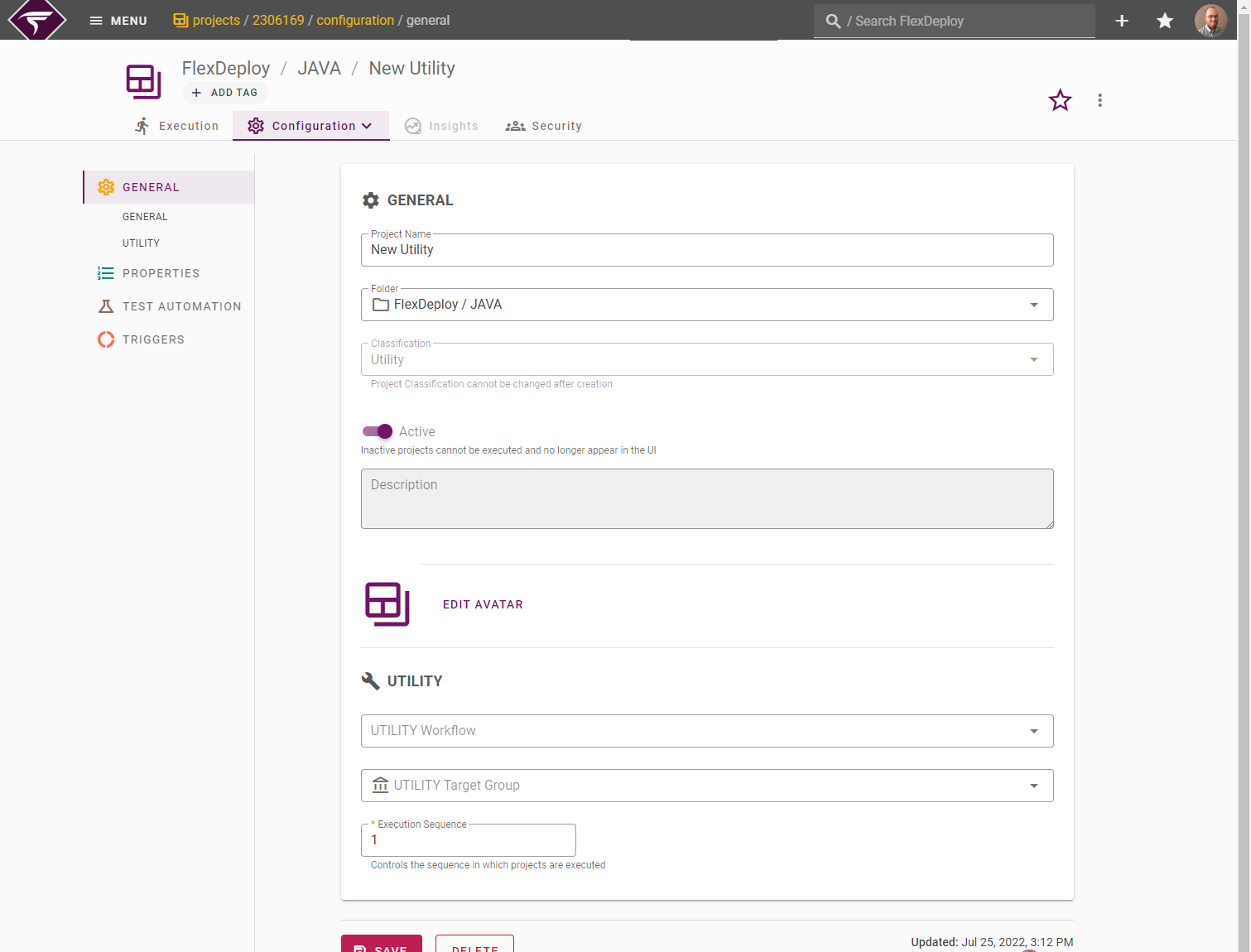
Field Name | Required | Description |
|---|---|---|
Project Name | Yes | The name of the Utility Project |
Folder | Yes | The folder that contains the Utility Project |
Active | Yes | Whether or not the project is active. Workflows cannot be executed on inactive projects. |
Description | No | A description of the project. |
Utility Workflow | Yes | The utility workflow to run when utility project is executed. Utility workflow will execute on specified Utility Instance. |
Utility Target Group(s) | Yes | The instance(s) to run the utility workflow on. |
Execution Sequence | Yes | Provides a mechanism for establishing dependencies between projects at deployment time. When multiple deployments are queued they will be processed in order of priority (lowest priority takes precedence). |