The Commits page of a Project displays all commits that have been built for the Project along with other useful metrics and stats.
Commit List
To view the commits associated to a Project, click the Commits tab across the Project navigation bar.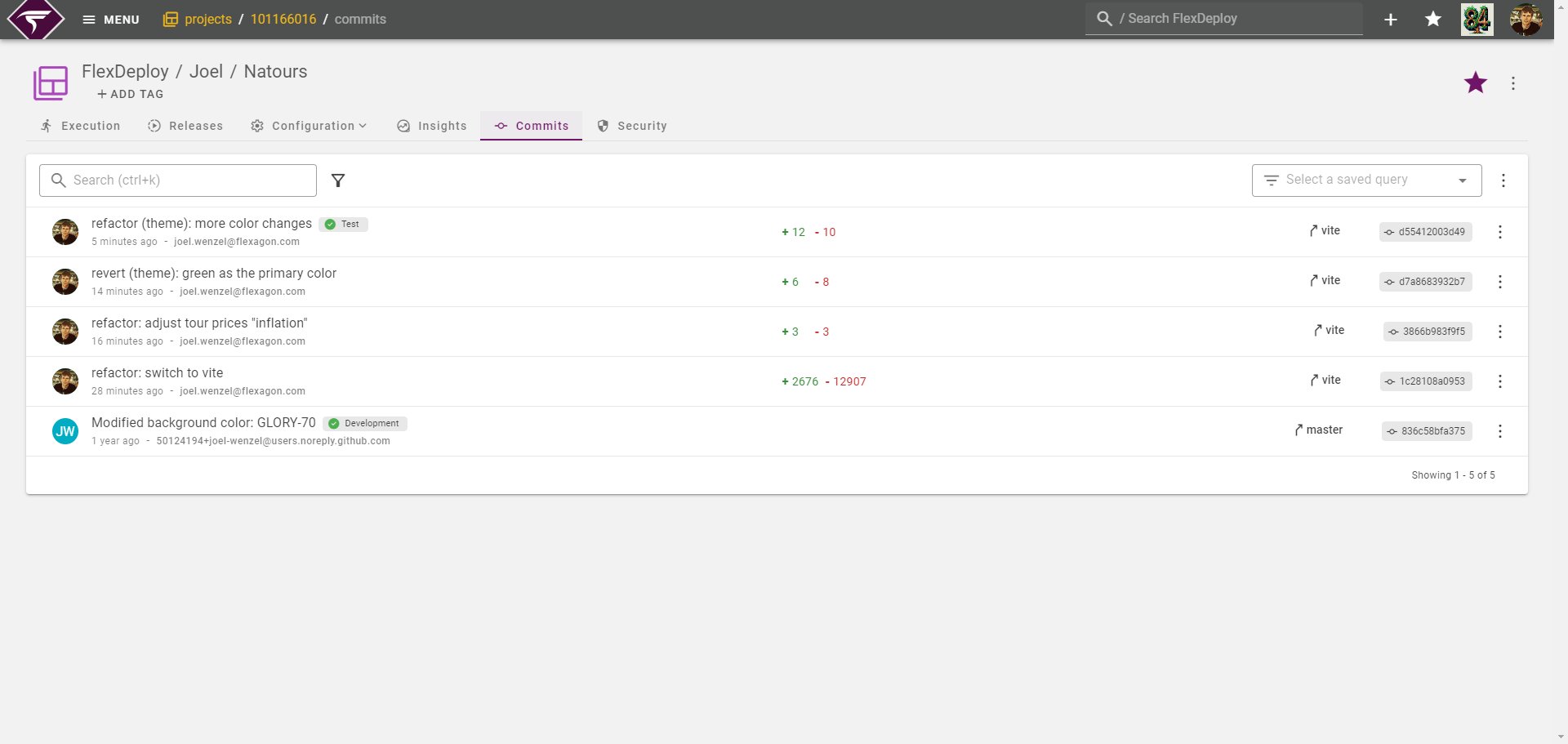

Indicator | Field | Description |
|---|---|---|
1 | Author Info | Who committed the code and the date of when it was committed. |
2 | Highest Deployed Environment | The highest environment, based on environment sort number, that this commit has been deployed to. |
3 | Line Deltas | How many lines were added and how many lines were removed in this commit. |
4 | Commit Branches | Which Branches in FlexDeploy have built this commit. Generally this will be a single branch but certain branching models may build the same commit on multiple branches. |
Commit Details
To view additional details for a specific commit, click the commit message link.Git ApplicationSome of the information below will only be available if you have connected a Git Application. Read more.
Commit Pull Requests
Each Pull Request that includes the commit is listed here along with the Pull Request status, reviewers and comment counts.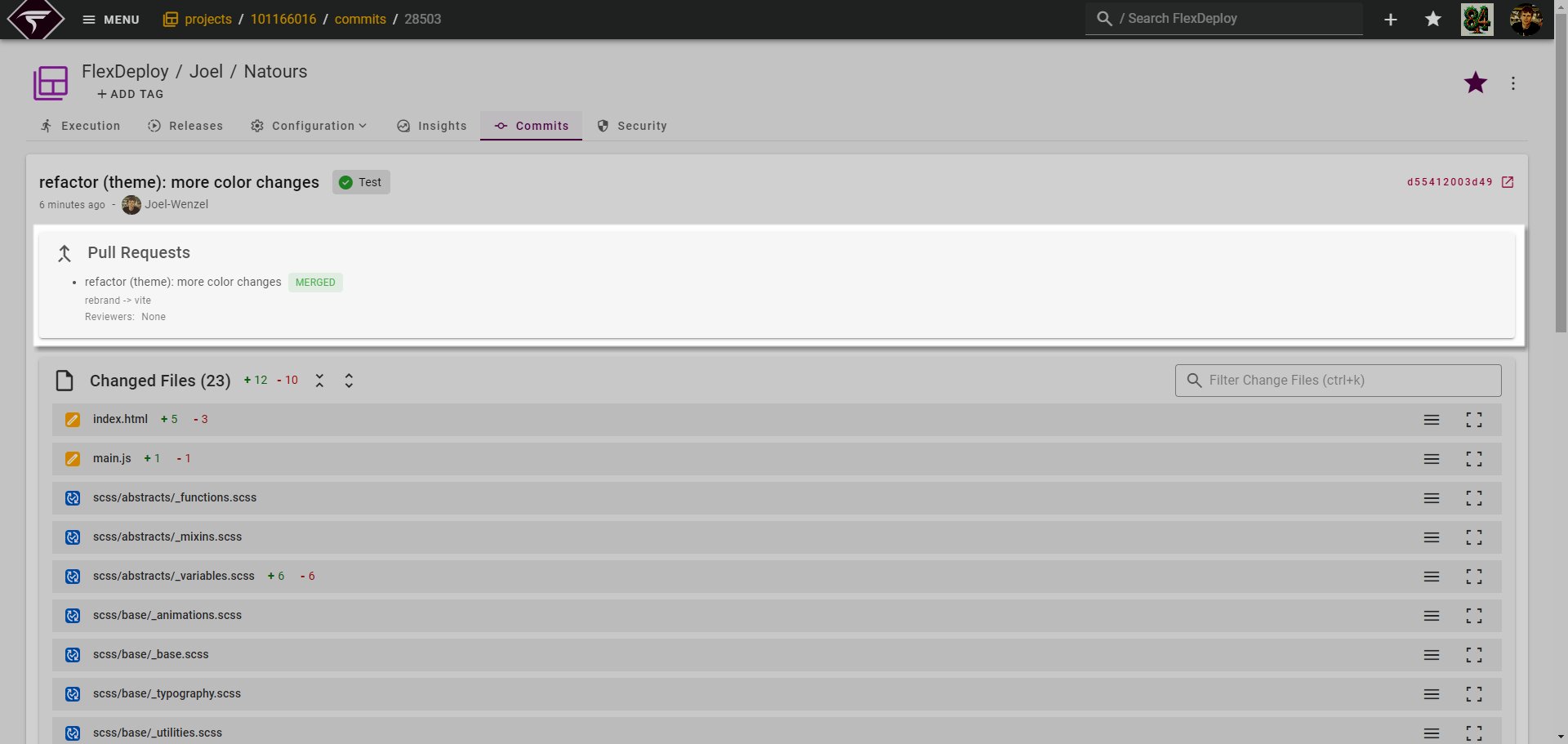
GitHub Pull RequestsGitHub will only ever display a single merged Pull Request for a commit. Other Git providers do not have this limitation however.
Commit Diff
The files changed and the changed contents will be displayed here. The files content can be toggled open and closed by clicking on the change file toolbar. Lines that have been added will show in green and lines that have been removed will show in red.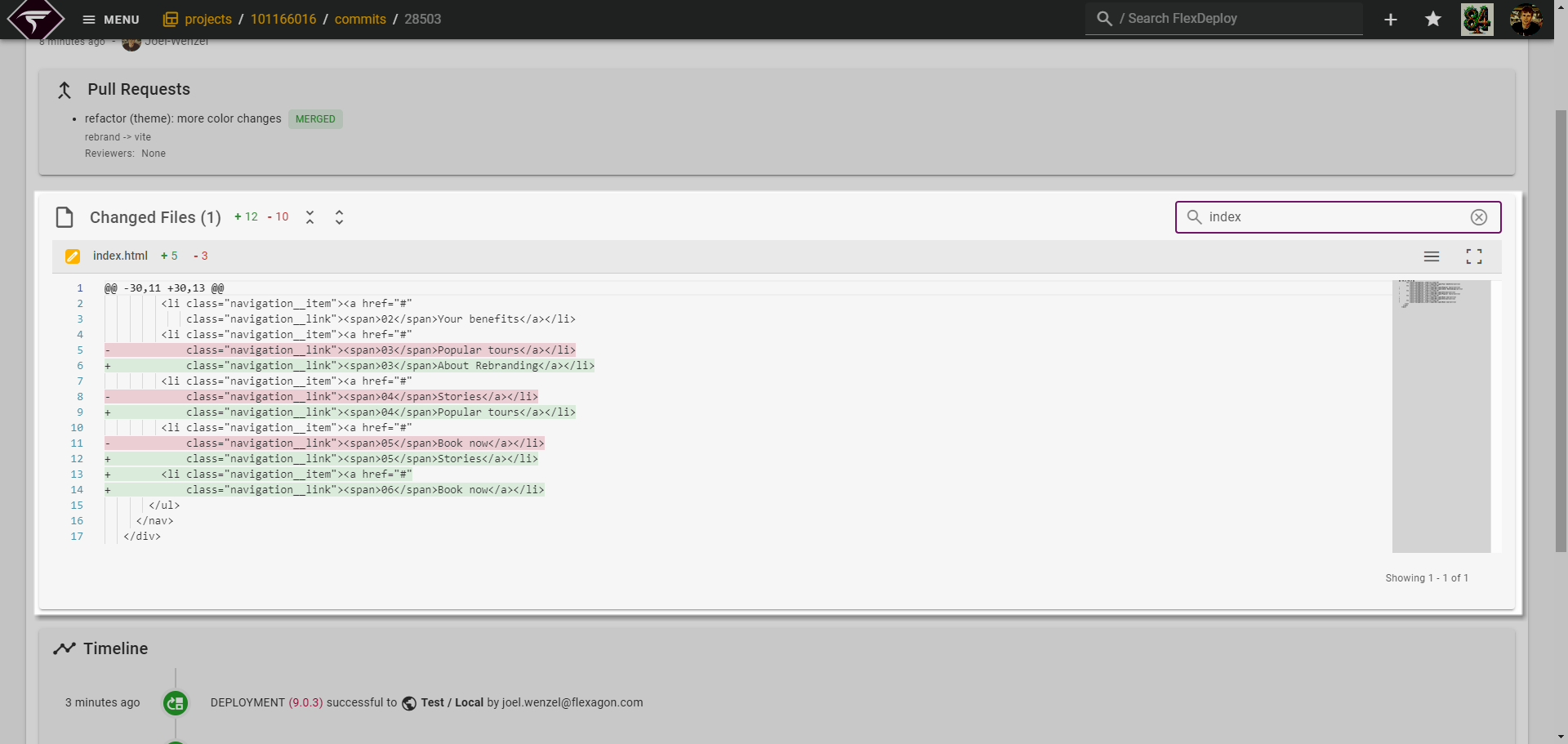
Change File content not being displayedIf a Git application is not connected or the Git provider does not support file change content then only the change file names will be provided and content will not be shown.
Commit Timeline
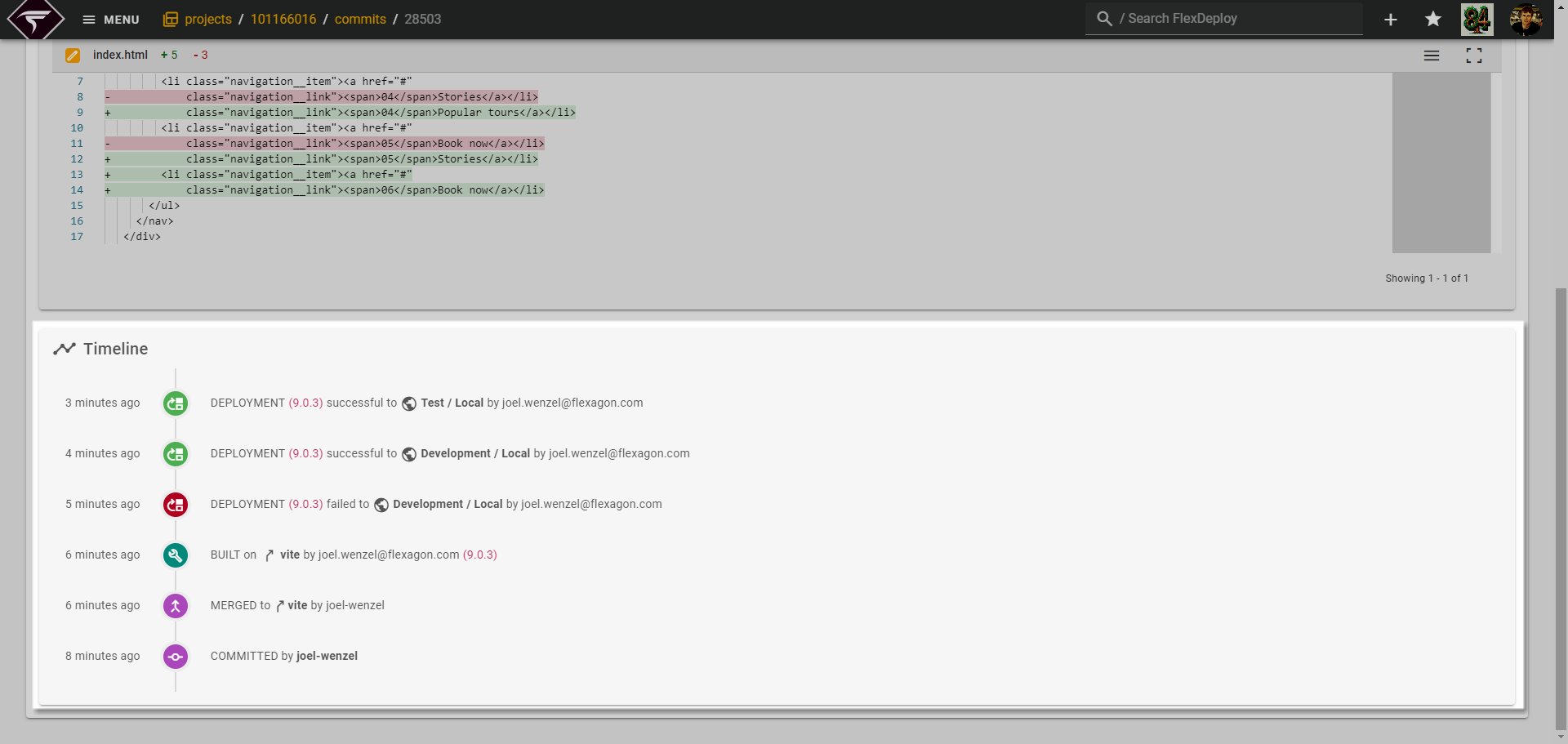
Finally a Commit Timeline is displayed which provides useful tracking information on the lifecycle of the commit.