Setup Data Update Rules During Import
When you import a configuration package to the target environment, setup data in the target is modified as follows:- If a record exists in the configuration package but doesn’t exist in the target, then import creates the record.
- If a record doesn’t exist in the configuration package but exists in the target, then import doesn’t modify the record in the target. Note: Import doesn’t delete the records in the target that don’t exist in the configuration package. You must delete these records or make them obsolete manually, if necessary.
-
If a record exists both in the configuration package and in the target, then:
- If all attribute values are the same, import doesn’t modify the record in the target.
- If values of any attributes of the record are different, then import updates the record in the target with the values in the configuration package.
Target Properties
Property Name | Property Code | Required | Description |
|---|---|---|---|
Oracle SaaS FSM Account |
| No* | Oracle SaaS cloud account will be required on either the plugin input or Target. If a value is set on both then, the plugin input will take precedence. You can manage the Oracle SaaS cloud account via the Integrations > Cloud page. See Configuring Oracle SaaS Cloud Account for additional details. |
Oracle SaaS FSM ChromeDriver Path |
| No* | Location of the chromedriver executable. I.E. /usr/local/bin/chromedriver or C:/Users/user/Documents/chromedriver.exe. This is only used if See Special Considerations below for instructions on how to download install google chrome and download chromedriver. |
Project Properties
Property Name | Property Code | Required | Description |
|---|---|---|---|
Stop on Deployment Error |
| No | Stop deploying package files if any error occurs. If unchecked all files will be deployed even if one or more files fails. Defaults to true. |
Inputs
Input Name | Input Code | Required | Description |
|---|---|---|---|
Oracle SaaS FSM Account |
| No* | Oracle SaaS FSM Account will be required on either the plugin input or Target. If a value is set on both then, the plugin input will take precedence. See Special Considerations below for instructions on how to create Oracle SaaS FSM account. |
API Timeout |
| No | Maximum amount of time (seconds) to wait for import process to complete after it is started. Defaults to 900 seconds (15 minutes). |
Compile Fast Formulas |
| No | Enable compile fast formula after successful import. Applicable to packages containing one more fast formulas. Defaults to true. See special considerations section for additional Chrome browser dependency. |
Compile Formula UI Timeout |
| No | Maximum amount of time (seconds) to wait for Compile Formula payroll flow to complete. Defaults to 300 seconds (5 minutes). |
Remote Allow Origins |
| No | The value of remote-allow-origins on the Selenium ChromeDriver. Set the value to ”*” or specific URL if there are ConnectionFailedException errors during compilation of a Fast Formula. Using Google-Chrome version v111+ you may be experiencing an error like the below when compiling a fast formula through Selenium Chrome driver: org.openqa.selenium.remote.http.ConnectionFailedException: Unable to establish websocket connection to http://localhost:49877/devtools/browser/3a3af47d-732a-4337-a91c-18c8ced545cd |
Save Import Result File |
| No | Saves a comparison result file to the reports directory as a JSON file. The JSON file provides a summary of the comparison process and represents the table shown in the Comparison Details section of the user interface. |
Save Import Report File |
| No | Saves a comparison report file to the report’s directory as a HTML file. The HTML file provides comparison reports for each of the business objects that were processed. For each business object, a report each for Only in Configuration 1, In Both with Mismatch, and Only in Configuration 2, as applicable is provided. |
Save Import Summary Report File |
| No | Saves a comparison report file to the report’s directory as a HTML file. The HTML file provides a summary of the process results, which displays a list of all the processed business objects, and whether their processing completed successfully, or with errors. |
Artifacts
This operation consumes artifacts from the artifacts repository.Endpoint Selection
This operation will select all available endpoints associated to the Target.Endpoint Execution
This operation will execute on any one of the selected endpoints and will be random in the determination of which one.Special Considerations
Compile Fast Formulas - Compilation Methods used and optional Chrome Browser Dependency
IfFDFSM_INP_COMPILE_FORMULAS is enabled, then compile is attempted for each Fast Formula object in the package. First, SOAP compilation is attempted. if that fails, the Oracle APIs to compile are used. If that fails with a 403, the plugin can optionally make a second attempt using a headless Chrome browser run through Selenium to compile from the Oracle SaaS UI. In the last case, Google Chrome and the chromedriver must be installed on the endpoint. If the endpoint is localhost then, Chrome and chromedriver should be installed on the FlexDeploy server. See the below for detailed instructions to install Google Chrome in an Unix environment. Windows install is not covered in the following.
Google Chrome Install
Chromedriver Install
Download the chromedriver from https://chromedriver.chromium.org/downloads which is supported for the google chrome version installed on your endpoint. Linux, mac, and windows binaries are available. Where you store the chromedriver executable should set on target property Oracle SaaS FSM ChromeDriver Path.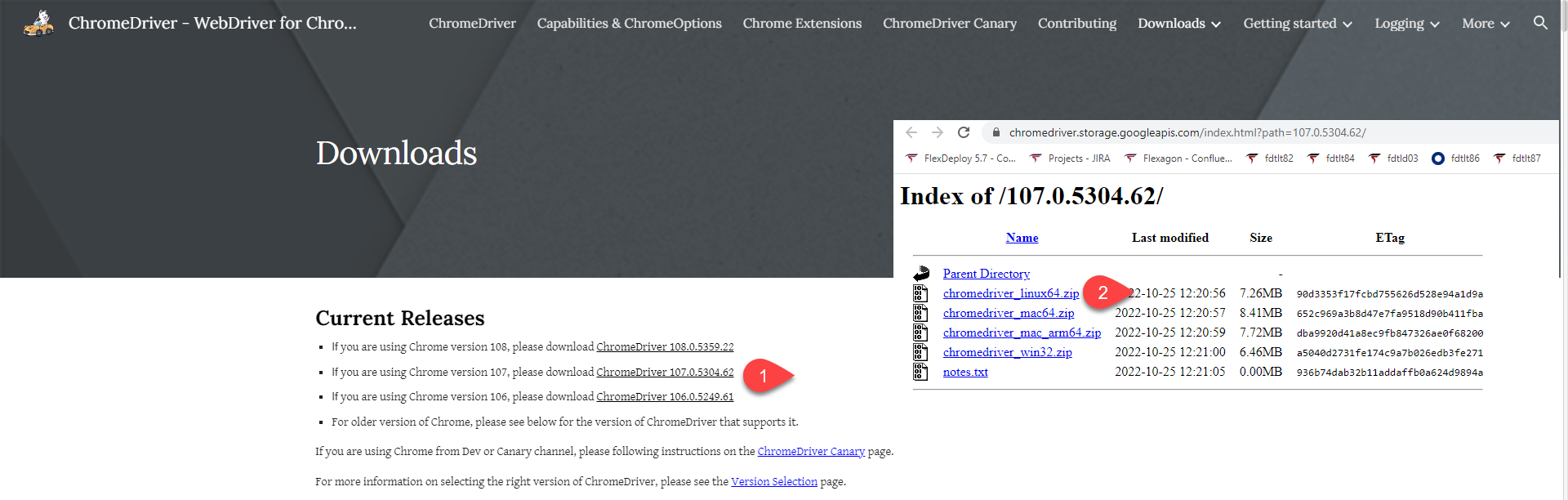
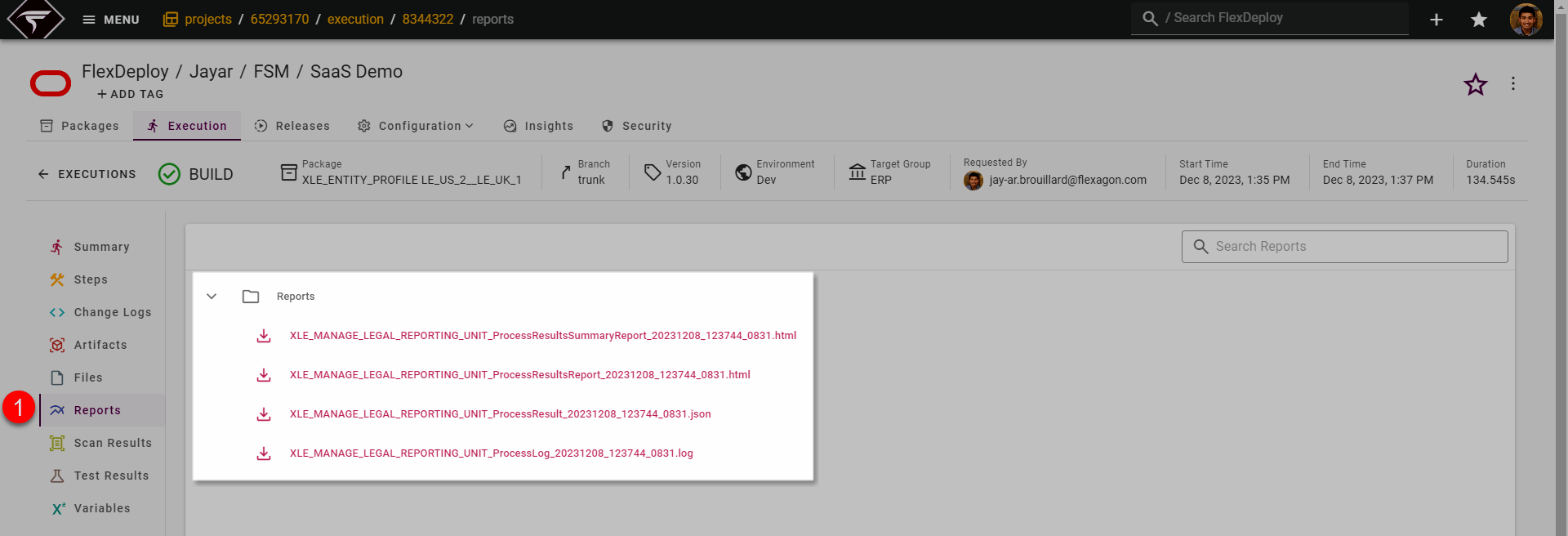
FSM Setup Task Import Reports
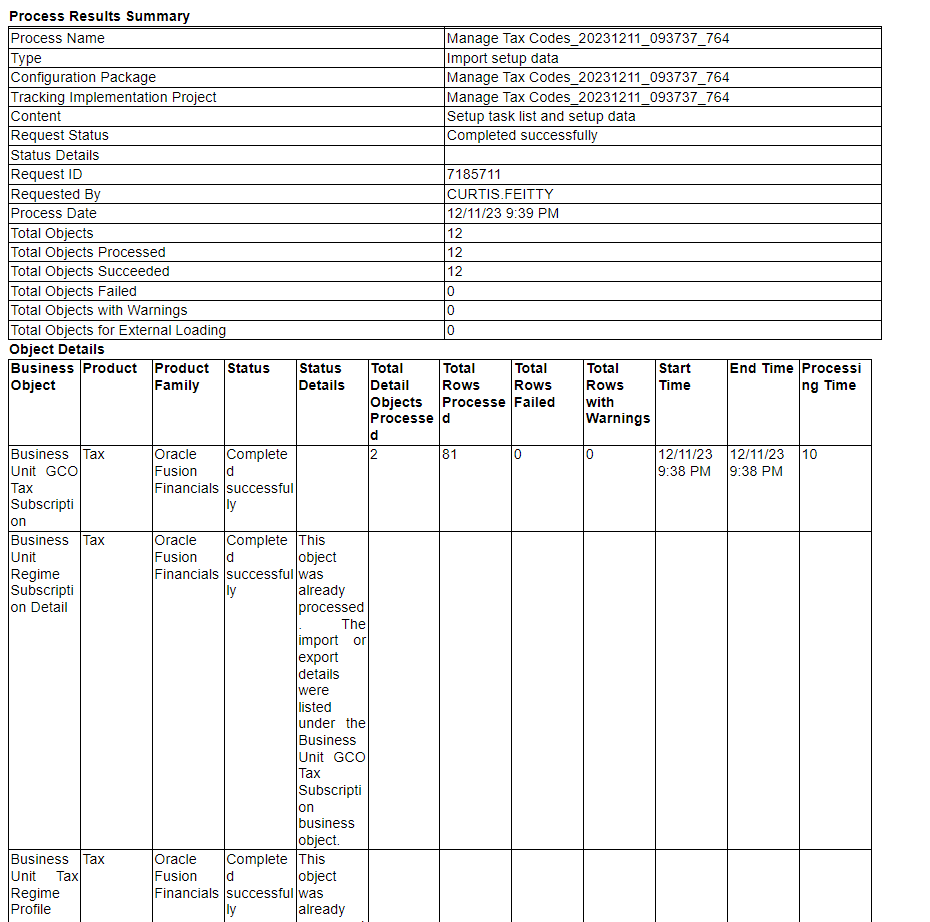
CSVImport can generate additional reports and log files which are viewable and downloadable from workflow execution → reports tab. The .log file will always be a generated report. Keep in mind, the contents of the .log file will also be outputted to the plugin log file. Additional reports that can be generated include:- <TASK_CODE>_ProcessResultsSummaryReport_<EXPORT_DATE_TIME>.html - A high level overview of the number of objects exported and the execution time
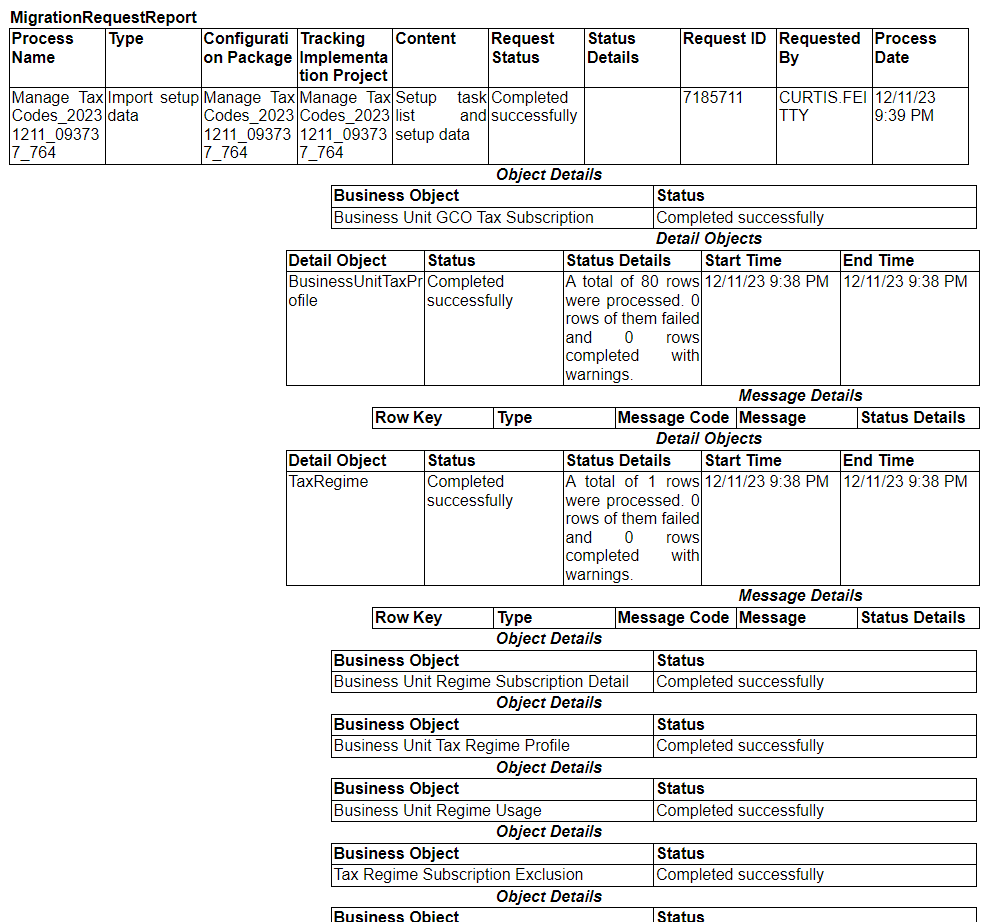
- <TASK_CODE>_ProcessResultsReport_<EXPORT_DATE_TIME>.html - A high level overview of the objects imported by business object and the execution time for each
- <TASK_CODE>_ProcessResult _<EXPORT_DATE_TIME>.json - The response body from the Import API after export has completed. This is generally not used but provided regardless.