
Groovy Libraries allow custom Groovy functions and helpers to be shared and reused across all Groovy scripts in FlexDeploy
Groovy Library access should be limited to a small group of trusted users, similar to Administrators, due to its powerful permissions.
Creating a Library
Libraries can be viewed and created by navigating to the Administration->Groovy Libraries page. Next click the Create Library button.
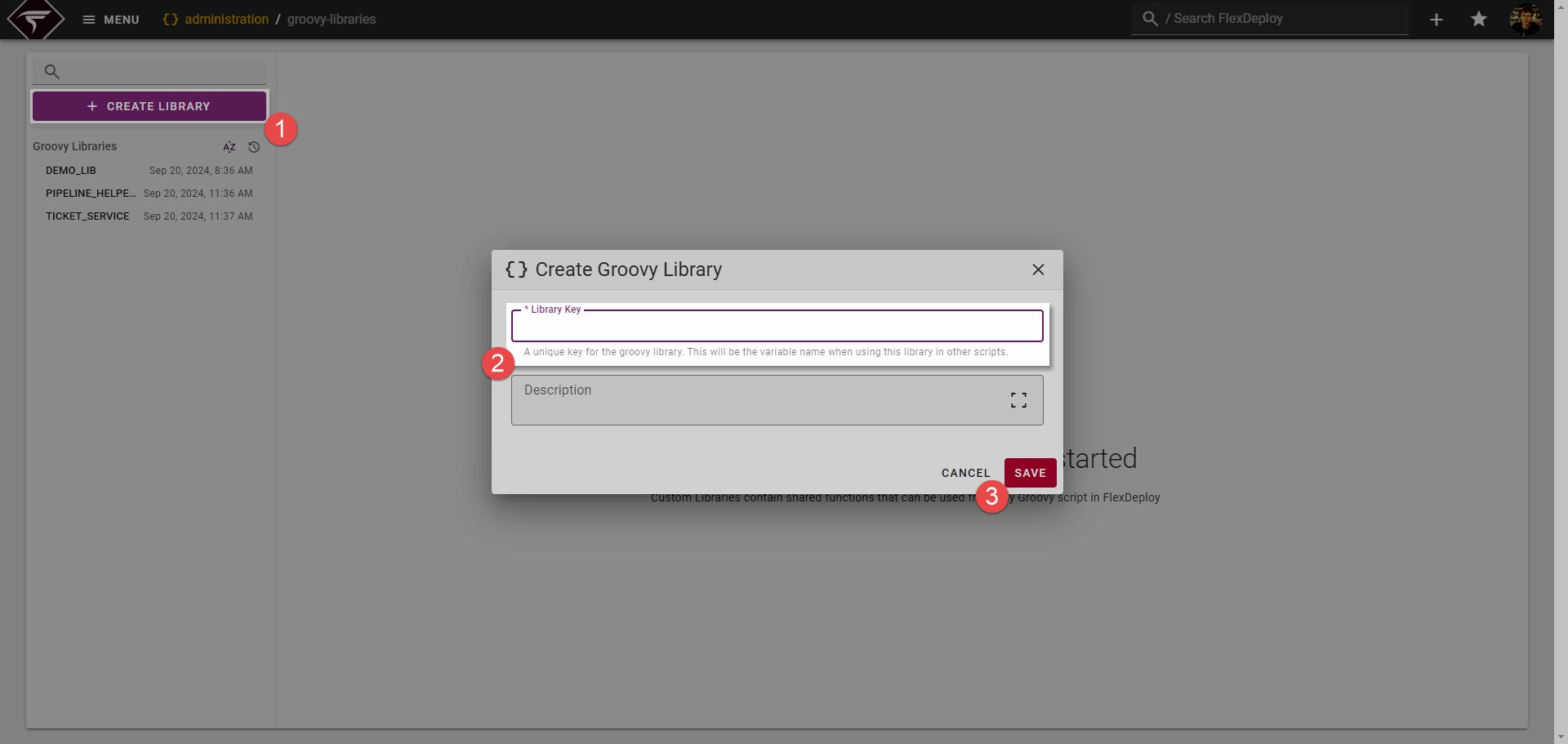
 .
The Library Key is also how your Groovy Library will be referenced from other scripts.
 you will be presented with a blank editor where one or more functions can be defined for your library.
Writing Functions
A function can be any common logic you would like to share across scripts. Lets take a very simple example and say we want to make a function that returns the FlexDeploy REST API URL.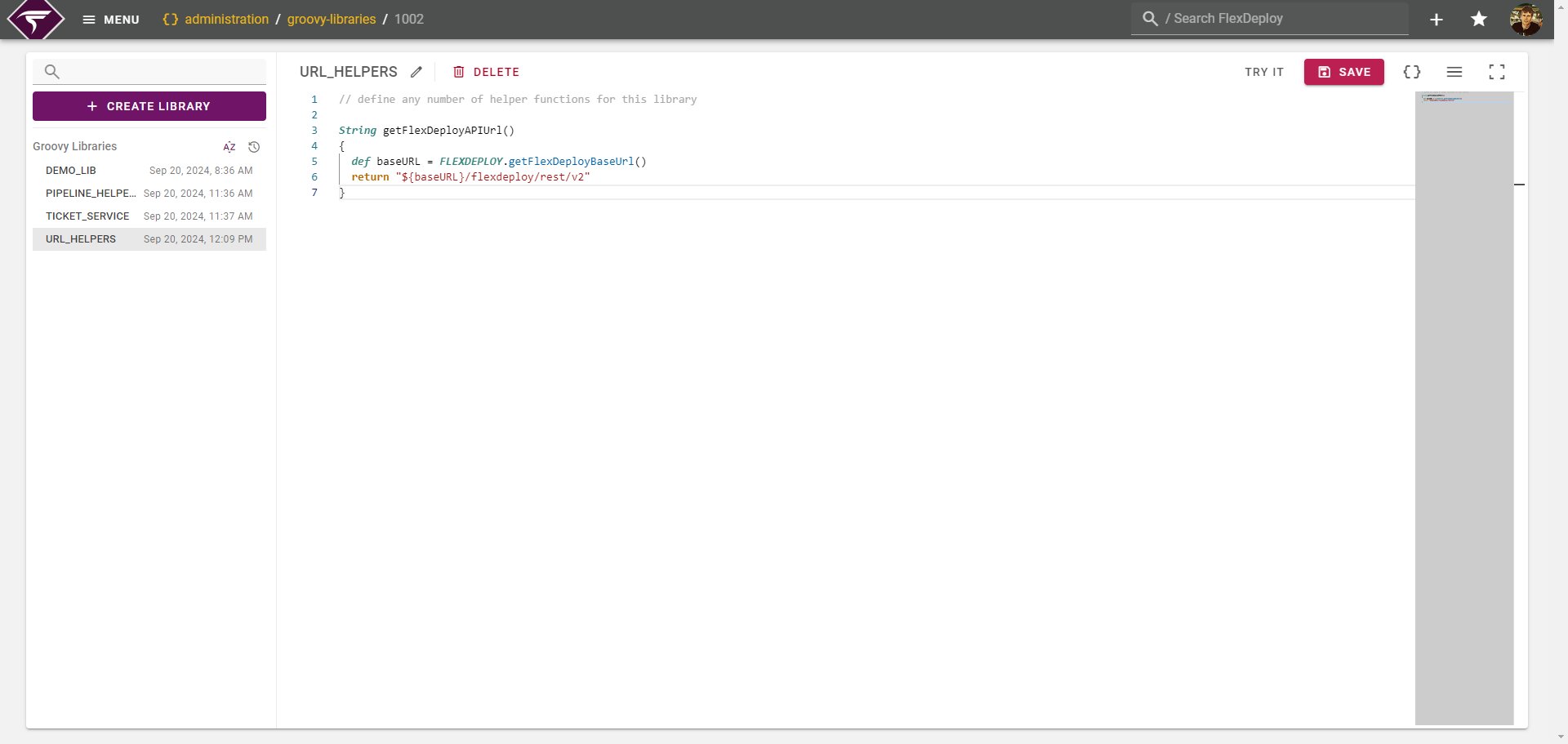
FLEXDEPLOY helper library as well. EMAIL, FLEXDEPLOY, REST, TOPOLOGY, and LOG helpers are all available for use in your custom library.
Testing Functions
Users must have theGROOVY_LIBRARY_UPDATE permission to test any Groovy library.
Libraries can be tested at any point right from the editor by clicking the Try It button in the header.
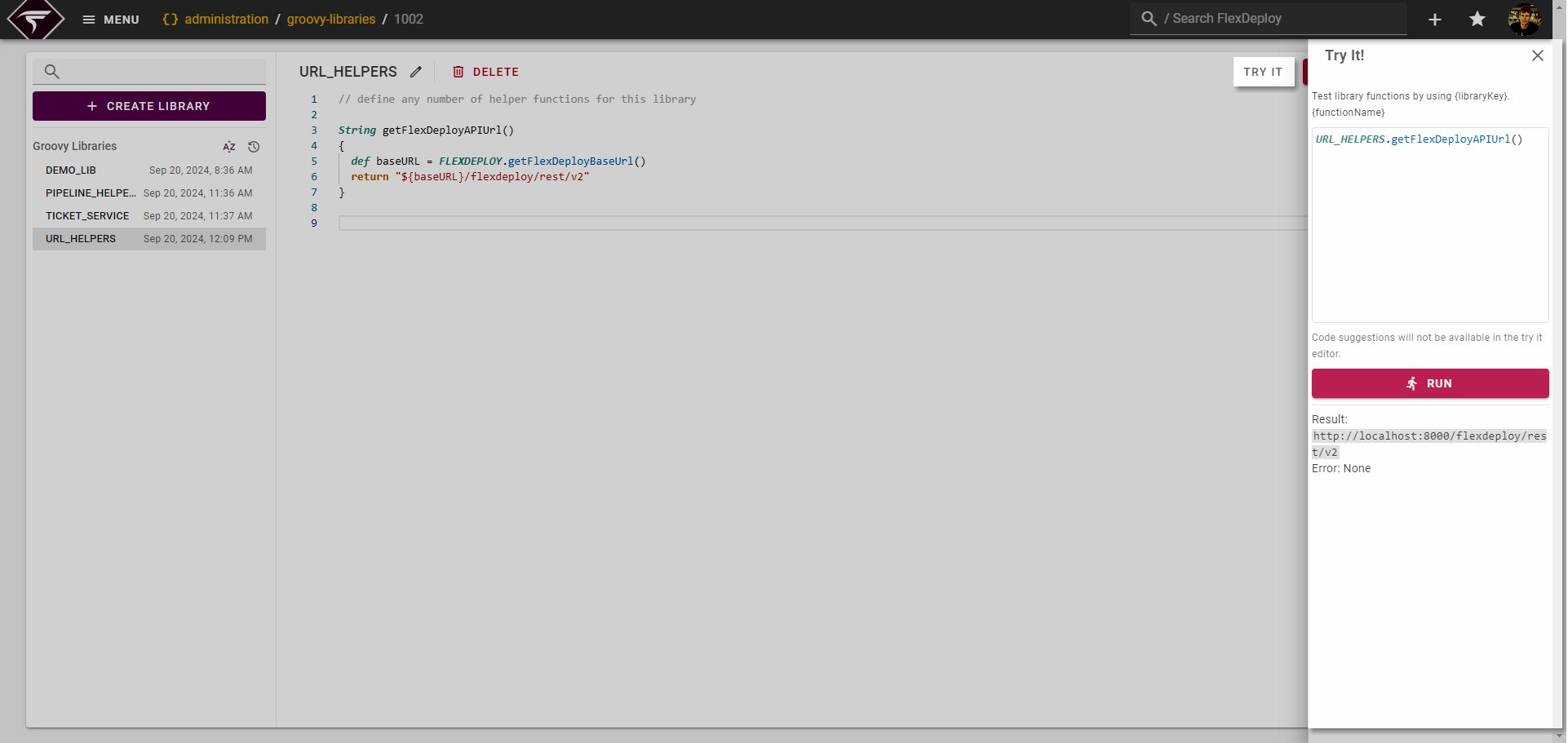
ctrl+shift+h to the test the function. In the screen shot we can see the result as http://localhost:8000/flexdeploy/rest/v2
Annotating Functions
By default when accessing library functions from other scripts they will have very basic information as seen below: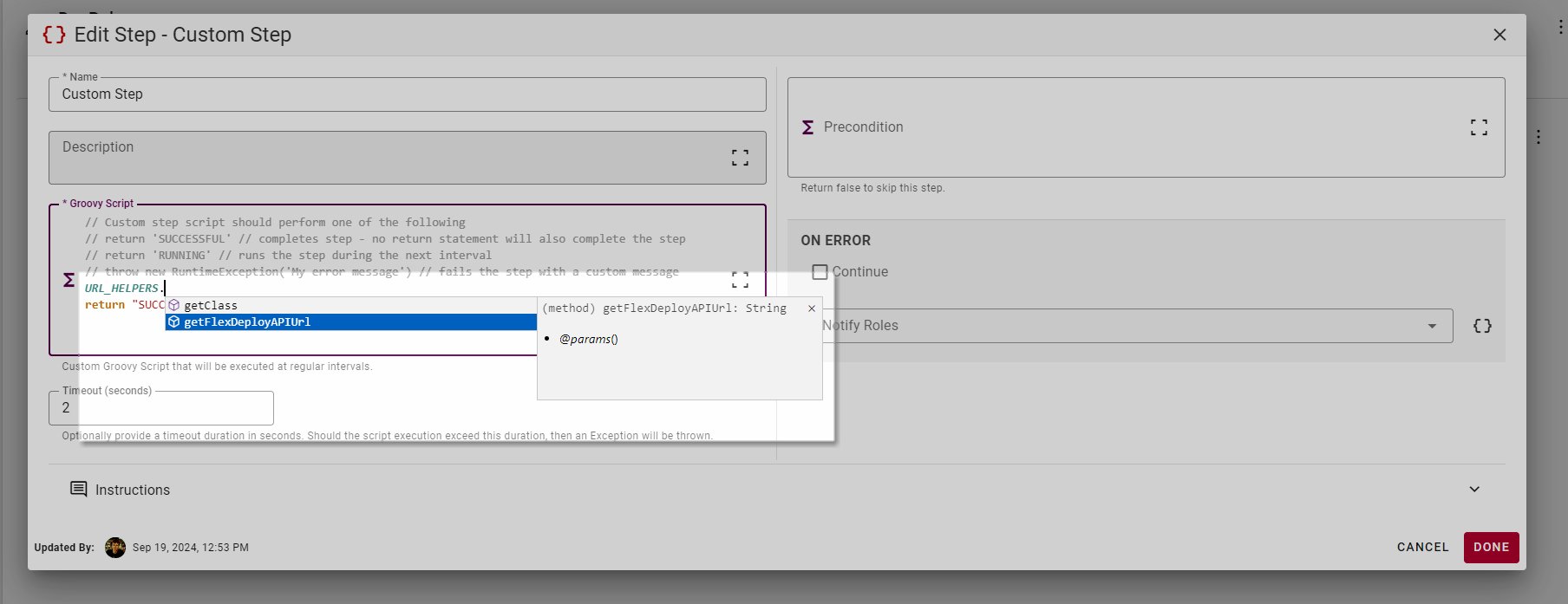
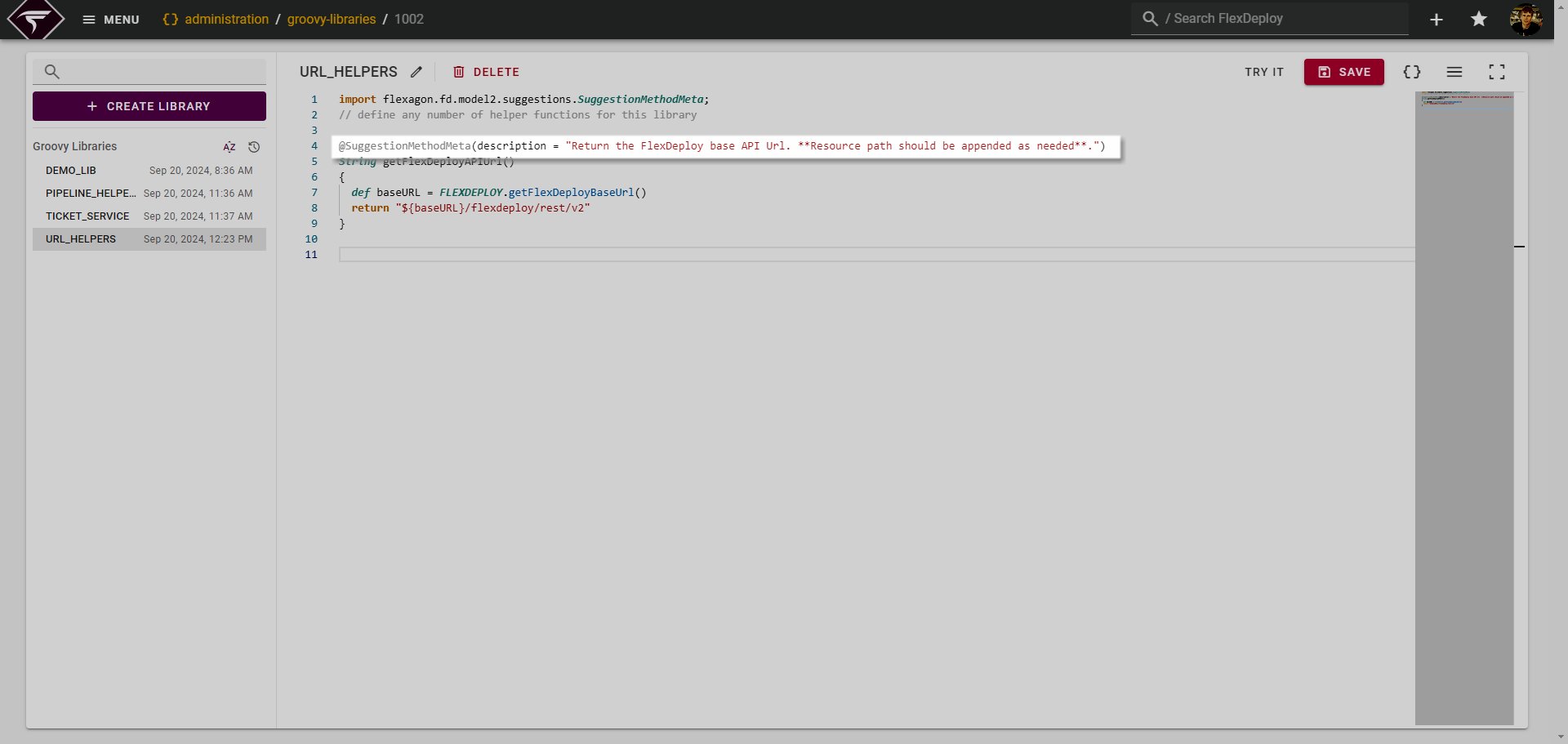
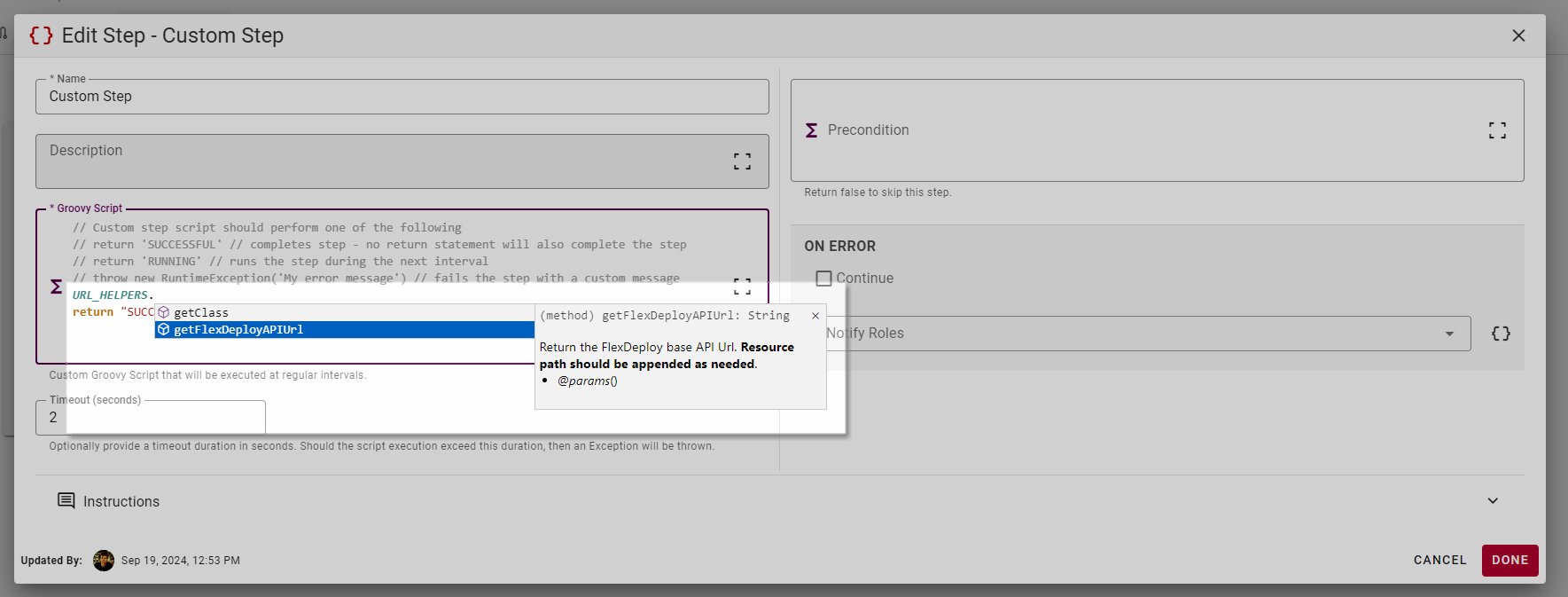
SuggestionMethodMeta API
Field | Type | Description |
|---|---|---|
description | String | Overall description of the function. Markdown can be used. |
params | List of Strings | A list of strings describing the function parameters. See full example below. |
deprecated | boolean (default false) | If true this will indicate the function as deprecated. The name will be <del>struckthrough</del> when viewing in other scripts. |
depAlternate | String | Optional alternative function name to use if this current function is deprecated. |
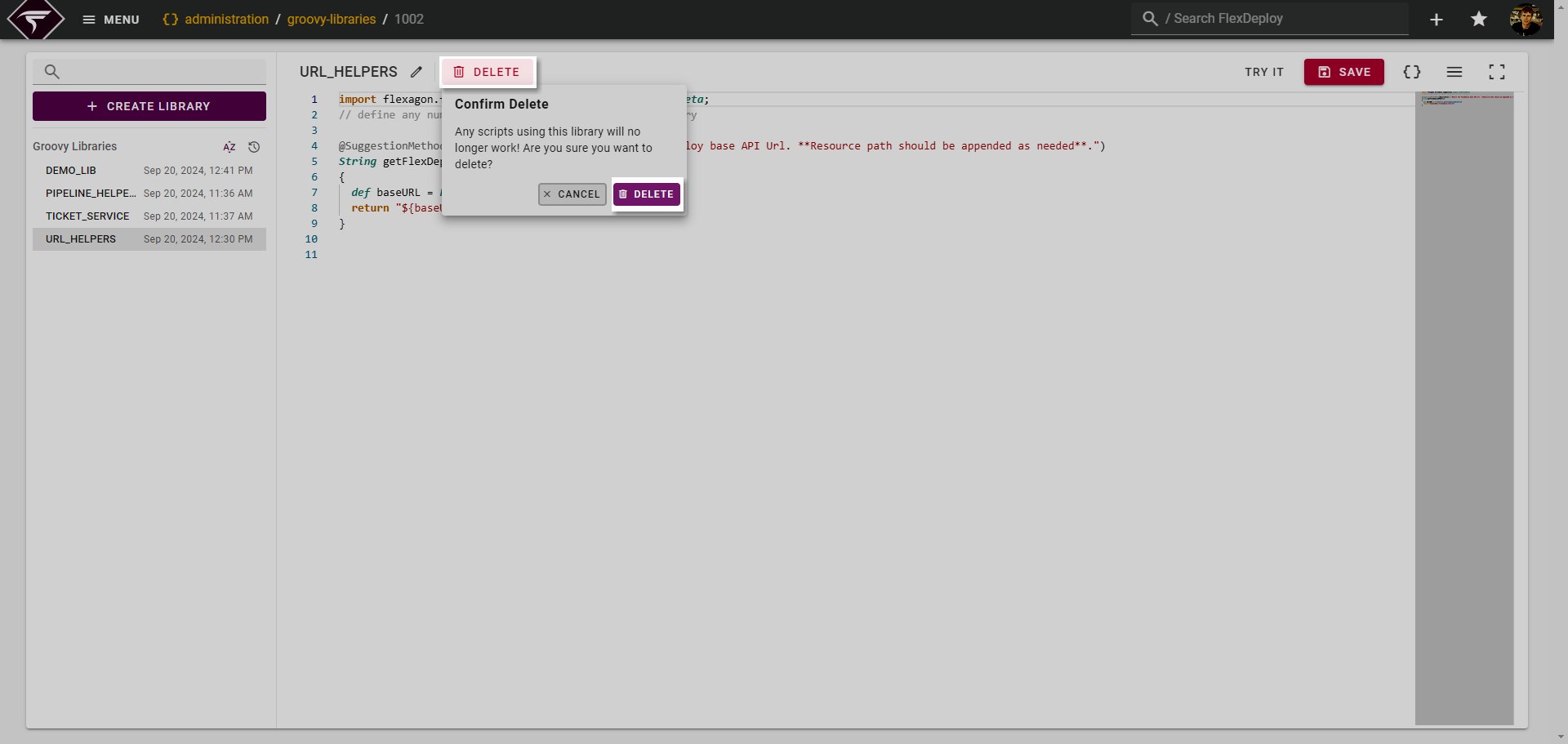
Rename/Delete a Library
To rename a library simply click the edit pencil :Pencil_Edit: icon next to the Library Key.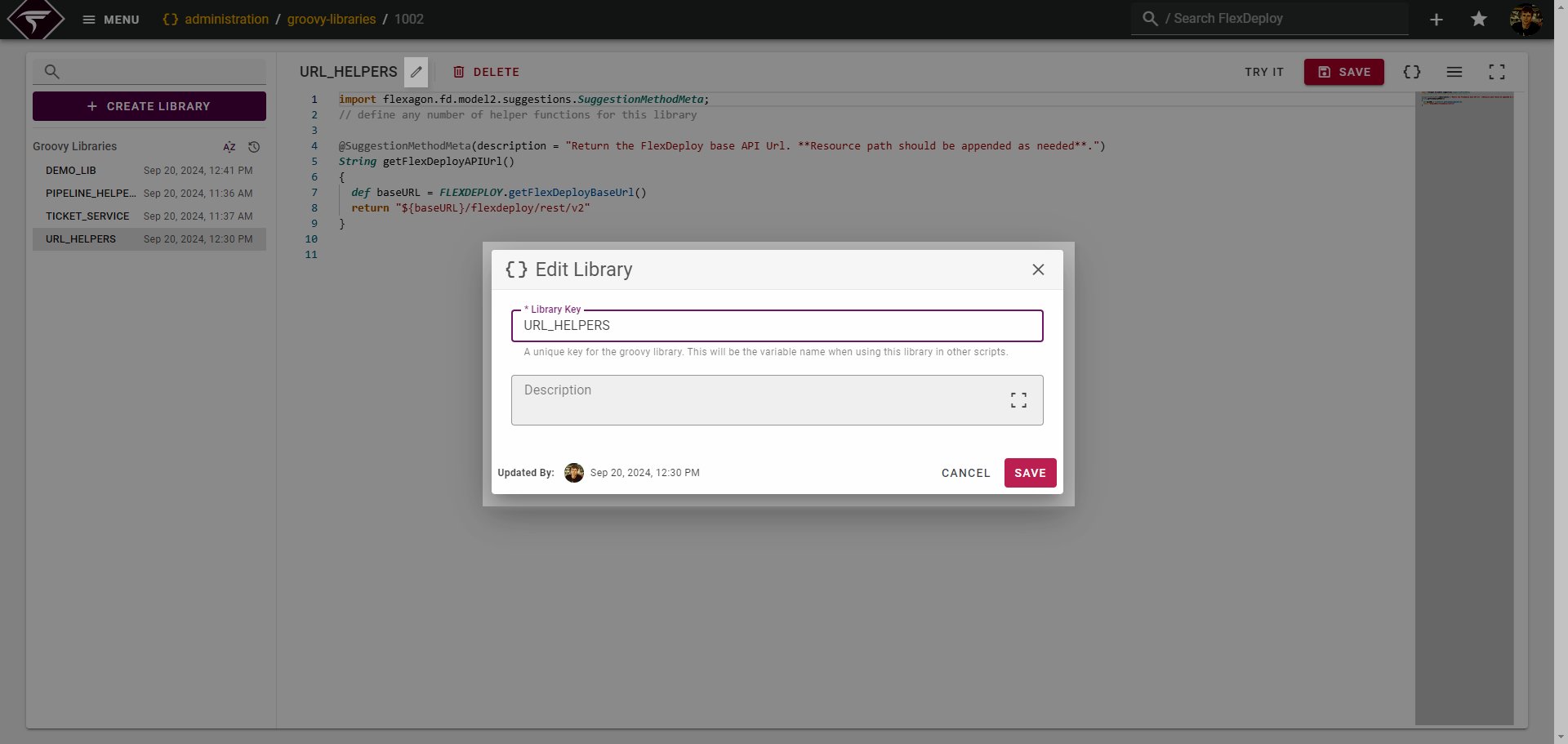
Changing the Library Key may break existing Groovy scripts using the old key of the Library. It is advised not to change the key once the library is in use.
Library Compilation
The following section explains in detail how the script code you write is compiled and made available to each FlexDeploy Groovy script. This information can be helpful in more advanced Groovy Libraries. The authored script code for each library is wrapped in a class declaration like soImporting Other Custom Libraries
Importing other custom libraries is only supported in version 9.0.0.2+
LIB_PIPELINE_UTILS imports and uses another custom library LIB_LOGGER.
Static Methods
Methods can be called statically, without an instance created, if they have the static modifier. Note - this only applies when importing other custom libraries since other Groovy scripts have instances created behind the scenes. See Library Compilation above. For example: LIB_LOGGERStatic method caveatA final note on static methods - Static methods cannot access instance variables. This means if you have a static method defined in your library and try to access
FLEXDEPLOY, LOGor any other instance variables it will not work and produce an error like the following: You attempted to reference a variable in the binding or an instance variable from a static context.In this case you must either remove the static modifier or not use the variable in question.Circular Imports
The below example demonstrates a circular library import and why its a problem:- LIB_ONE
- LIB_TWO
- FlexDeploy will iterate through all your Groovy Libraries and create an instance of each.
-
A new instance of
LIB_ONEis created. -
During initialization of
LIB_ONEit will create a new instance ofLIB_TWOas declared on line 1 ofLIB_ONE -
An instance of
LIB_TWOis created during step 3. This in turn creates an instance ofLIB_ONEas declared on line 1 ofLIB_TWO.- We are now stuck in a loop between steps 3 and 4, infinitely creating new instances. This is what is known as a circular dependency and will result in an error being thrown.