
Supported Versions
- The plugin supports both Windows and UNIX operating systems.
- OpenShift v4.x
Key Features
- push configuration changes to the cluster
- set labels on resources
- tag images
- create and delete resources
- run commands from containers
Plugin Operations
OpenShift Cloud Account
Authentication and connection details to your OpenShift server are both handled in the OpenShift Cloud Account. To create a cloud account, head to Topology→Integrations→Cloud and hit the plus/create button.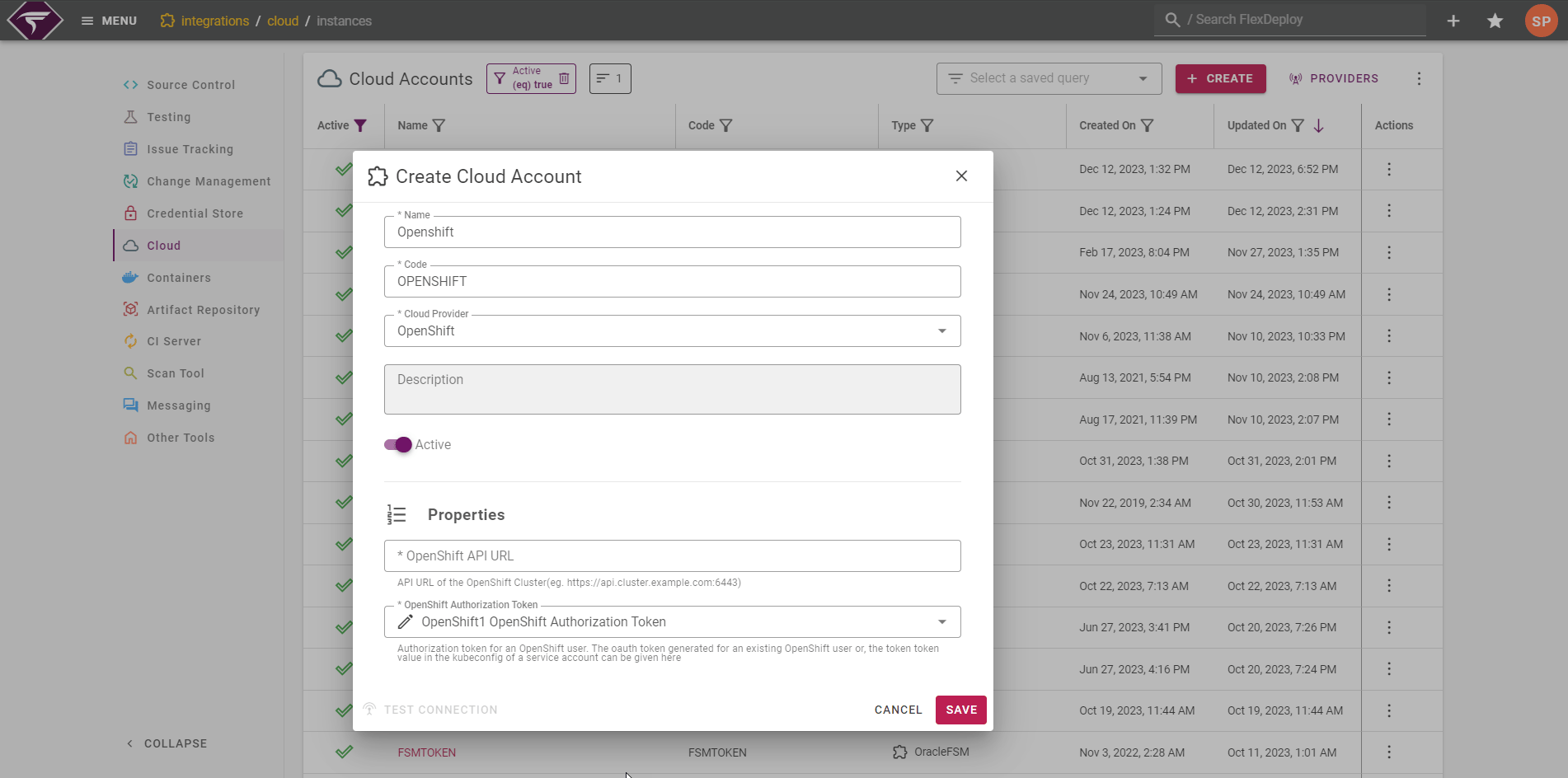
OpenShift Authorization Token
There are two options for the Authorization Token-
Personal User Token
- Navigate to %your cluster%/oauth/token/request to get a user token
- These need to be changed every 12 days
-
Create a Service Account Token (Recommended)
- See https://docs.openshift.com/container-platform/3.5/rest_api/index.html#rest-api-serviceaccount-tokens
- This is long lived and does not need to be changed