Target Properties
Property Name | Property Code | Required | Description |
|---|---|---|---|
OIC Account |
| No | The OIC account with all the required properties like Base URI, Username and Password for running OIC Instance. |
Inputs
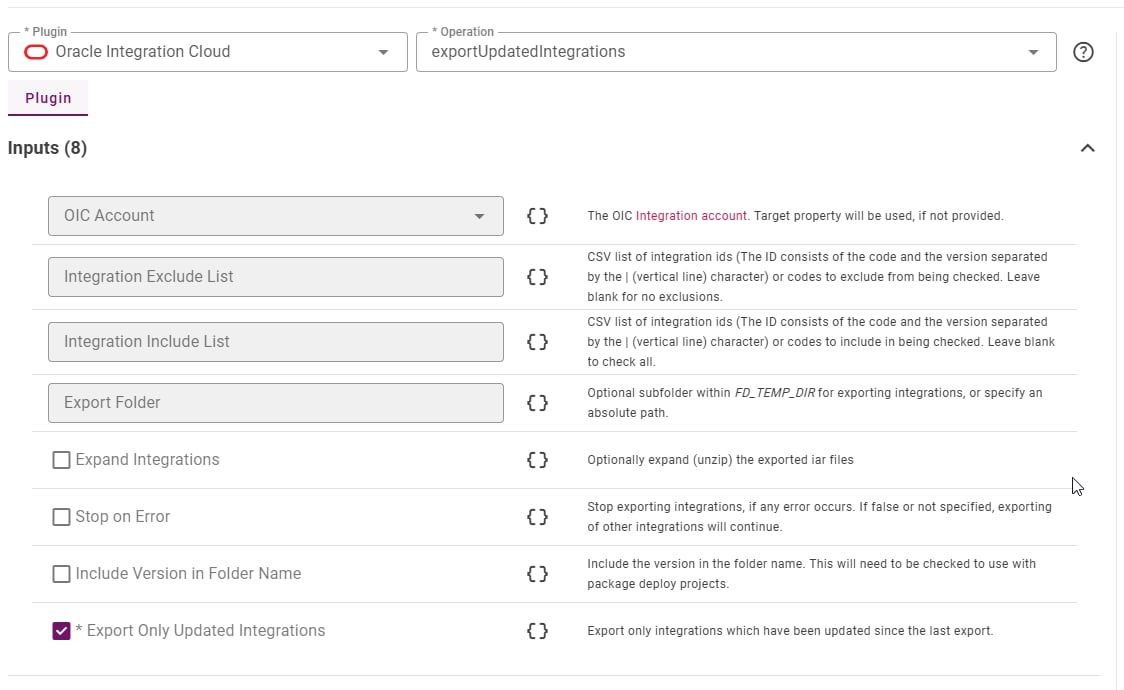
Input Name | Input Code | Required | Description |
|---|---|---|---|
OIC Account |
| No | The OIC account with all the required properties like Base URI, Username and Password for running OIC Instance. |
Exclude List |
| No | Optional list of integration ids or codes to be excluded from being checked for updates. Leaving this blank will not exclude any integrations. |
Include List |
| No | Optional explicit list of integration ids or codes to be checked for updates. Leaving this blank will exclude any integrations not excluded. |
Export Folder |
| No | Optional subfolder within temp directory for exporting integrations, or specify an absolute path. Absolute path only supported since 9.0.0.6. |
Extract Integrations |
| No | Optionally extract the .iar files exported by this operation |
Stop on Error |
| No | Stop exporting integrations, if any error occurs. If false or not specified, exporting of other integrations will continue. |
Include Version in Folder Name |
| No | Include the version in the folder name. This will need to be checked to use with package-based projects. |
Export Only Updated Integrations |
| Yes | Export only integrations which have been updated since the last export. Defaults to true. |
Artifacts
This operation produces no artifacts, instead all exported files are stored in the temp directory to be pushed to SCM.Endpoint Selection
This operation will select all available endpoints associated to the Target.Endpoint Execution
This operation will execute on any one of the selected endpoints and will be random in the determination of which one.Special Considerations
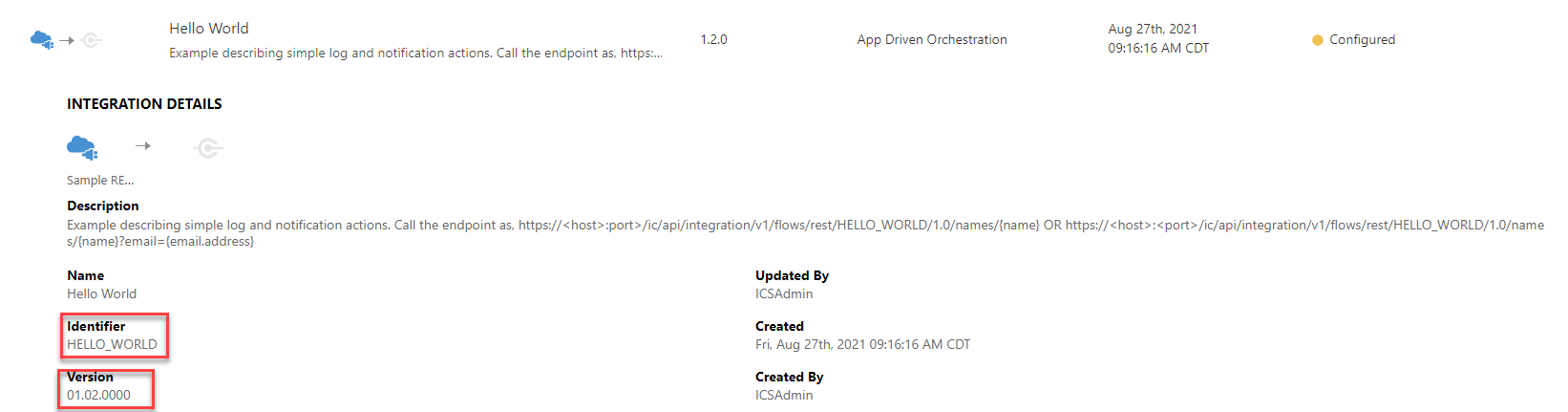
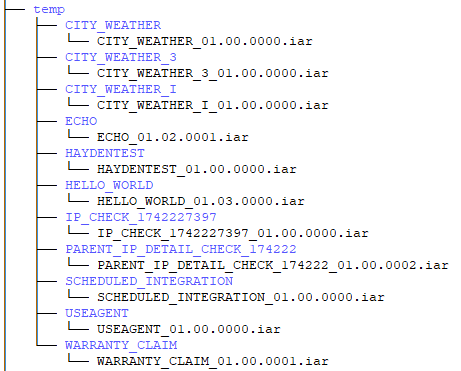
Integrations will be exported based on their last updated date time. When an update is detected, the integration will be exported to an .iar file inside of a folder with its integration id in the FD_TEMP_DIR. For example, the integration “HELLO_WORLD” version 1.001.0000 would be exported to the following location: FD_TEMP_DIR/HELLO_WORLD/HELLO_WORLD.1.001.0000.iar. If Expand Integrations input is true, the .iar file will be expanded at the same level as the original file. (e.g. FD_TEMP_DIR/HELLO_WORLD/…) Exclude List and Include List inputs can take a CSV list of identifiers (HELLO_WORLD) or full identifiers (HELLO_WORLD|01.02.0000). Providing only identifier would export all versions for that integration instead of one version with the full identifier.