
FDBOOMI_INP_ENVIRONMENT_EXTENSIONS_JSON_PATH input is set, then the environment extension file is selected from the list of build artifacts and the update is made through the Boomi API.
The build artifact does not contain the version of the process.
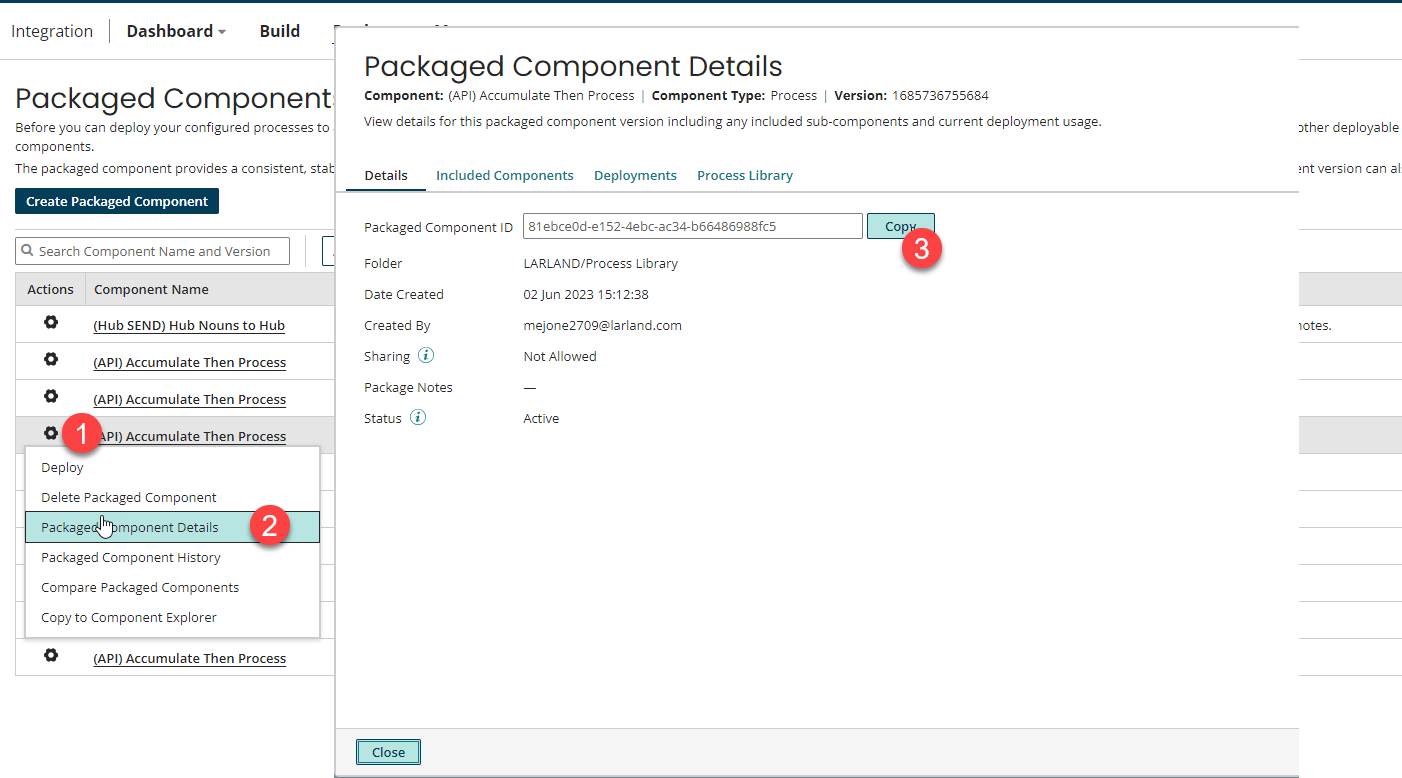
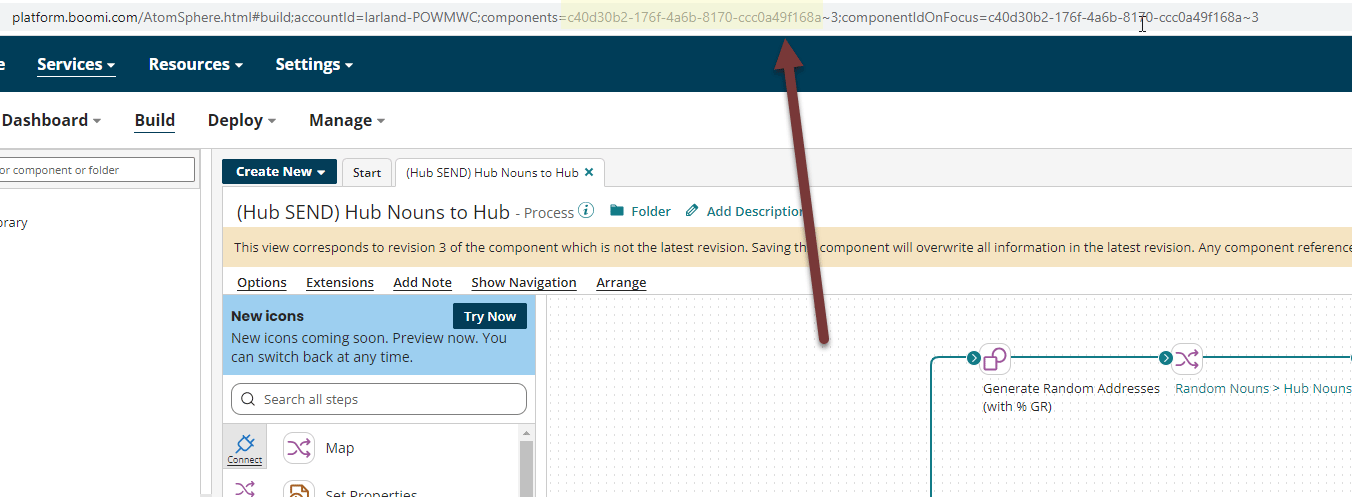
If a packaged component is being deployed, the exact version of the packaged component which the id correlates to will be deployed. See the image below for how to locate this id.
Target Properties
Property Name | Property Code | Required | Description |
|---|---|---|---|
Boomi Environment ID |
| Yes | ID of the Boomi Environment. |
Inputs
Input Name | Input Code | Required | Description |
|---|---|---|---|
Deployment Notes |
| No | Sets a Deployment message In case of a deployment promotion, details of the source and target environments are added to the message as well by the AtomSphere platform. Groovy expressions can be used to make the value provided here dynamic. Include Project Version and Execution Timestamp in Deployment NotesFD_PROJECT_VERSION + ” deployed by FlexDeploy on ” + Instant.now() |
Environment Extensions File Path |
| No | Location of the Environment Extensions JSON file |