Table Details
Column | Description |
|---|---|
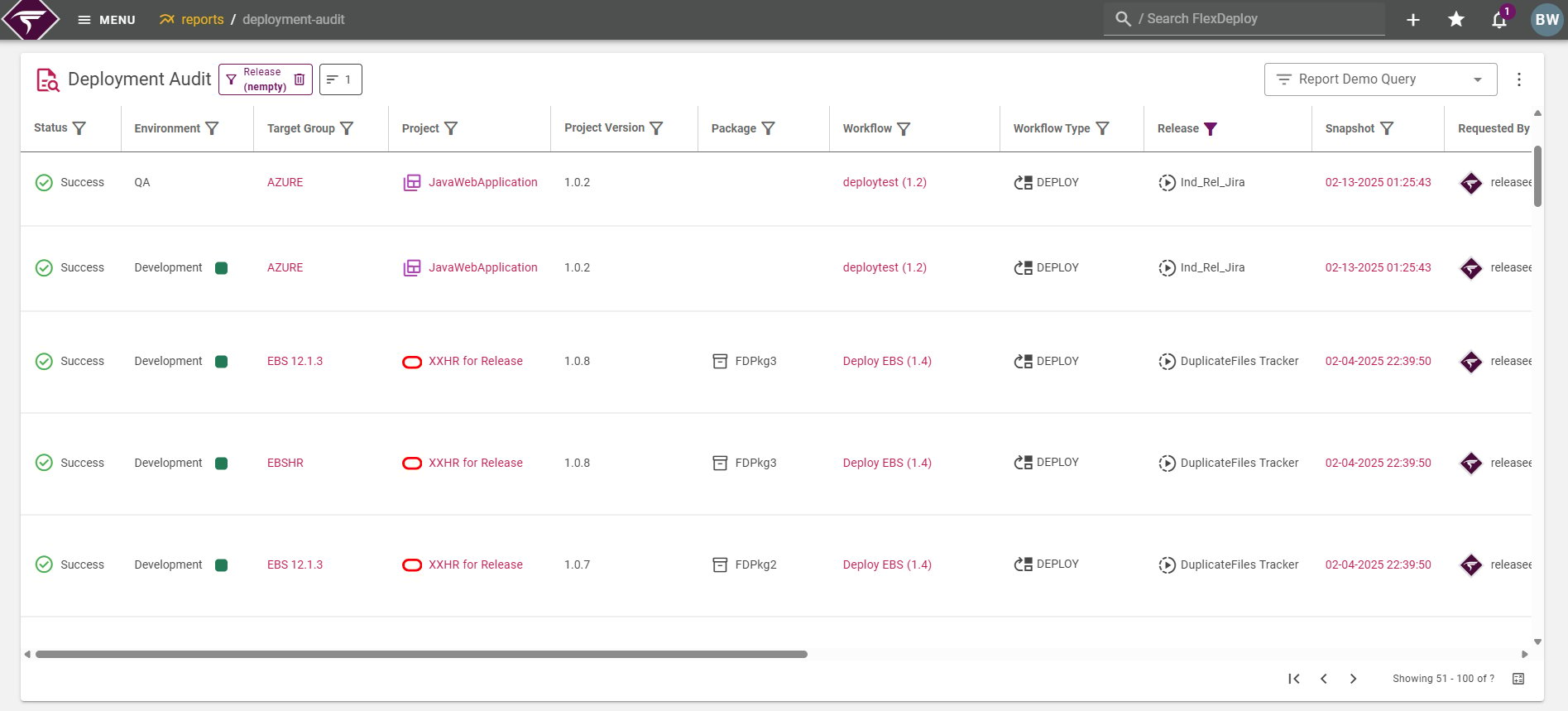
Workflow | Shows Workflow name and the workflow version used for the execution.
|
Workflow Type | Shows the type of workflow used in the execution.
|
Rollback Request | If the execution was related to a rollback request, then a rollback icon :rollback_request_icon:will be present. |
Rolled Back Deployment | Displays the execution id that is being rolled back. Only relevant if the execution was part of a rollback request. |
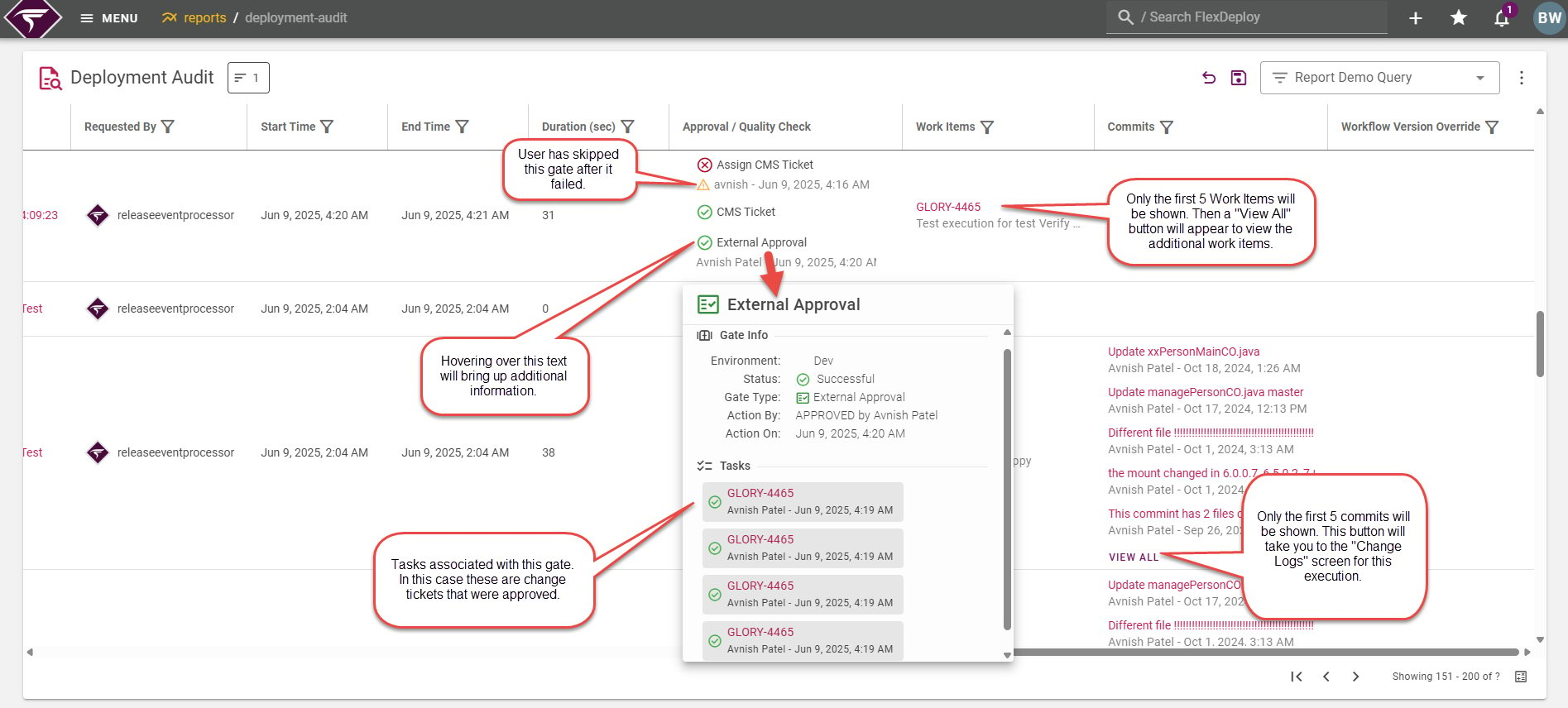
Duration | Shows how long the execution lasted in seconds. For executions that took less than 1 second, it will be shown as 0. |
Files | Files that were included in the workflow execution. This shows the deployment status, file path, and the endpoint name for each file involved with the execution.
|
Approval / Quality Check | Displays the associated Pipeline Gate executions and Folder level approval/window tasks that were completed in order for this execution to occur.
|
Work Items | Work items associated with the execution. The work item number and description will be shown.
|
Commits | Commits associated with the execution. The commit message and the committer details will be shown (who and when the commit was made).
|
Workflow Version Override | Displays the workflow version id that was used instead of the active workflow version at the time.
|