- Java 8 must be used on the endpoint
Blog Posts
- https://flexagon.com/blog/oracle-integration-cloud-partial-deployments-with-flexdeploy/
- https://flexagon.com/2019/01/flexdeploy-loves-oic/
Key Features
- Supports Oracle Integration Gen 2 and Oracle Integration 3 instances
- Simple configuration.
- Use package deployment functionality to deploy selected integrations.
- Ability to manage connections with integrations or independently.
- Property replacement on connection properties by environment.
- Ability to sync shared objects, such as lookups and libraries.
- Ability to manage continuous integration of an OIC Instance
- Ability to run an integration
- Ability to deactivate/activate an integration
-
Ability to work with OIC Projects (Gen 3). This refers to entire Project deployment and not individual components of the Project.
- Deploy
- Update Connection Properties
- Download Connection plans
- Activate / Deactivate integrations
- Start/Stop/Pause/Resume Schedules
- Sync to SCM
- Ability to build and deploy individual project integrations, including associated components such as connections, lookups, and libraries. This does not support sourcing from SCM due to Oracle API limitations.
- Connections that are shared by various projects are not supported.
-
Connections that require the Provide Consent action are not fully automated by FlexDeploy at this time. FlexDeploy can deploy the connection and configure its properties, but it does not perform the interactive OAuth consent process.
- If the connection already has valid consent and the deployment does not invalidate the existing authorization, additional consent may not be required.
- If consent is required after deployment, it must be completed manually in Oracle Integration Cloud before the connection can be successfully used. Until consent is completed, deployment of integrations that use the connection will fail.
FlexDeploy Project Recommendations
Integrations, Lookups, Connections, Libraries, and Projects are all supported using Package-based projects, so simply use one project to manage all file types. Export from Cloud or source from SCM.Plugin Operations
- activateIntegration
- buildIntegration
- createConnectionPlan
- deactivateIntegration
- exportB2BDocument
- exportB2BDocuments
- exportB2BHostProfile
- exportB2BSchema
- exportB2BSchemas
- exportB2BTradingPartner
- exportB2BTradingPartners
- exportConnections
- exportIntegration
- exportIntegrations
- exportLibrary
- exportLibraries
- exportLookup
- exportProjects
- exportUpdatedIntegrations
- importB2BDocument
- importB2BSchema
- importB2BTradingPartner
- importB2BHostProfile
- importIntegration
- importLibrary
- importLookup
- packageBuild (OIC)
- packageDeploy (OIC)
- runIntegration
- pauseSchedule
- startSchedule
- stopSchedule
- resumeSchedule
- updateConnections
- updateIntegrations
Notes
This plugin does not support basic auth for any operations that utilize the REST API. This is restricted by Oracle.
Additional Information
Supported File Types
- OIC Object Type - Integration
- OIC Object Type - Connection
- OIC Object Type - Lookup
- OIC Object Type - Library
- OIC Object Type - Project
- OIC Object Type - Robot
- OIC Object Type - Decision
- OIC Object Type - B2B Document
- OIC Object Type - B2B Schema
- OIC Object Type - B2B Host Profile
- OIC Object Type - B2B Trading Partner
TimeoutException During Discover Process
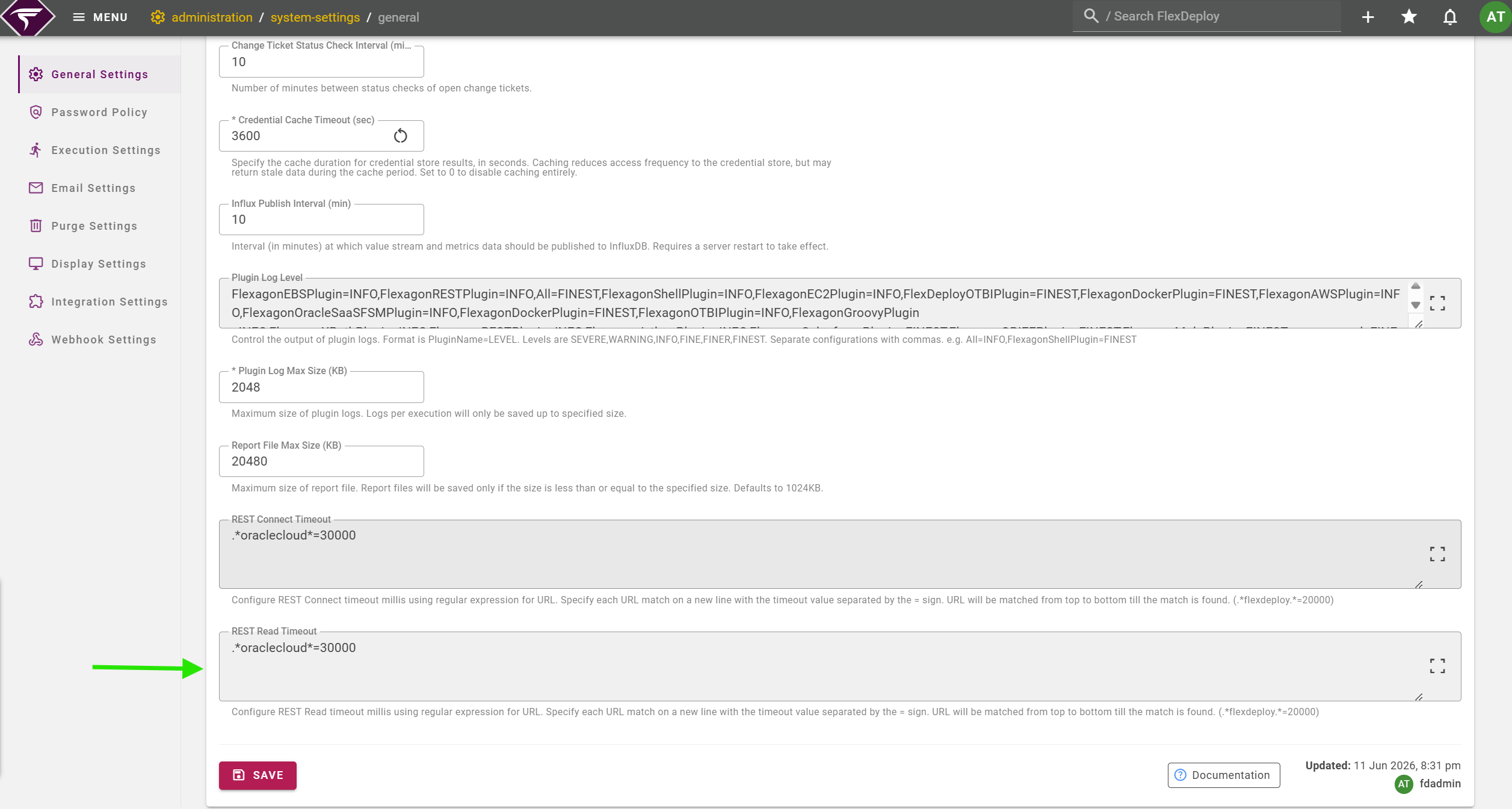
In environments containing a large number of Oracle Integration Cloud (OIC) objects, the Discover operation may exceed the configured REST Read Timeout and result in a timeout exception. To resolve this issue, increase the REST Read Timeout value. Navigate to: Administration → System Settings → General → REST Read Timeout