Target Properties
Property Name | Property Code | Required | Description |
|---|---|---|---|
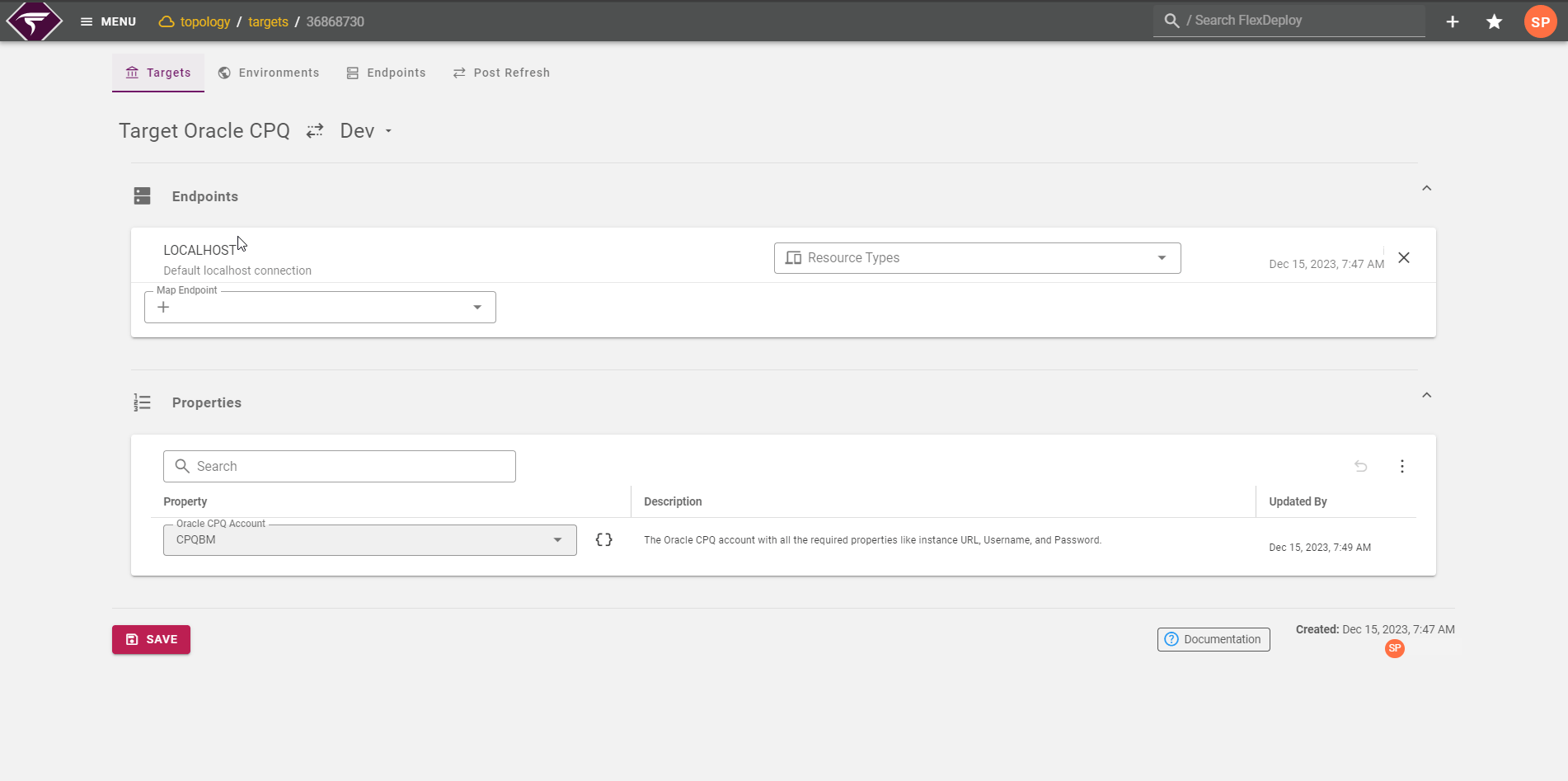
Oracle CPQ Account |
| No* | The Oracle CPQ account with all the required properties like instance URL, Username, and Password. The account will be likely be different for each CPQ environment. |
Inputs
Input Name | Input Code | Required | Description |
|---|---|---|---|
Oracle CPQ Account |
| No* | The Oracle CPQ account with all the required properties like instance URL, Username, and Password. |
API Timeout |
| No | Maximum amount of time (seconds) to wait for export migration process to complete after it is started. Defaults to 300 seconds (5 minutes). |
Polling Interval |
| No | Specifies how frequently (in seconds) FlexDeploy polls Oracle CPQ to check the status of migration package import or export operations. Lower values result in more frequent status checks but may increase API usage. Higher values reduce API calls but may delay status updates. Minimum value is 20 seconds. Default is 30 seconds. |
Exclude Dependencies |
| No | Optionally exclude dependent packages in the export file. Value of false (default value) includes the dependent packages. |
Artifacts
This operation produces artifacts that will be stored in the artifacts repository.Endpoint Selection
This operation will select all available endpoints associated to the Target.Endpoint Execution
This operation will execute on any one of the selected endpoints and will be random in the determination of which one.Special Considerations
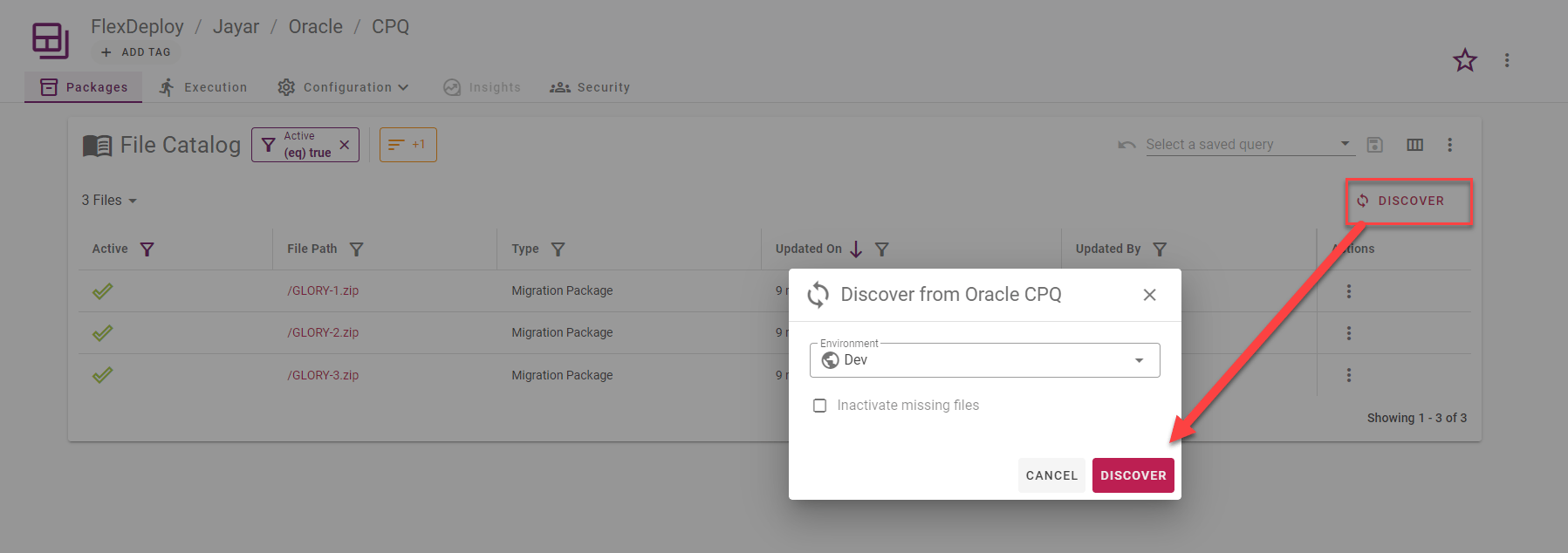
Populate Package Names from Development Environment
Oracle CPQ project type has one object type Migration Package with File Name and Package Name attributes. Project files can be populated from Oracle CPQ build environment automatically. To this follow these instructions: Oracle CPQ Integration account must be created with URL, User and Password set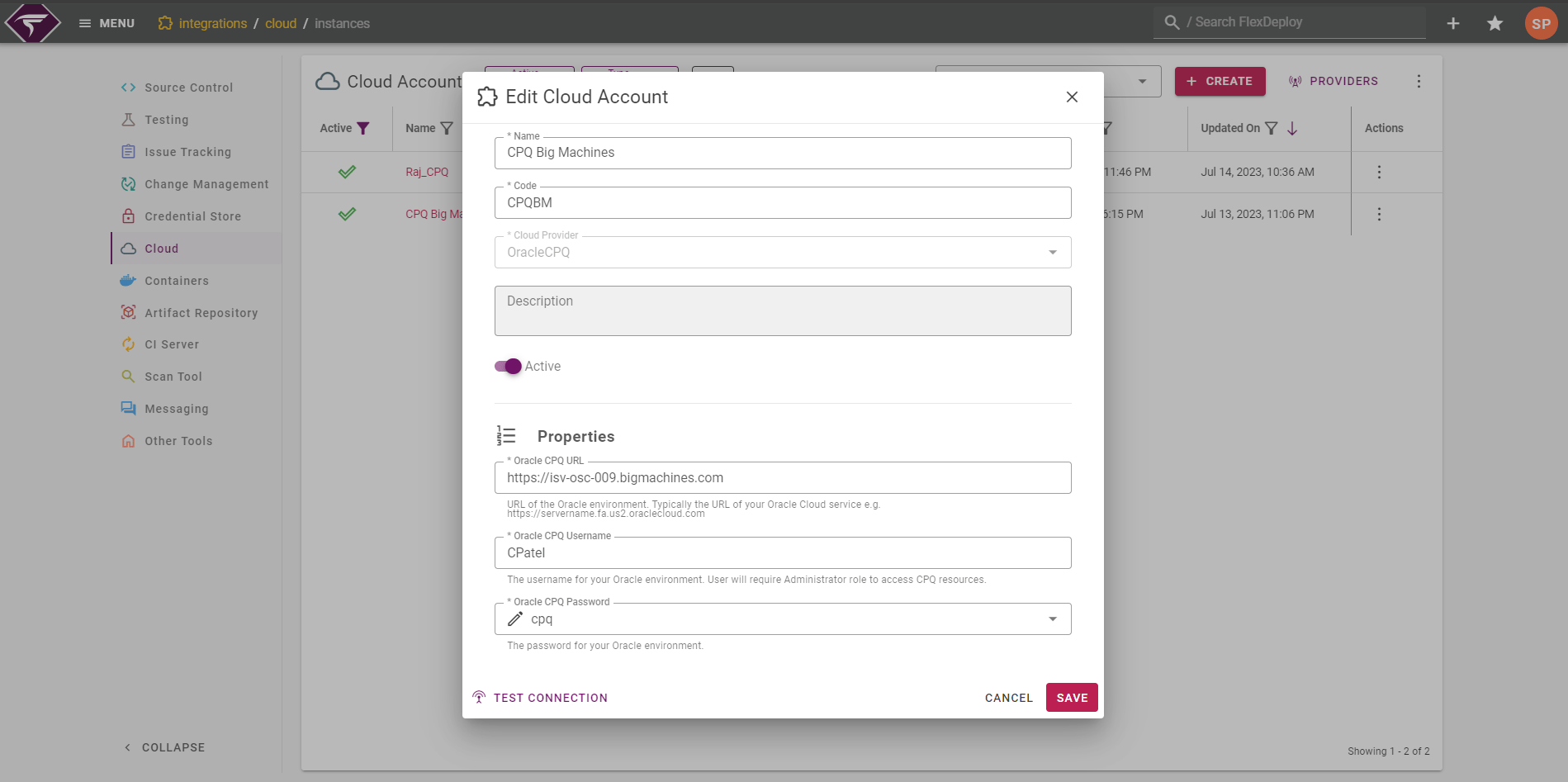
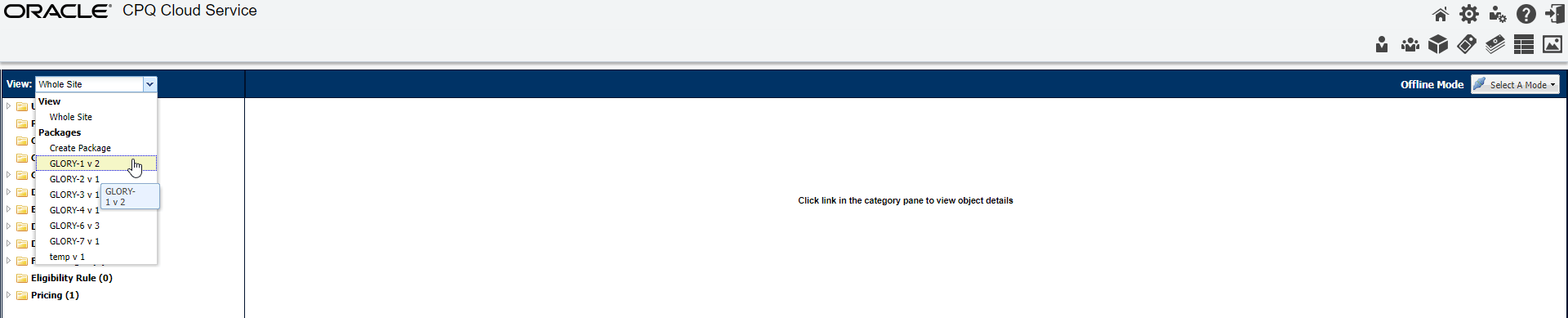
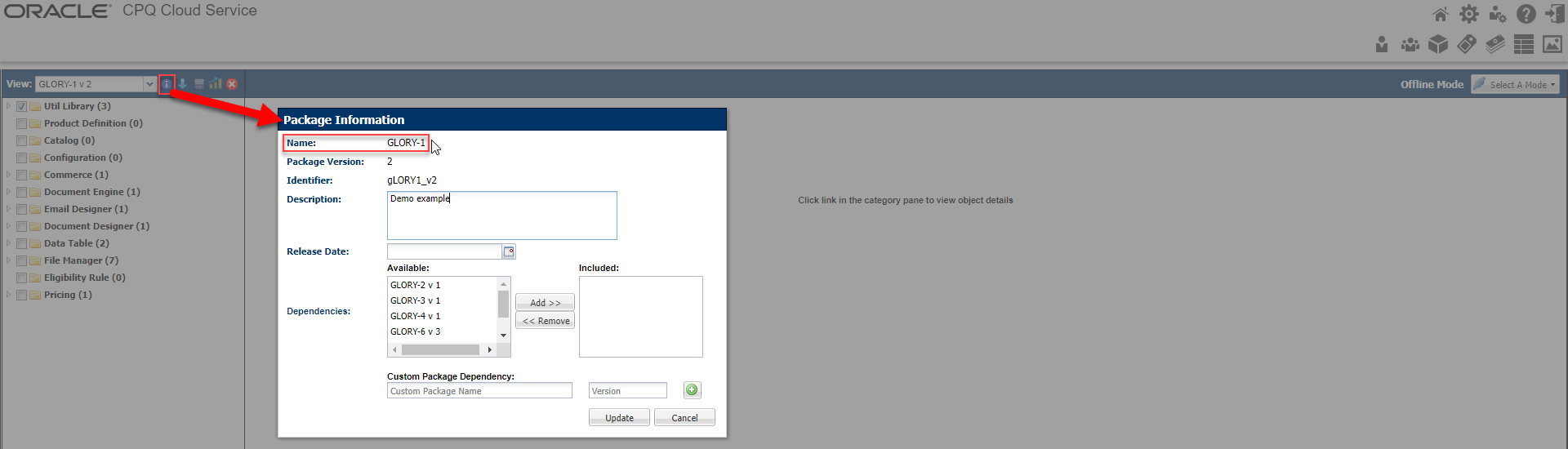
How to get Migration Package Name
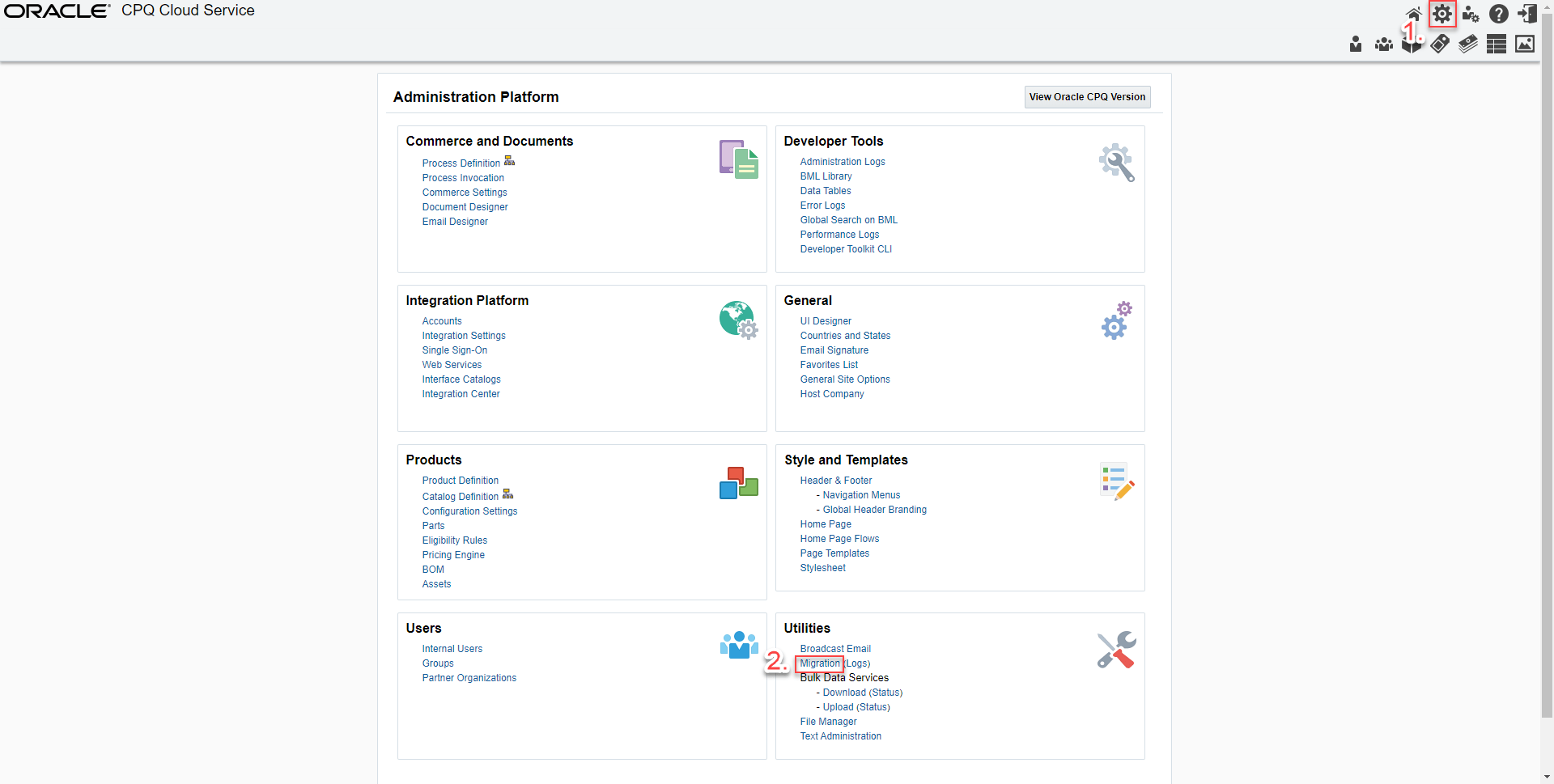
Log into your Oracle CPQ Cloud Service Navigate Administration Platform → Utilities → Migration