Supported Versions
- Siebel 17 or higher
- Java 8 must be used on the endpoint
Key Features
- Leverages incremental repository change migrations by using Siebel Watermark file technology
- Leverages full repository migrations to aid in synchronizing environments
Plugin Operations
Workflow Considerations
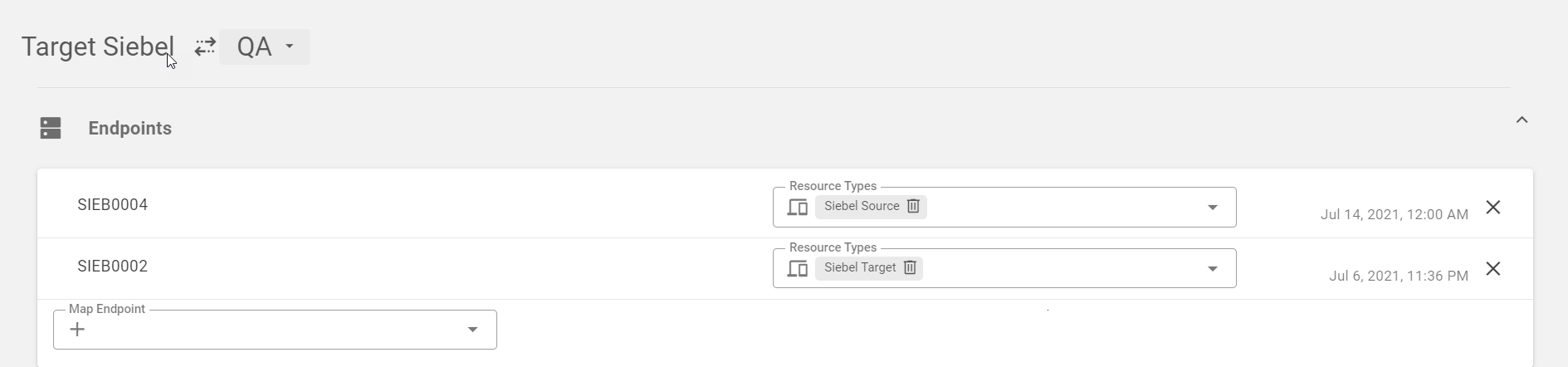
This plugin provides several operations to enable both full repository migrations, as well as incremental repository migrations. The following table identifies the plugin operations and the endpoint in which they will be executed on.Workflow Step/plugin operation | Endpoint Selection |
|---|---|
siebelBuild | Siebel Source |
createWatermark | Siebel Target |
siebelExport | Siebel Source |
siebelDeploy | Siebel Target |
Endpoint Selection
When adding plugin operations to the workflow, select the resource type (Siebel Source or Siebel Target) to identify the type of resource that the step should execute on.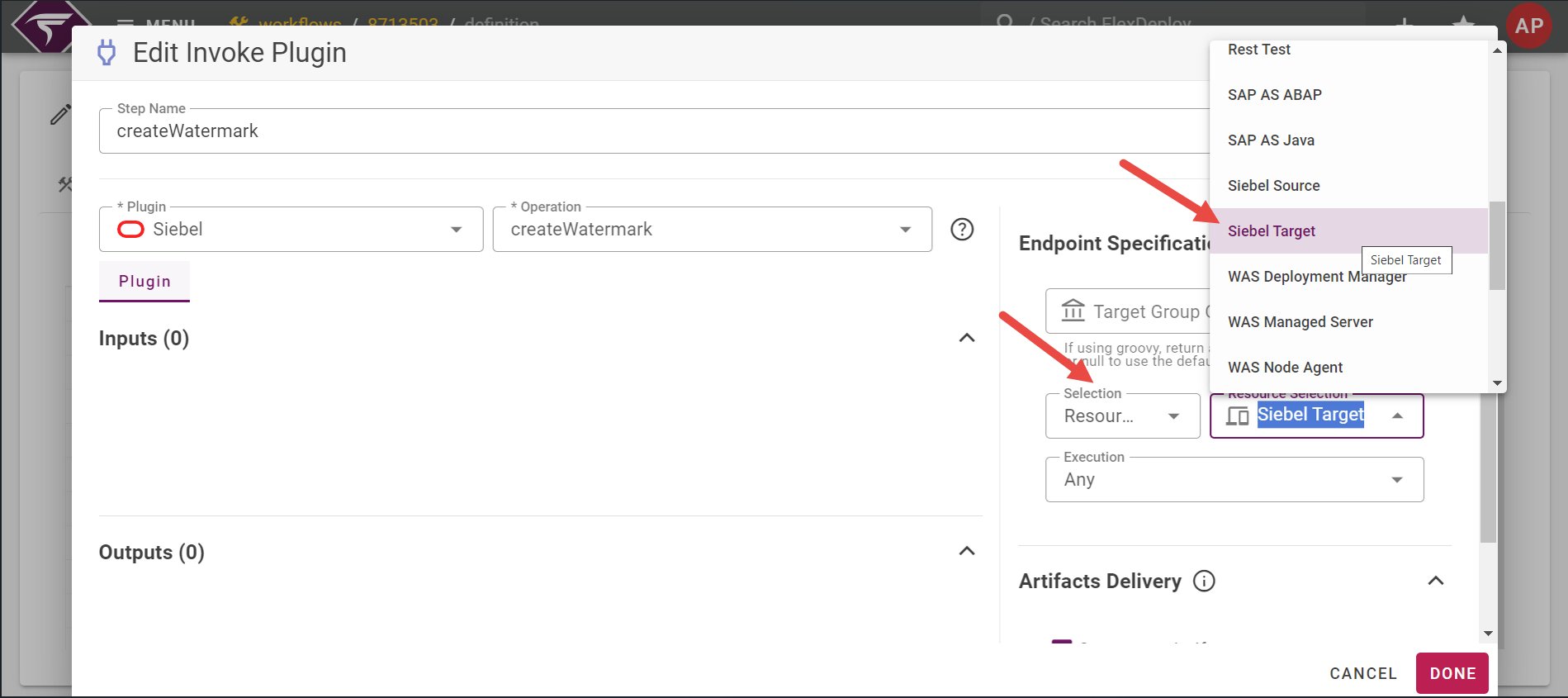
Primary Use Cases
-
Initial migration of full repository to enable future incremental migrations
- Use build / deploy workflows utilizing the Siebel plugin operations with the full export type
- Select inputs to include the object types to be migrated as part of the full migration
-
Migrate delivered changes using Siebel incremental migrations
- Use build / deploy workflows utilizing the Siebel plugin operations with the incremental export type
- Select inputs to include the object types to be migrated as part of the full migration
-
Migrate delivered changes using Siebel incremental migrations and review export results prior to importing
- Use build / pre-deploy / deploy workflows utilizing the Siebel plugin operations
- Pre-deploy workflow would contain the steps to create the watermark file and generate the zip file from the export
- An additional step to copy the zip file to the target server would also need to be included in the pre-deploy workflow
- Output of the export can be reviewed prior to running the deploy step to import to the target environment
- Select inputs to include the object types to be migrated as part of the full migration
-
Migrate delivered changes using Siebel full migrations
- Use build / deploy workflows utilizing the Siebel plugin operations with the full export type
- Select inputs to include the object types to be migrated as part of the full migration
Sample Workflows
Siebel Build - Use to perform build operation for the Incremental or Full Repository migration.- Includes the siebelBuild operation from the Siebel plugin.
-
Sample YAML source:
-
Required input is the Siebel workspace version and export type. Export type is used to determine what type of export to perform and the available options are:
- full
- incremental
-
Additionally, the match the options available in the Siebel Migration Application, there are several check boxes available to allow for the selection of what types of objects to migrate:
- Include Schema Service
-
Include Application Workspace Data Service
- If export type is full, then the migration plan will use Application Workspace Data Service option
- If export type is incremental, then the migration plan will use Incremental Application Workspace Data Service option
-
Include Runtime Repository Data Service
- If export type is full, then the migration plan will use Runtime Repository Data Service option
- If export type is incremental, then the migration plan will use Incremental Runtime Repository Data Service option
- Include Application Data Service
- Include Application Data Service with Transformation
- Include File Prepare and Deploy
- Include FINS BIB
- This should execute on the Siebel Source end point because if Initial export type is selected an export is executed.
- Includes the createWatermark, siebelExport, siebelDeploy operations from the Siebel plugin.
-
Sample YAML source:
- No inputs are required
- Recommended that the create Watermark step is executed on the Siebel Target endpoint
- Recommended that the Incremental Export run on the Siebel Source endpoint
- Recommended that the Incremental Import run on the Siebel Target endpoint
Project setup considerations
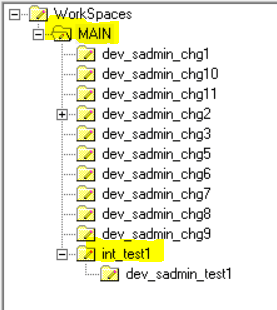
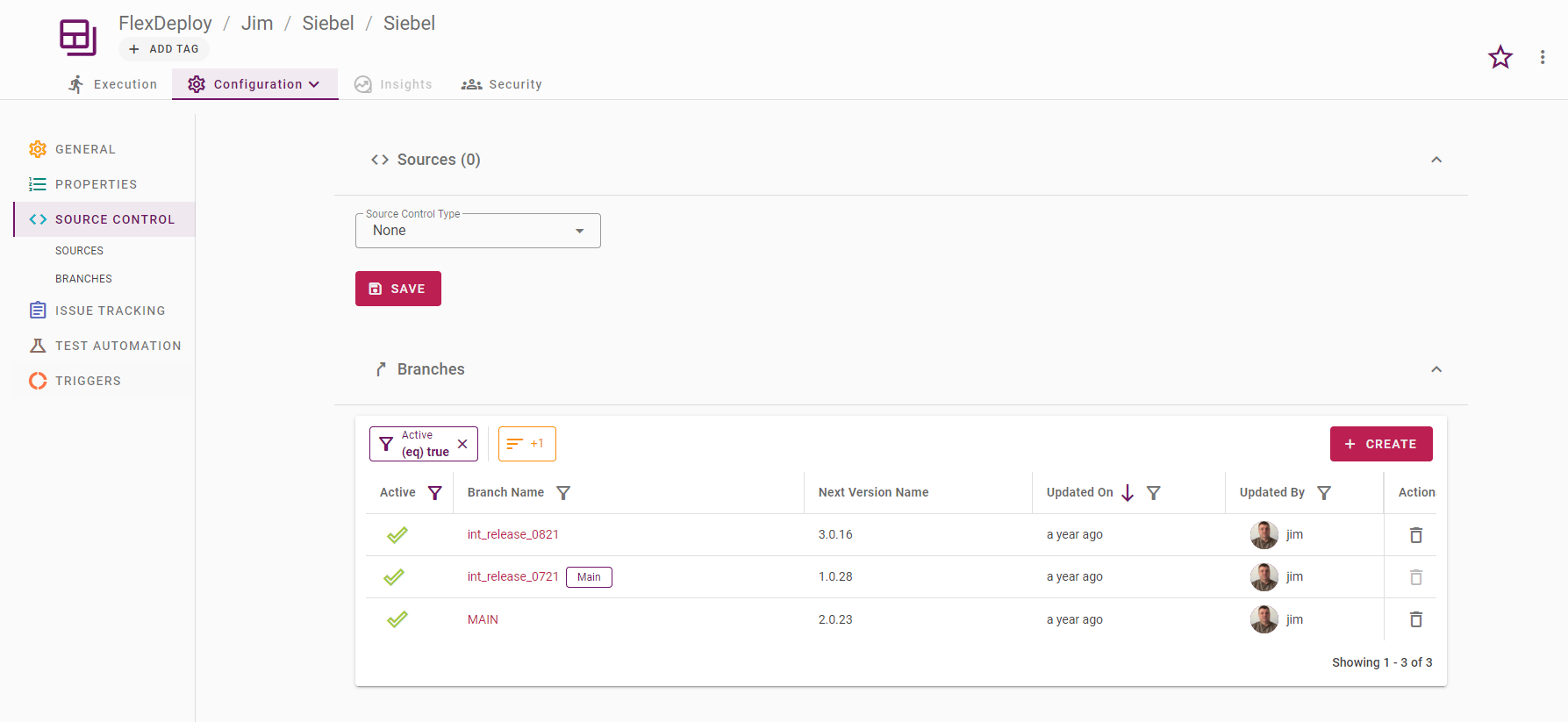
When setting up the project configuration, the SCM Type is set to none, but the stream name will still be utilized. The stream name will correspond to the WorkSpace branch name of either the main branch or integration workspace within Siebel Tools. Example: In Siebel Tools, there is the MAIN workspace and an integration workspace called int_test1: