The PowerShell plugin provides a means to run any PowerShell cmdlet(s) or any existing PowerShell script(s). It also is compatible with Windows Azure PowerShell cmdlets, to configure your Azure Virtual Machine. Refer to the FlexDeploy - Variables Guide for reference on available variables.

Supported Versions

  • PowerShell 5.0+
  • Azure PowerShell

Key Features

  • Can run any Windows PowerShell cmdlet(s)
  • Can run any Azure PowerShell cmdlet(s)
  • User-defined inputs/outputs allowed
  • Can run any PowerShell (.ps1) script(s)

Plugin Operations

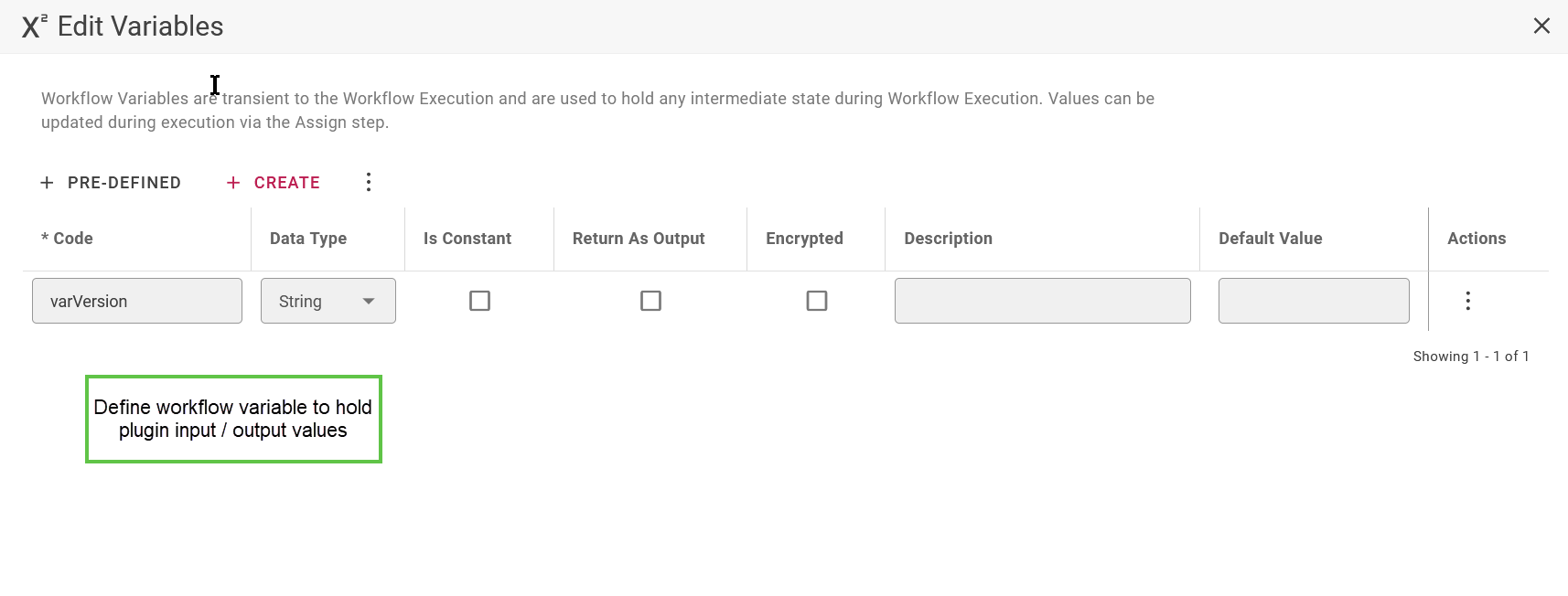
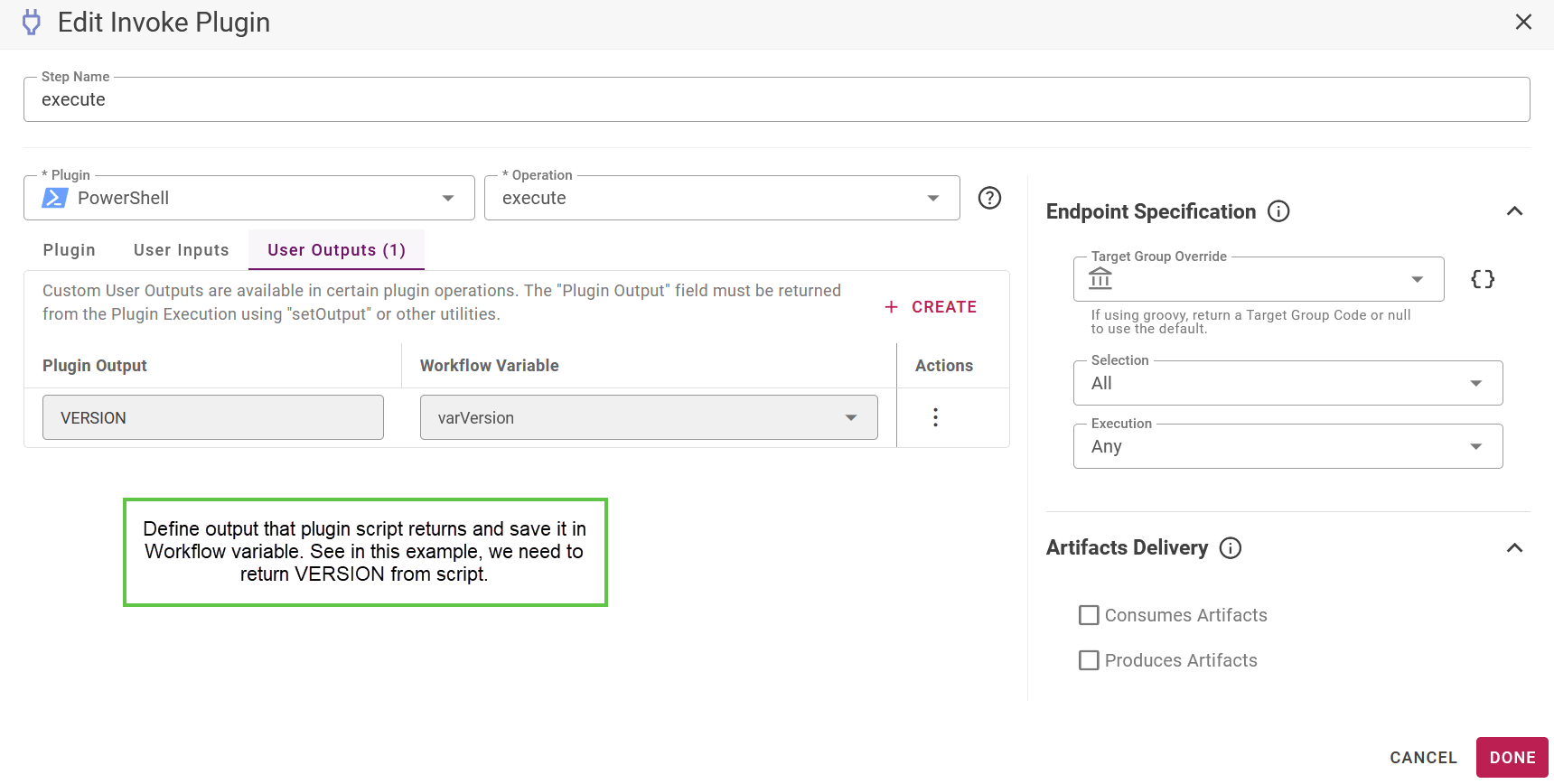
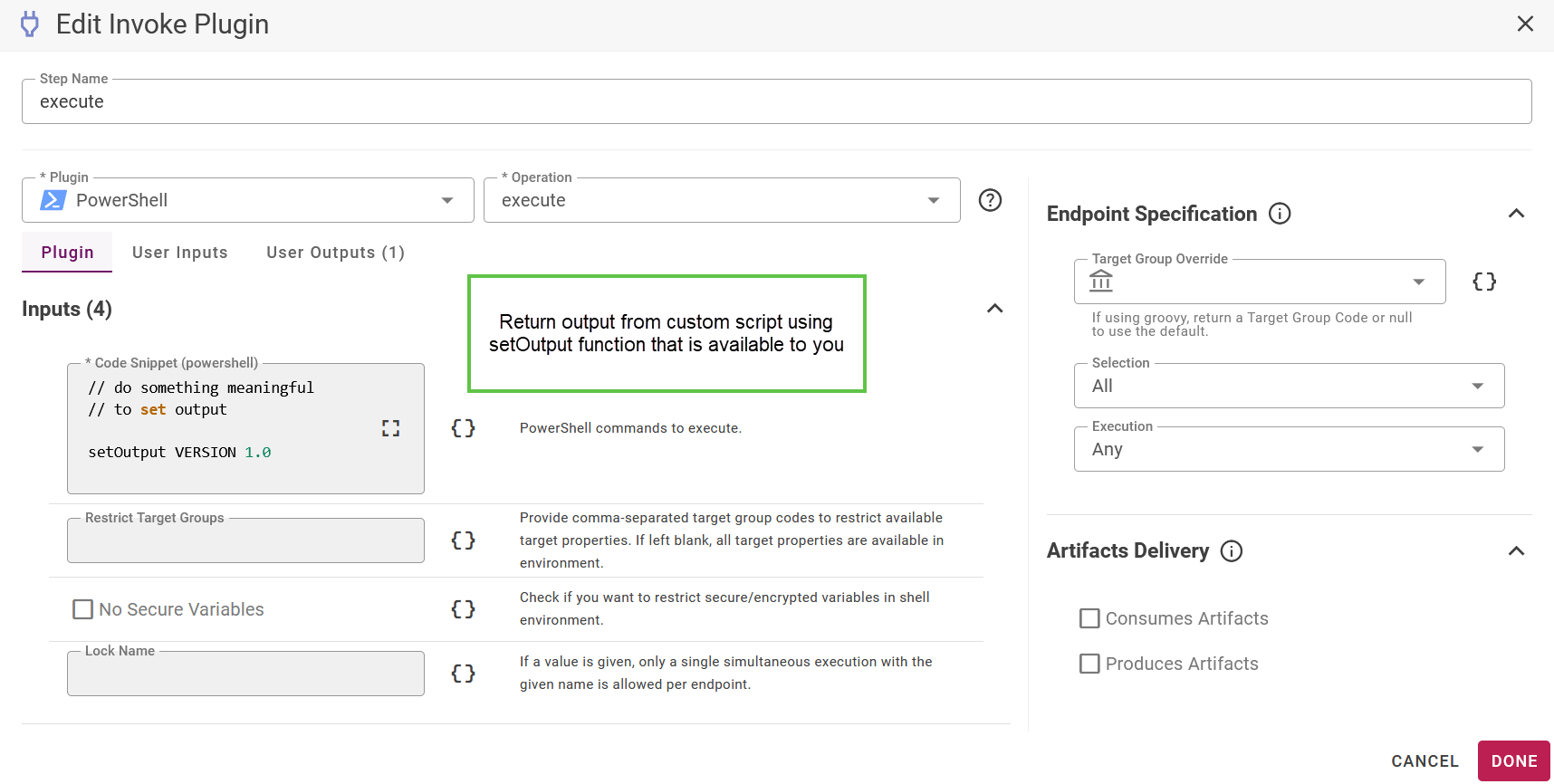
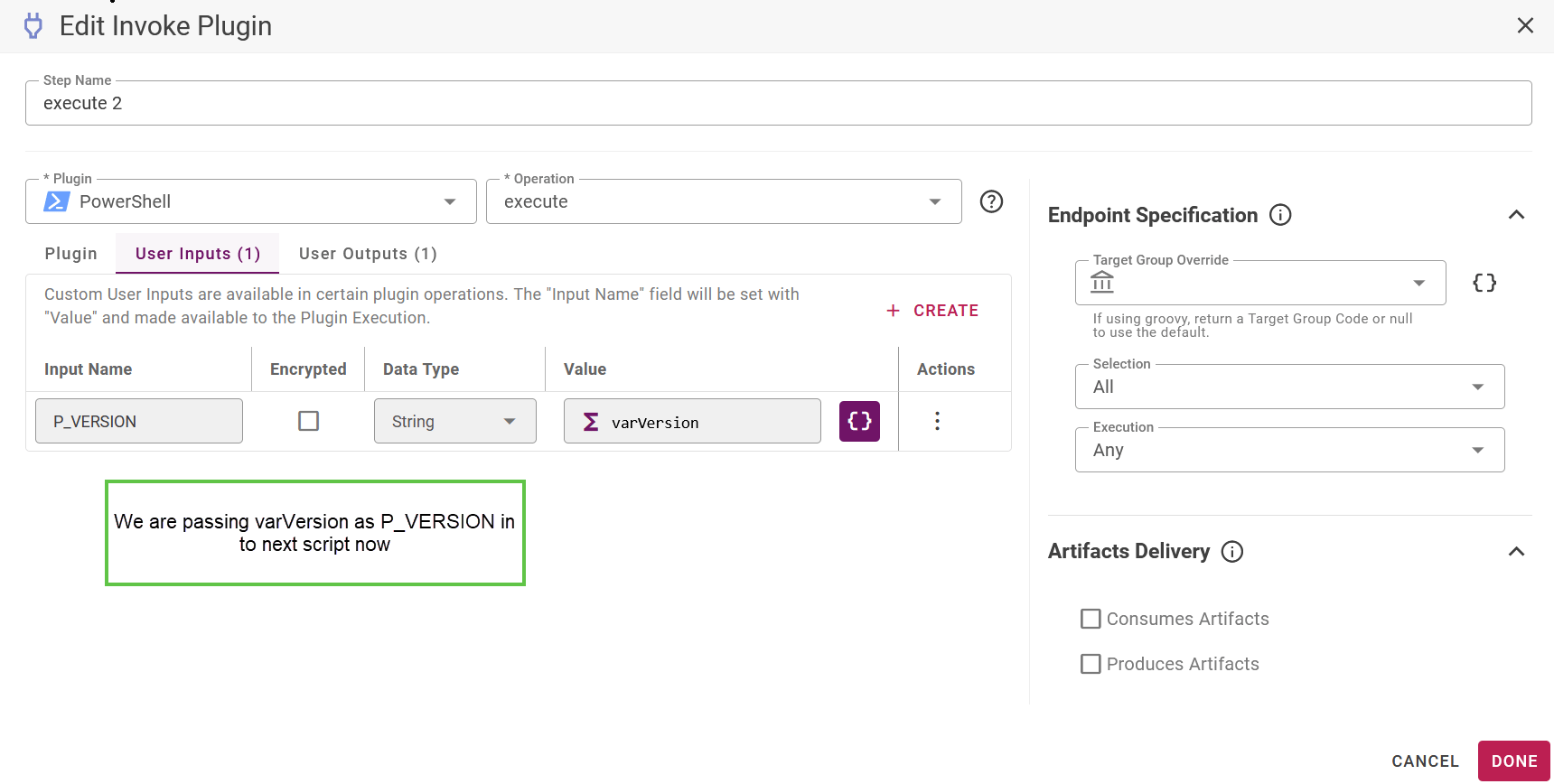
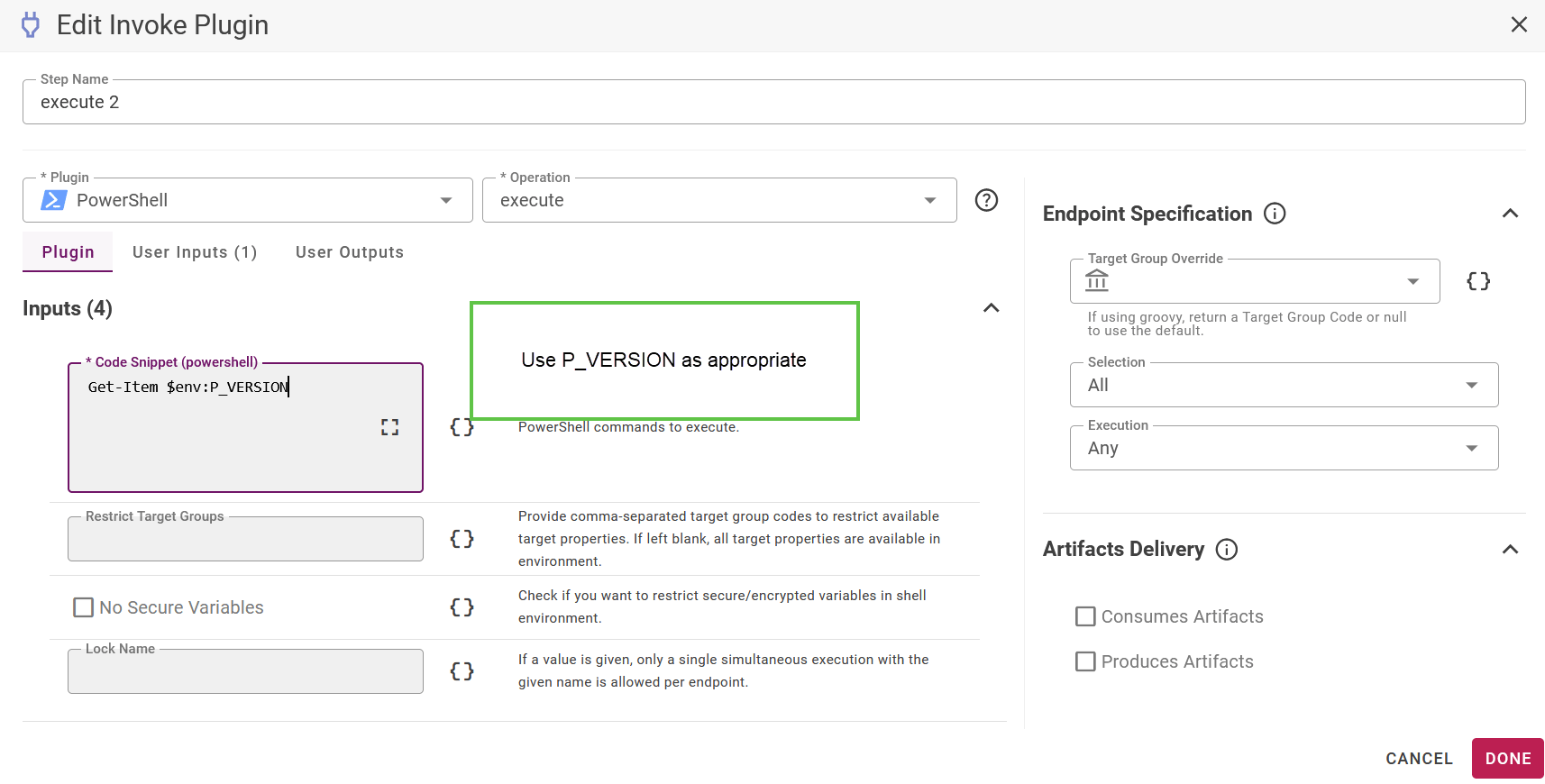
Custom Input and Output with plugin operations

You can invoke multiple PowerShell scripts if necessary or you can invoke PowerShell and then other plugin operation(s). For either situation, you may want to pass output from one invocation to other. This involves capturing output from one plugin invocation and passing it to other plugin. This applies to all types of Shell plugins. Let’s first define a variable at workflow to capture output from plugin invocation. image-20240329-232218.png Define user output on shell invocation, plugin output is stored in some workflow variable. image-20240329-232241.png Plugin script code now can return the output. image-20240329-232303.png At this point we have captured plugin output VERSION in varVersion variable. We can supply this to another plugin call using User Inputs. image-20240329-232318.png And use in script code. image-20240329-232327.png