
- Developers export an application as SQL file(s) and commit to Source Control System. The build in this case is a simple export of Source Control and packaging into a zipped artifact.
- The application files (e.g. pages and components) can be built directly from Application Builder in a Development environment, bypassing a Source Control System all together.
Supported Versions
- 4.x - Supports application build and deploy, but not package-based single-page build and deploy
- 5.x - Supports application build and deploy, but not package-based single-page build and deploy
- 18.x
- 19.1
- 19.2
- 20.1
- 20.2
- 22.x
- 23.x
- 24.x
Recommended SQLcl Versions
- Use the SQLcl version recommended by Oracle.
- Note that newer versions require Java 11. Make a second localhost or remote Endpoint which points to a second Java Home.
- SQLcl version 23.2.0.178.1027 does not work. Upgrade to at least version 23.3 if you get a strange null pointer while attempting to deploy with an earlier 22 or 23 version.
- If you use Autonomous Database, you must use SQLcl 23.3+ and Java 11.
Key Features
- 1 to 1 FlexDeploy project per APEX application, whether you choose package-based or full deployment.
- Full & Package-based Deployment models.
- Source APEX application from development environment (exported during build execution) or SCM.
- Import entire application or individual pages and/or shared components. (only when using Package-based approach)
- Compare individual pages and/or components across all environments to find difference. Comparison is done against deployment state details in FlexDeploy.
- Change detection during deployment, i.e. if application/page/component is already deployed (no changes) then it will be skipped. User can force deployment, if necessary, as well.
-
Continuous Integration use cases
- Automated export of APEX application and commit to SCM of your choice to enable continuous integration.
- As application is exported in split format, it is very easy to use SCM tools to view changes over time to individual page/component.
- Allows backing up application before deployment, ensuring a smooth rollback if necessary. This was added in 9.0.0.2. See Build & Deploy Projects for details on performing deployment rollback.
Full Deployment vs. Package-Based Deployment
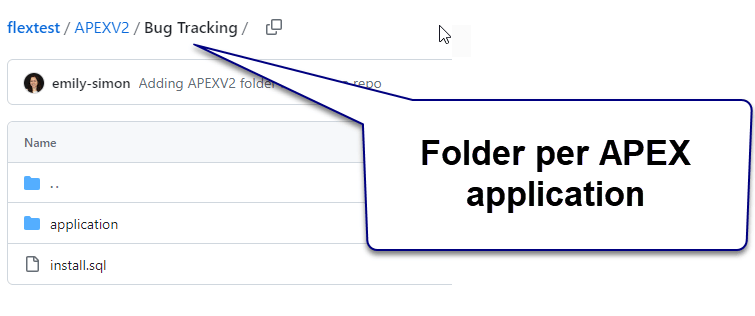
Package-Base Deploy with APEX needs to have an install.sql file in the SCM. This can either be created by hand, or will happen automatically if you allow FlexDeploy to handle the export from APEX
- With the Full Deployment model, an entire APEX application is built and deployed together. This is suitable for smaller applications and smaller development teams when changes can be easily coordinated as a whole.
-
With the Package-based Deployment model, developers can assemble individual pages and components into FlexDeploy packages and deploy subsets of the application. This model works well for larger applications and larger development teams when coordinated deployments of the entire application is just not feasible. Within this model there is also an option to build all files in the application, which in effect produces the same result as a Full Deployment. So, in effect the Package-based Deployment model provides a hybrid approach which allows teams to build and deploy subsets of the application or the entire application on-demand, which is why Flexagon promotes the use of the Package-based Deployment model for all teams. As your application or team grows, you will have the ability to adjust your process without any reconfiguration.
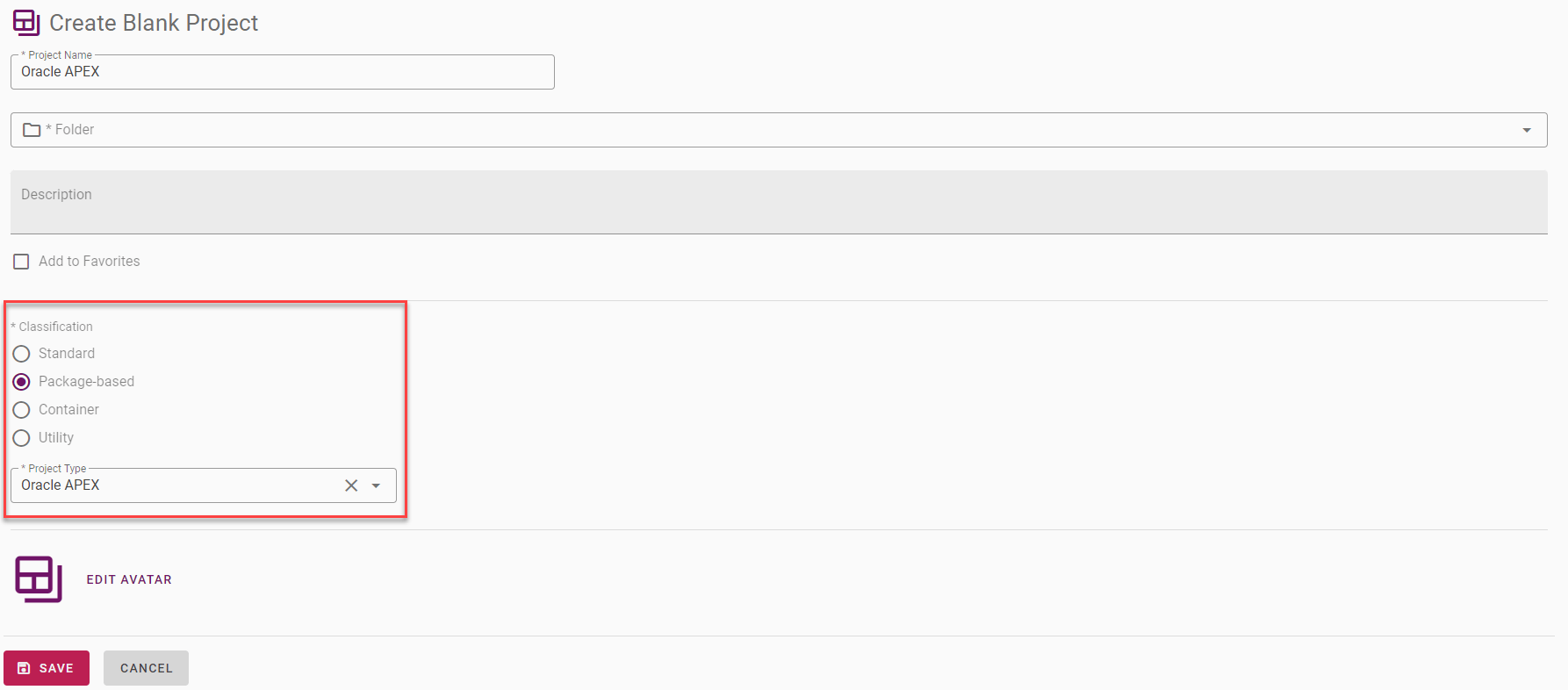
- If you plan to use Package-based deployment model, make sure to check Package-based as Classification and select Oracle APEX as project type.
- It is also recommended to use (All Files) package (Dynamic Package with .* for include path) for normal build and deploy execution. You can create additional Packages with specific pages and/or components to deploy specific files.
-
If you experience
ORA-20001: ERR-1014 Application not found.during deployment failure, then deploy application once using (All Files) package to that environment.
Plugin Operations
Best Practices
Following best practices are captured from references shown below.- When importing the application into QA/Test or Production environments it is strongly recommended that each application is imported with the same Application ID, as used in development.
- The application export file(s) should be checked into the source control system as part of the deliverables for a new release.
- We recommend use of parsing schema owner user to export/import applications. This can be easily achieved by creating FlexDeploy instance with same name as parsing schema name. You can alternatively use SYSTEM user as well.
- See JDBC Plugin Guide or Oracle Database Plugin Guide to manage supporting database objects (tables, views, packages etc.). We recommend use of package-based deployment approach.