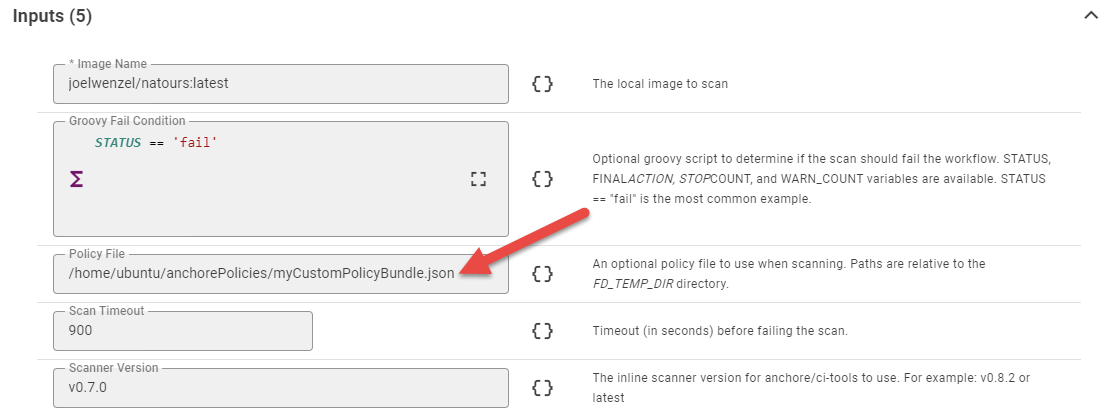
Inputs
Input Name | Input Code | Required | Description |
|---|---|---|---|
Image Name |
| Yes | The full image tag of the locally built image you want to scan. For example ubuntu:16.06 or myuser/myimage:latest |
Groovy Fail Condition |
| No | Optional groovy script to determine if the scan should fail the workflow. Available variables include all FlexDeploy environment variables and the following scan result variables:
See more information here for configuring the Groovy Fail Condition. |
Policy File |
| No | A custom Anchore Policy Bundle to set your own scan/analysis metrics. See Defining Custom Policy Bundles below. |
Scan Timeout |
| No | By default the scan will timeout if it exceeds 900 seconds (15min). This is likely more than enough time but the timeout can be increased here if needed. |
Outputs
Each operation in this plugin supplies the option to configure a Groovy script to determine if the scan results are inacceptable and should fail the operation. Below is a list of variables available to the Groovy script.Groovy Variable | Plugin Output | Description | Example |
|---|---|---|---|
STATUS |
| Overall status of the scan/analysis. This is ultimately determined by the policy bundle that is used. Possible values are pass or fail. | fail |
FINAL_ACTION |
| Similar to the status, this provides the recommended action for the image. | stop |
STOP_COUNT |
| An integer count of the number of STOP rules detected for the image | 2 |
WARN_COUNT |
| An integer count of the number of WARN rules detected for the image | 10 |
ALL_COUNTS |
| A full list of all counts returned | [STOP:2, WARN:10, GO:37] |
All other FlexDeploy Variables are also available in the Groovy Script Condition |
Example Groovy Script Conditions
-
The most common use case lets the policy bundle unequivocally determine failure.
-
No warn or stop checks found
-
A script that is more lenient on non-master stream builds (could be only master stream is pushed to the registry and other streams are for local testing).
Artifacts
This operation delegates the consume/produce artifacts decision to the workflow developer.Endpoint Selection
This operation delegates the selection to the workflow developer to determine.Endpoint Execution
This operations delegates the execution to the workflow developer to decide.Special Considerations
Defining Custom Policy Bundles
You can define your own scanning criteria by creating a json file following these specifications. After creating the custom policy you have two main options:-
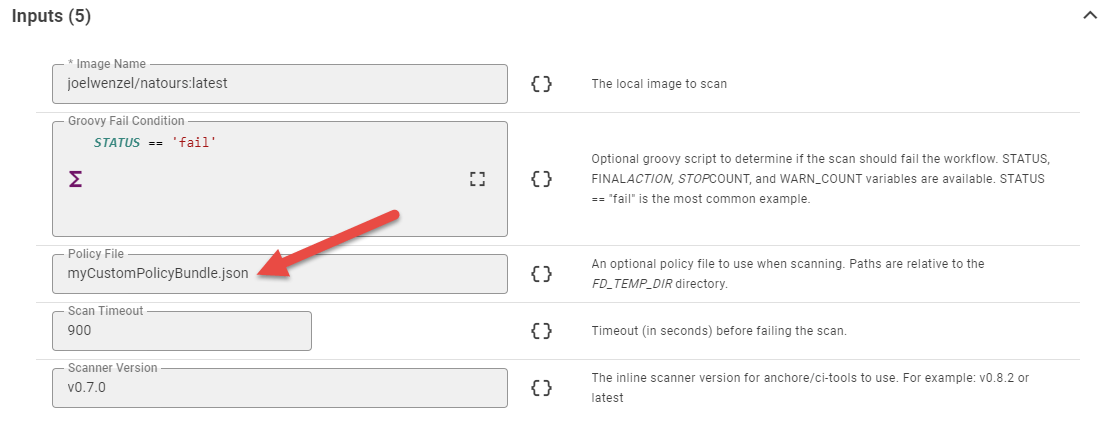
Store the policy json in source control next to your Dockerfile
- In this case your Policy File input will look like the following:
-
-
Store the policy json in an absolute location on your docker build server. This can be useful if you want all of your images to use the same policy bundle.
-